| Hey, | Welcome to today's edition of AlphaSignal, a newsletter for developers by developers.
We identify and summarize the top 1% news, papers, models, and repos in the AI industry. |
|
|
|
IN TODAY'S SIGNAL
| Read time: 5 min 12 sec | 🎖️ Top News
📌 Ray Summit 2024
⚡️ Trending Signals
⚙️ Top Lectures
🧠 Tutorial
|
|
|
|
If you're enjoying AlphaSignal please forward this email to a colleague.
It helps us keep this content free. |
|
|
|
TOP NEWS
| LLM | GitHub integrates OpenAI's new models into its catalog, expanding AI capabilities for developers |
⇧ 2,587 Likes |
 |
What's New | GitHub now offers o1-preview and o1-mini in Copilot Chat for Visual Studio Code and the GitHub Models playground.
OpenAI Introduced these 01 Models with advanced reasoning for code tasks last week.
Key features of the o1 models and this integration with GitHub
Advanced reasoning capabilities for code-specific tasks Deeper understanding of code constraints and edge cases Deliberate and purposeful responses for easier problem identification Ability to toggle between models during conversations Integration with GitHub Copilot and Models playground The preview allows developers to test o1 models in the GitHub Models playground, exploring their capabilities and performance characteristics. This feature supports the integration of these models into custom applications, potentially expanding their use beyond GitHub's tools. Developers can switch between o1-preview, o1-mini, and GPT-4o during Copilot Chat conversations. This flexibility allows users to select the most appropriate model for tasks ranging from API explanations to complex algorithm design and bug analysis.
Strength of o1 models
The o1 models use an internal thought process to analyze code constraints and edge cases. This approach aims to produce higher quality and more efficient code outputs compared to the current default GPT-4o model. The deliberate response style of o1 models is intended to help developers identify and resolve issues more quickly.
Access All Github Copilot users can now join the waitlist to access OpenAI o1 through GitHub Copilot Chat in VS Code and GitHub Models.
|
|
|
Read more
|
|
|
|
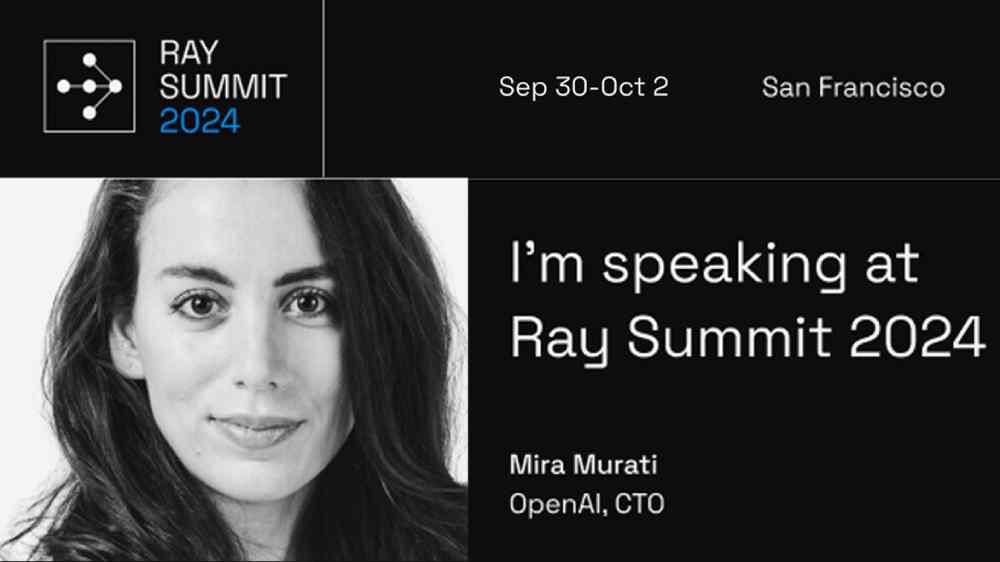
| Ray Summit 2024: Elevate Your AI & ML Skills, 10 Days Left! | Ray Training Day is nearly full. Secure your spot now for this hands-on, in-person event. Six targeted tracks cover Ray basics to advanced LLM workflows.
This includes everything from Ray fundamentals to advanced LLM workloads, every participant will gain practical, actionable skills they can immediately apply.
Don't miss this chance to level up your AI toolkit. Ray Summit starts in 10 days. |
|
Get 15% off
| partner with us |
|
|
|
TRENDING SIGNALS
| AI Code generation |
|
⇧ 555 Likes | |
AI Video Generation |
|
⇧ 541 Likes | |
Computer Vision |
|
⇧ 398 Likes | |
Open Dataset |
|
⇧ 1,187 Likes | |
Prompt Engineering |
|
⇧ 1,136 Likes | | |
|
|
|
|
|
TOP LECTURES
| RAG |
| ⇧ 601 Likes |
You'll learn to build a Multimodal RAG system using LlamaIndex, GPT-4, and Anthropic Sonnet. This tutorial covers retrieving page and document names, constructing a Multimodal Query Engine, and creating an agent with reranking. You'll implement OCR, vector indexing, and custom query functions. The guide demonstrates practical applications using an IKEA manual as a complex multimodal dataset. |
| Flux Finetuning |
|
| ⇧ 890 Likes |
Learn to fine-tune FLUX image generation models using open-source tools. This tutorial covers LoRA-based fine-tuning, automatic image captioning, and inference. You'll use Cog for training, integrate with Weights & Biases, and optionally upload models to Hugging Face. Gain hands-on experience with continuous deployment and API-based fine-tuning. |
| Data Engineering |
|
⇧ 1,300 Likes |
This 4-course Data Engineering Professional Certificate teaches you to build and manage data pipelines for AI systems. You'll learn data lifecycle management, pipeline design, and trade-offs between speed, scalability, security, and cost. The course covers open-source tools and modern data architectures. It's taught by Joe Reis and 17 industry experts, focusing on practical, job-ready skills. |
| |
| |
|
|
PYTHON TIP
| Managing state in async ML workflows with Python's contextvars |
Python's contextvars module helps you manage thread-local state in asynchronous deep learning pipelines. You can create context-specific variables that persist across asynchronous calls, ensuring data integrity in complex workflows.
This approach prevents race conditions in parallel processing, maintains separate states for different execution contexts, and allows for clean, modular code in asynchronous environments.
It's particularly useful in distributed training scenarios or when handling multiple models concurrently.
In the below example, contextvars helps maintain separate, thread-safe state for each async task, preventing data races when processing multiple batches concurrently. |
import contextvars
import asyncio

# Create a context variable
model_state = contextvars.ContextVar(
    'model_state', default=
    )

async def update_model(data):
    state = model_state.get()
    # Update state with new data
    state.update(data)
    model_state.set(state)

async def process_batch(batch):
    await update_model(batch)
    # More processing...

async def main():
    batches = [, ]
    await asyncio.gather(
    *(process_batch(b)
      for b in batches)
)
    print(model_state.get())

# For Jupyter notebooks, use this instead
#of asyncio.run(main())
await main()
| The above example is being run in Jupyter notebooks, hence using await main() instead of asyncio.run(main()).
Jupyter notebooks often run in an environment where an event loop is already running, so you can directly await the main coroutine. |
|
Get the colab
|
|
|
|
Looking to promote your company, product, service, or event to 200,000+ AI developers? Let's work together.
|
|
Advertise
|
|
|
|
|
