
Viral ChatGPT Prompt Repo Rebuilds Into prompts.chat With MCP and Self-Hosting
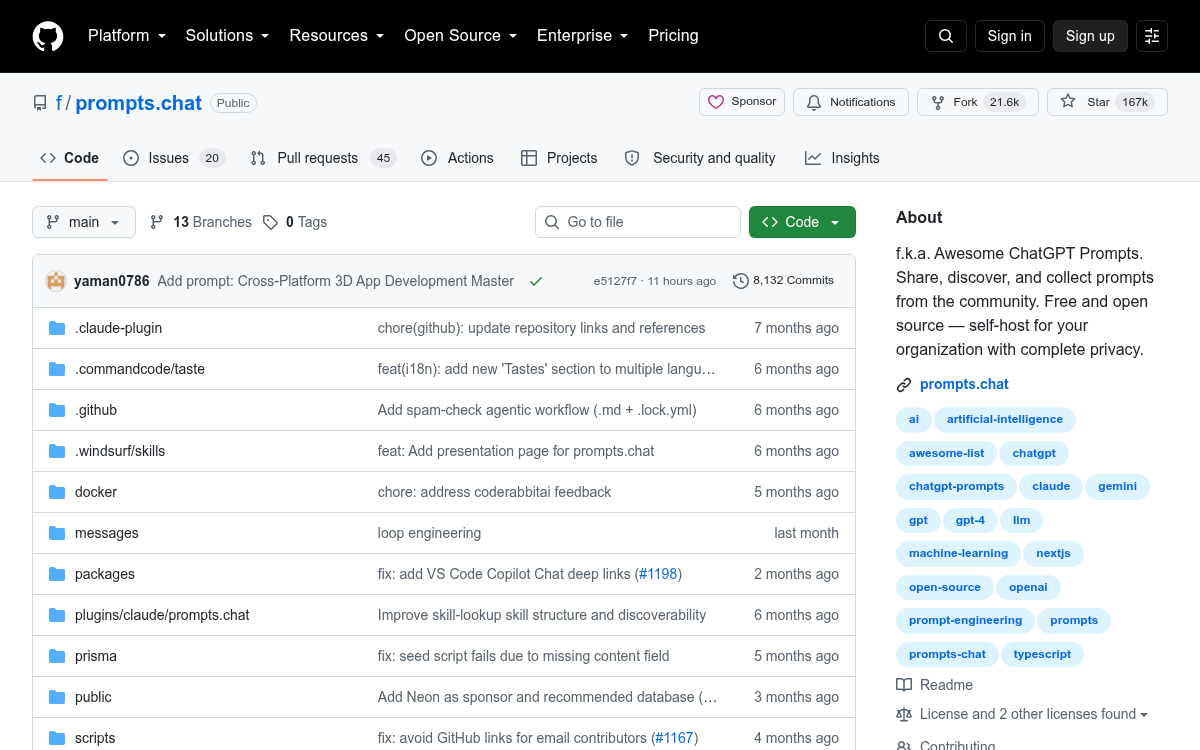
The original ChatGPT prompt repo from 2022 has been rebuilt as prompts.chat — a full platform with MCP server, Claude Code plugin, and self-hosting support
 Pro
Takeaways
- Rebrand: "Awesome ChatGPT Prompts" (Dec 2022) has been rebuilt and relaunched as prompts.chat, a full open-source prompt platform.
- MCP Server: prompts.chat now exposes a remote MCP endpoint at
https://prompts.chat/api/mcp, compatible with Claude, Cursor, Windsurf, and VS Code. - Claude Code Plugin: Install via
/plugin marketplace add f/prompts.chatto access and save prompts directly inside Claude Code. - Self-hosting: Teams can deploy a private instance with
npx prompts.chat newor Docker, with GitHub/Google/Azure AD auth and full branding control. - Scale: 167k+ GitHub stars, 21.6k forks, most-liked dataset on Hugging Face, 40+ academic citations, referenced by Harvard and Columbia.
- Free & CC0: All prompt data is public domain (CC0); source code is MIT licensed.
Back in December 2022, developer Fatih Kadir Akın pushed a GitHub repo called Awesome ChatGPT Prompts , a simple markdown list of role-play style prompts for ChatGPT. It went viral almost immediately, earning endorsements from OpenAI co-founders Greg Brockman and Wojciech Zaremba within days. Now, that same project has been rebuilt from the ground up and relaunched as prompts.chat: a full-stack, open-source prompt management platform with an MCP server, a Claude Code plugin, self-hosting support, and a live community web app.
From a README to a platform
The rebrand to prompts.chat reflects an expanded scope beyond ChatGPT to all AI models, and a transformation into a full platform with self-hosting, APIs, and educational resources. The repository now hosts thousands of community-curated prompts, available through a web interface, as a raw markdown file, a CSV dataset, and a Hugging Face integration. All prompt content is released under CC0 , effectively public domain , so you can use it in any project without attribution.
The project has accumulated 143k+ GitHub stars, a GitHub Staff Pick badge, 40+ academic citations, and has been referenced by Harvard and Columbia. It is currently the most-liked dataset on Hugging Face.
The new developer surface
The most significant additions for developers are the integrations that turn prompts.chat from a website into a tool you can wire into your existing workflow.
- MCP Server , prompts.chat now exposes a remote MCP (Model Context Protocol) endpoint at
https://prompts.chat/api/mcp. You can point any MCP-compatible client at it with a single JSON config block. - Claude Code Plugin , The plugin provides tools via the prompts.chat MCP server, and saving prompts and skills requires an API key from prompts.chat/settings. Install it in Claude Code with two commands.
- CLI , Run
npx prompts.chatto access the library from the terminal. - Self-hosting , Spin up a private instance with
npx prompts.chat new my-prompt-libraryor via Docker Compose. The setup wizard handles branding, themes, and auth (GitHub, Google, Azure AD).
The MCP integration is the most interesting piece for teams building agentic workflows. An MCP server works with any compliant host , Claude Desktop, Claude Code, Cursor, Windsurf, VS Code, Cline , all of them. That means a prompt you save to prompts.chat becomes instantly accessible across every AI tool in your stack without any copy-pasting.
Here is the minimal config to connect it to Claude Code or Cursor:
{
  "mcpServers": {
    "prompts.chat": {
      "url": "https://prompts.chat/api/mcp"
    }
  }
}
What the platform actually contains
The project includes a free interactive guide with 25+ chapters covering prompt engineering basics through advanced techniques like chain-of-thought reasoning, few-shot learning, and AI agents. There is also a "Prompting for Kids" section , a game-based adventure for ages 8-14.
Prompts on the platform fall into three types:
- Text prompts , Role-based system prompts like "act as a Linux terminal" or "act as a job interviewer." These are the original format from the 2022 repo.
- Skills , Reusable instruction sets designed to be installed into coding agents. Examples include Karpathy-style coding guidelines and multi-agent workflow orchestrators.
- Image prompts , Structured JSON prompts for image generation models, with fields for style, lighting, composition, and constraints.
Self-hosting for teams
The self-hosting path is where prompts.chat differentiates itself from every other prompt directory. The dual mission is to democratize access to high-quality prompts while empowering organizations to maintain complete data privacy through self-hosting. A team can run the full platform internally, with their own prompt library, authentication, and branding, without any data leaving their infrastructure.
The recommended database is PostgreSQL, with Neon listed as the hosted option. The stack is Next.js and TypeScript, so it fits naturally into most existing web infrastructure.
What it is not great at
The platform is a community library, not a prompt optimization or evaluation tool. There is no built-in mechanism to test whether a prompt actually performs well on a given model, or to version-control prompts with associated evals. The quality of community-submitted prompts varies widely. For teams that need systematic prompt management with CI/CD-style testing, prompts.chat is a starting point for discovery, not a complete solution.
The project earns its stars by solving the fundamental friction in AI adoption , prompt discovery and management , and transforms prompt engineering from an artisanal craft into a more systematic, scalable discipline. Whether that is enough depends on how seriously your team treats prompt management. If you are still copy-pasting prompts from Notion docs, this is a meaningful upgrade. If you need evals and deployment pipelines, you will need to build on top of it.
