
OpenCLI Turns Any Website Into a Free Deterministic Command for AI Agents
OpenCLI turns any website into a scriptable CLI command, letting AI agents operate your logged-in Chrome browser without writing a single scraper
 Pro
Takeaways
- OpenCLI converts any website into a deterministic CLI command and gives AI agents (Claude Code, Cursor) direct control over your logged-in Chrome browser.
- Over 100+ pre-built site adapters cover Reddit, Twitter/X, LinkedIn, Bilibili, Xiaohongshu, HackerNews, and more, with structured JSON/CSV output.
- A Browser Bridge Chrome extension reuses your existing login sessions -- no credentials are ever exposed or stored outside the browser.
- Uniquely, OpenCLI can also control Electron desktop apps like Cursor, ChatGPT, and Codex via the Chrome DevTools Protocol (CDP).
- Zero LLM cost at runtime: pre-built adapters return the same structured schema every time without consuming any tokens.
- Available free on GitHub (Apache 2.0), installable via
npm install -g @jackwener/opencliwith Node.js >= 20.
OpenCLI is an open-source TypeScript tool that converts websites into deterministic command-line interfaces, and hands those same interfaces directly to AI agents like Claude Code or Cursor. The pitch is simple: instead of writing a new scraper every time you need data from Twitter, LinkedIn, or Bilibili, you run a single command and get clean, structured output back.
The problem it actually solves
Browser automation has always lived in one of two uncomfortable camps. You either write brittle Playwright or Puppeteer scripts that break every time a site updates its DOM, or you throw an LLM at the page and pay per-token for something that is slow and non-deterministic. LLM inference on every run is slow, expensive, and non-deterministic for repeated tasks. A command like opencli bilibili hot -f json returns the same structured schema every time, costs nothing to run, and finishes in seconds. For recurring data extraction from known sites, pre-built adapters beat LLM-driven approaches on cost, speed, and reliability.
OpenCLI's answer is a layer of adapters -- think of them as thin, site-specific wrappers that know how to talk to a website's real API or DOM structure. Once an adapter exists, running it is free and fast, every time.
Three things it does at once
OpenCLI turns websites, browser sessions, Electron apps, and local tools into deterministic interfaces for humans and AI agents, and can run Browser Use against any page to navigate, fill forms, click, extract, and automate. It gives you one surface for three different kinds of automation, with built-in adapters for sites like Bilibili, Zhihu, Xiaohongshu, Reddit, HackerNews, and Twitter/X.
- Pre-built adapters: Over 100 site surfaces already registered, covering everything from Reddit and LinkedIn to Chinese platforms like Douyin, Weibo, and Xiaohongshu.
- AI agent browser control: The browser commands are designed to be used by AI agents, not run manually. Install skills into your AI agent (Claude Code, Cursor, etc.) and the agent operates websites on your behalf using your logged-in Chrome session.
- CLI hub: Register any local CLI so AI agents can discover and call it alongside built-in commands. It auto-installs missing tools via your package manager -- if
ghisn't installed,opencli gh ...runsbrew install ghfirst, then re-executes seamlessly.
How the browser bridge actually works
The key architectural insight is session reuse. Rather than spinning up a headless browser with no cookies or auth state, OpenCLI connects to your existing Chrome instance through a lightweight Browser Bridge extension. It reuses Chrome's logged-in state, so your credentials never leave the browser -- no tokens, no exposed passwords.
Once connected, the agent handles all the opencli browser commands internally -- you just describe what you want done in natural language. Under the hood, the agent reads page content via structured DOM snapshots rather than screenshots, which keeps token usage low and parsing reliable. Available browser commands include open, state, click, type, fill, select, keys, wait, get, find, extract, frames, screenshot, scroll, back, eval, network, tab list, tab new, tab select, tab close, init, verify, and close.
There is also a daemon running locally on port 19825 that bridges the extension and the CLI. It starts automatically when needed, and you can check its status with curl localhost:19825/status.
The Electron angle is underrated
OpenCLI can script Cursor, ChatGPT, and other Electron apps from the terminal. Browser automation tools cannot control desktop applications -- this is unique to OpenCLI. No other tool in this comparison can send a prompt to ChatGPT desktop or extract code from Cursor via CLI. It does this through the Chrome DevTools Protocol (CDP), the same low-level interface browsers expose for debugging, which Electron apps also implement.
Getting started in four steps
- Install with
npm install -g @jackwener/opencli(requires Node.js >= 20) - Install the Browser Bridge extension from the Chrome Web Store
- Run
opencli doctorto verify the connection - Run
opencli hackernews top --limit 5to pull your first data
To wire it into an AI agent like Claude Code or Cursor, one more command installs the skill bundle:
npx skills add jackwener/opencli --skill opencli-browserFrom there, you can prompt your agent in plain English -- "check my LinkedIn notifications" or "post this thread to Twitter" -- and it handles the browser commands internally.
Output formats and scripting
All built-in commands support --format / -f with table (default), json, yaml, md, and csv. This makes it straightforward to pipe output directly into other tools:
opencli bilibili hot -f json | jq '.[] | .title'
opencli twitter search "AI agents" -f csv > results.csv
Exit codes follow Unix sysexits.h conventions, so CI pipelines can branch on specific failure modes like auth required (77), timeout (75), or browser bridge down (69).
Where it falls short
OpenCLI only works with sites that have pre-built adapters and cannot handle arbitrary websites. If you need to explore unknown websites or handle one-off tasks on sites without adapters, an LLM-driven browser tool is a better fit. OpenCLI trades generality for determinism and cost. Writing a new adapter requires running recon commands, inspecting network traffic, and understanding the site's auth pattern -- it is not a five-minute task for a site you've never seen before.
The tool is also Chrome-only for now. If your workflow lives in Firefox or Safari, you're out of luck until support is added.
The bigger picture
OpenCLI is part of a broader shift in how AI agents interact with the web. Most current approaches treat the browser as a black box and rely on vision models to interpret screenshots. OpenCLI bets on structured DOM access and pre-built adapters instead -- a trade-off that pays off heavily for repeated, predictable tasks. With zero LLM cost at runtime, you can run the same command 10,000 times and pay nothing.
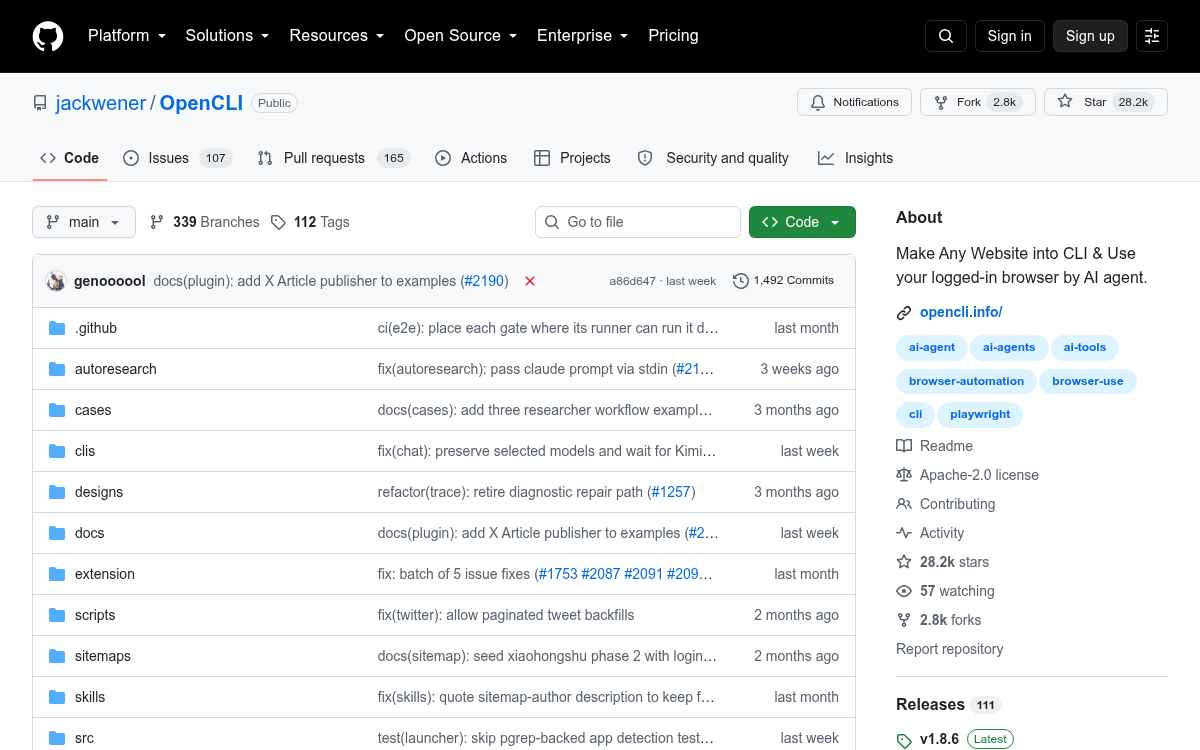
The project has grown from roughly 1,400 stars at launch to over 24,700 stars and 2,500 forks on GitHub, with 108 releases shipped. The npm package is available under the Apache 2.0 license, so it is free to use and extend in commercial projects.
