
OpenClaw's 31K-Star Community Repo Solves the Hardest Part of Running AI Agents
A community-built GitHub repo cataloging 42 verified real-world OpenClaw agent setups has crossed 31K stars, surfacing what people actually do with the tool.
 Pro
Takeaways
- What it is: Awesome OpenClaw Use Cases is a community repo of 42 verified, real-world OpenClaw agent setups, now at 31K+ stars.
- The gap it fills: Knowing how to install OpenClaw is easy; knowing what to actually do with it is the hard part -- this repo solves that.
- Strict quality bar: Contributors must have run their use case for at least a day before submitting -- no theoretical or unverified setups accepted.
- Broad coverage: Use cases span social media automation, DevOps self-healing servers, research paper pipelines, personal CRMs, and multi-agent content factories.
- Security warning baked in: Community-built skills are not audited; always review source code and never hardcode API keys or credentials.
- Free and open: MIT-licensed, contributions welcome, and OpenClaw itself installs with a single shell command on any OS.
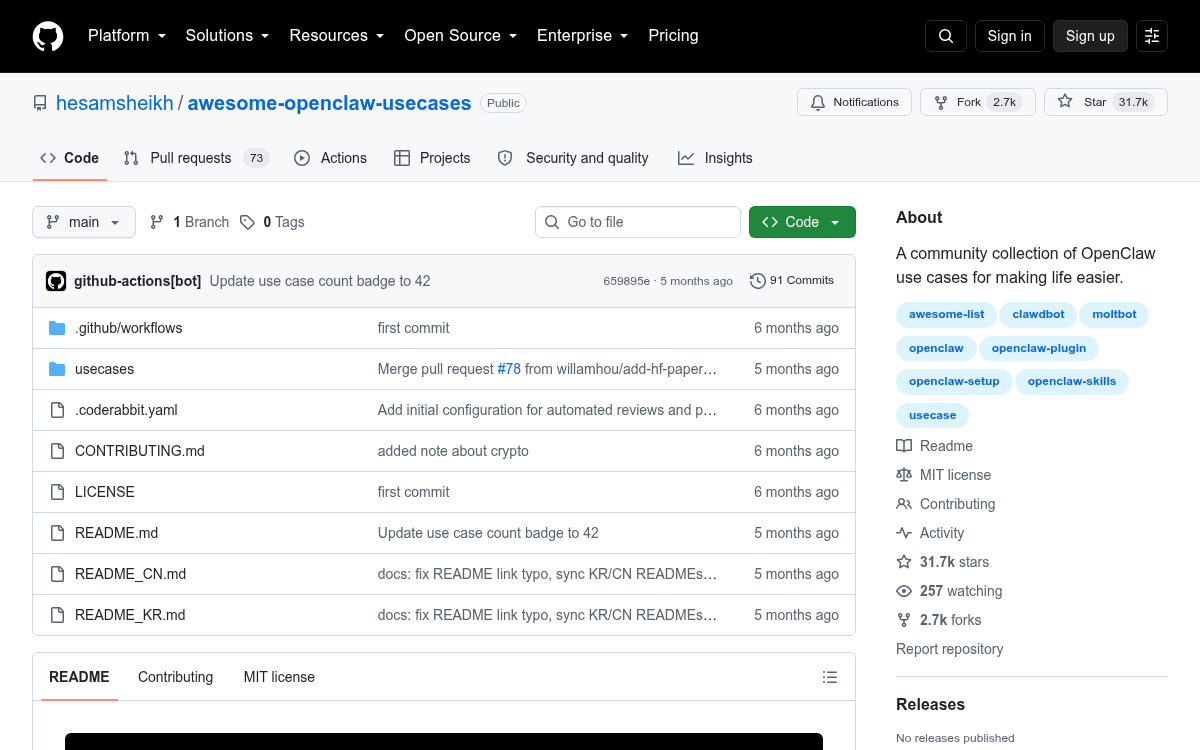
Awesome OpenClaw Use Cases is a community-curated GitHub repository collecting verified, real-world setups that people are running with OpenClaw, the viral open-source AI agent. The repo, created by Hesam Sheikh, has grown to over 31,000 stars and 2,700 forks, making it one of the fastest-rising "awesome list" repositories on GitHub right now.
The problem it actually solves
The repo frames its mission clearly: the bottleneck of OpenClaw adoption is not skills, but finding ways it can improve your life. It is a community collection of real-life use cases. In other words, the hard part of using an agent platform is not installing it or writing plugins. It is figuring out what to point it at.
The hardest part of any agent framework is figuring out what to do with the skills. The repo tackles that problem head-on, collecting 30+ verified, real-world setups that people are actually running. The premise is refreshingly honest: only submit use cases you have run for at least a day. No vaporware, no "imagine if" -- just things that work.
What is OpenClaw, briefly
OpenClaw (formerly known as Clawdbot/Moltbot) is an open-source AI agent that runs on your own hardware and connects to messaging apps like WhatsApp, Telegram, and Discord. If a standard LLM is a brain, OpenClaw is that brain equipped with hands and a keyboard. It does more than suggest solutions; it implements them by reading and writing files, running shell commands, controlling browsers, and managing GitHub repositories.
The project launched under the name Clawdbot, hit 9,000 GitHub stars in its first 24 hours, and eventually surpassed 214,000 stars by early 2026. OpenClaw does not ship with an LLM of its own, but supports a broad range of AI providers out of the box -- whether you want to use OpenAI, Anthropic, Google, or a locally-run model.
42 use cases, organized by domain
The repo currently lists 42 verified use cases across six categories. Here is a breakdown of what is covered:
- Social Media: Daily Reddit and YouTube digests, X account analysis, multi-source tech news aggregation from 109+ sources, and full X/Twitter automation via the TweetClaw plugin.
- Creative and Building: Overnight mini-app builder, YouTube content pipelines, multi-agent content factories running in Discord, autonomous game dev pipelines, and reading and analyzing arXiv papers conversationally, or writing and compiling LaTeX papers with instant PDF preview -- no local TeX installation needed.
- Infrastructure and DevOps: An always-on infrastructure agent with SSH access, automated cron jobs, and self-healing capabilities across your home network. Your server goes down at 3 AM, the agent notices, diagnoses, and fixes it before you wake up.
- Productivity: Autonomous project management using a
STATE.yamlpattern, multi-channel customer service unifying WhatsApp, Instagram, Email, and Google Reviews, a personal CRM that auto-discovers contacts from email and calendar, and a second-brain bot you text anything to remember. - Research and Learning: Discovering trending ML papers on Hugging Face, triaging by upvotes, and deep-reading via arXiv -- all conversationally. Also includes a pre-build idea validator that scans GitHub, HN, npm, PyPI, and Product Hunt before you start building.
- Finance: Automated paper trading on prediction markets with backtesting and daily performance reports.
A standout: the morning brief
One of the most-cited patterns in the repo is the custom morning brief. This workflow has OpenClaw send a fully customized morning briefing every day at a scheduled time, covering news, tasks, ideas, and proactive recommendations. It researches overnight news relevant to your interests, reviews your to-do list, generates creative output like full scripts and email drafts, and recommends tasks the AI can complete autonomously to help you that day.
The security caveat you should not skip
The repo is upfront about risk. OpenClaw skills and third-party dependencies referenced here may have critical security vulnerabilities. Many use cases link to community-built skills, plugins, and external repos that have not been audited by the maintainer of this list. Always review skill source code, check requested permissions, and avoid hardcoding API keys or credentials. You are solely responsible for your own security.
This is not boilerplate. OpenClaw agents can have SSH access, browser control, and file system permissions. Pulling in an unreviewed community skill is meaningfully different from installing an npm package.
How to use it
Installation is a single command -- on macOS, Linux, or WSL2 you run curl -fsSL https://openclaw.ai/install.sh | bash, and on Windows PowerShell you run iwr -useb https://openclaw.ai/install.ps1 | iex. Once OpenClaw is running, each use case in the repo is a self-contained markdown file with the system prompt, required skills or plugins, and setup notes. You pick a use case, follow the instructions, and the agent is live.
Contributing is open to anyone, with one firm rule: only submit use cases you have already worked with and verified that works for at least a day. The community values real ideas that make lives actually better, not worse. Crypto-related use cases are explicitly excluded.
The repo is free, MIT-licensed, and lives at github.com/hesamsheikh/awesome-openclaw-usecases. If you have been sitting on OpenClaw since installing it and not quite knowing what to do with it, this is the most practical starting point available right now.
 X X post by @alphasignal