
OpenClaw Brings Your Self-Hosted AI Assistant to 20+ Messaging Apps
OpenClaw is an open-source, self-hosted personal AI assistant that runs on your own devices and talks to you through WhatsApp, Telegram, Slack, Discord, and 20+ other messaging apps
 Pro
Takeaways
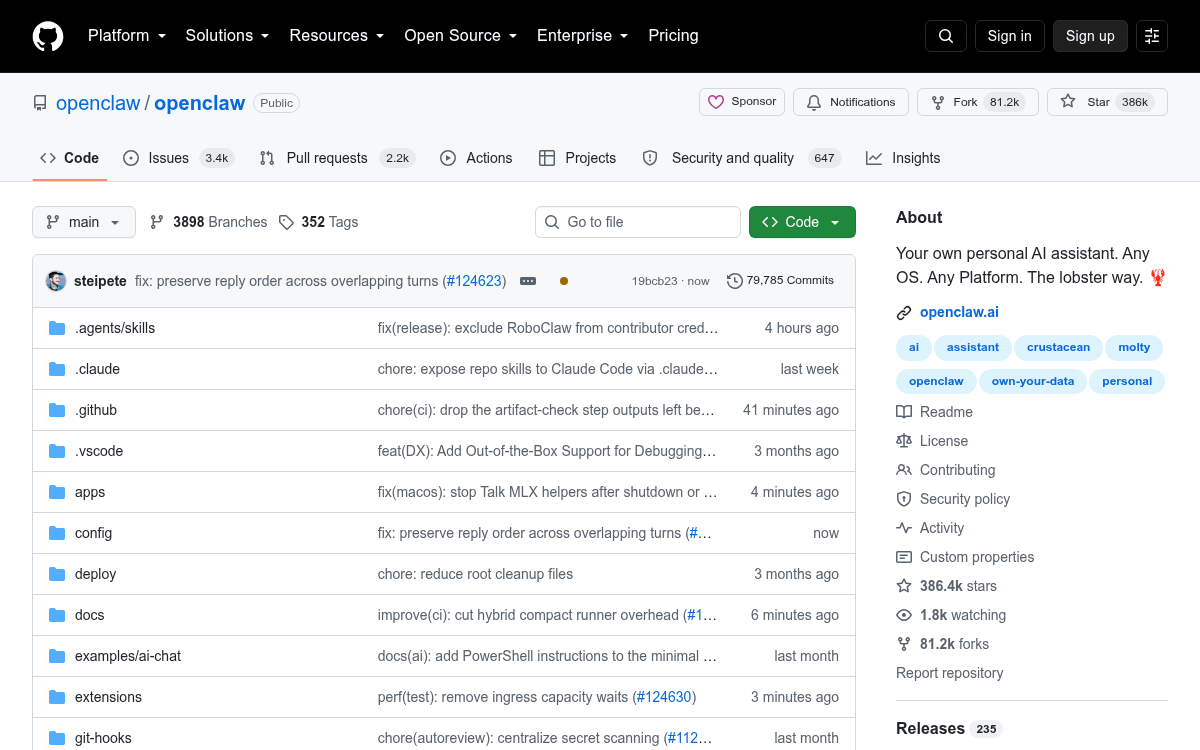
- What it is: OpenClaw is an open-source, self-hosted personal AI assistant (386K+ GitHub stars) built in TypeScript under MIT license.
- Core idea: A local Gateway WebSocket server routes your AI assistant across 20+ messaging platforms (WhatsApp, Telegram, Slack, Discord, Signal, iMessage, Teams, and more) simultaneously.
- Install: One-liner install via
curl -fsSL https://openclaw.ai/install.sh | bashthenopenclaw onboard --install-daemon; requires Node 22+. - Key tools: Browser control via CDP, voice wake words, live Canvas workspace, cron/webhooks, multi-agent session routing, and a plugin registry called ClawHub.
- Security: Unknown senders are gated by pairing codes by default; non-main sessions can be sandboxed in Docker; run
openclaw doctorto audit your config. - Limitations: Designed for single-operator use; multi-user setups require extra sandboxing config; some of the 20+ channel integrations are more mature than others.
OpenClaw is an open-source personal AI assistant built to run entirely on your own hardware, meeting you in the messaging apps you already use rather than forcing you into yet another chat interface. Created by Peter Steinberger and the OpenClaw Foundation, the project has attracted over 386,000 GitHub stars and 81,000 forks, making it one of the most-starred AI tooling repos on the platform.
The problem it's solving
Most AI assistants live in walled gardens: you open an app, type a message, get a reply. OpenClaw flips that model. The idea is that your assistant should live on your infrastructure, talk to you through channels you already have open, and keep your data on your own machines. The tagline is blunt: own your data.
The project was originally built for Molty, a fictional space lobster AI assistant persona, which explains the 🦞 branding throughout. That origin story is now community lore, but the software underneath is serious infrastructure.
How it's architected
OpenClaw is built around a local Gateway , a WebSocket control plane that runs on your machine (or a small Linux server) and acts as the single hub for all sessions, channels, tools, and events. Everything else connects to it:
- A CLI (
openclaw) for setup, messaging, and management - A web-based Control UI served directly from the Gateway
- Optional companion apps for macOS (menu bar), iOS, and Android
- Channel adapters for 20+ messaging services
The Gateway is the product. Companion apps are optional add-ons that layer on voice, camera, screen recording, and device-local commands.
The channel list is the headline feature
OpenClaw connects to a genuinely wide set of messaging surfaces out of the box:
- Consumer: WhatsApp, Telegram, Signal, iMessage (via BlueBubbles), LINE, Zalo, Twitch
- Work: Slack, Discord, Microsoft Teams, Google Chat, Mattermost, Nextcloud Talk, Matrix, Feishu
- Niche/self-hosted: IRC, Nostr, Synology Chat, Tlon, WebChat
Each channel uses the real underlying library for that platform (Baileys for WhatsApp, grammY for Telegram, Bolt for Slack, discord.js for Discord, and so on), so it behaves like a native bot rather than a scraper. Unknown senders are gated behind a pairing code by default, which is a sensible security default for something that has shell access to your machine.
Getting started takes one command
The recommended setup path is the onboarding wizard, which walks through model auth, Gateway setup, and channel configuration interactively:
# macOS / Linux / WSL2
curl -fsSL https://openclaw.ai/install.sh | bash
# Then run the guided setup
openclaw onboard --install-daemon
The daemon installs as a launchd or systemd user service so the Gateway stays running in the background. Node.js 22+ is required. You can also install via npm directly if you already manage your own Node runtime:
npm install -g openclaw@latest
openclaw onboard --install-daemon
openclaw gateway --port 18789
Once the Gateway is up, you point it at a model provider (OpenAI, Anthropic, or others), configure whichever channels you want, and your assistant is live across all of them simultaneously.
What it can actually do
Beyond just answering questions, OpenClaw ships with a meaningful set of built-in tools:
- Browser control: A dedicated Chromium instance with CDP (Chrome DevTools Protocol) control, so the agent can browse, take screenshots, and interact with web pages
- Voice: Wake words on macOS/iOS and continuous voice mode on Android, with ElevenLabs or system TTS as fallback
- Live Canvas: An agent-driven visual workspace (called A2UI) that the assistant can push content to in real time
- Cron and webhooks: Schedule tasks or trigger the agent from external events, including Gmail Pub/Sub
- Multi-agent routing: Route different channels or accounts to isolated agent sessions, each with their own context
- Skills (ClawHub): A plugin registry where the agent can search for and pull in new capabilities on demand
The Android node is particularly capable: it exposes device commands for notifications, location, SMS, photos, contacts, calendar, and motion data back to the Gateway.
The security model matters
Because OpenClaw runs tools directly on your host machine by default, the security model deserves attention. The project treats inbound messages as untrusted input and gates unknown senders behind pairing codes. For group channels or multi-user setups, you can sandbox non-main sessions inside per-session Docker containers, restricting what the agent can execute. The openclaw doctor command surfaces misconfigured DM policies before they become a problem.
The main session (just you talking to your own assistant) runs with full host access by design. That's the right tradeoff for a single-user personal assistant, but it's worth reading the security guide before exposing the Gateway to anyone else.
What it's less suited for
OpenClaw is explicitly designed as a single-operator tool. Multi-user deployments are possible with sandboxing, but the architecture and defaults are optimized for personal use. If you want a team-wide AI assistant with fine-grained access controls and audit logs, this isn't the right starting point. The open issue count (3,400+ at time of writing) and the breadth of supported channels also suggest that some integrations are more battle-tested than others.
The broader context
OpenClaw sits in a growing category of self-hosted AI infrastructure projects that treat data sovereignty as a first-class requirement. The project is MIT-licensed, maintained by the non-profit OpenClaw Foundation, and accepts AI-assisted pull requests explicitly. Sponsors include OpenAI, Vercel, NVIDIA, Convex, and Blacksmith, which signals the project has meaningful institutional backing despite being community-driven.
The practical pitch is straightforward: if you're already living in Telegram or Slack all day, having your AI assistant reply in those same threads , with memory, tools, and voice , is a meaningfully different experience than switching to a separate app. OpenClaw is the infrastructure layer that makes that possible, and the getting started guide can get you there in under an hour.
