
Open-Source TorchCode Gives ML Engineers 40 Challenges to Ace AI Interviews
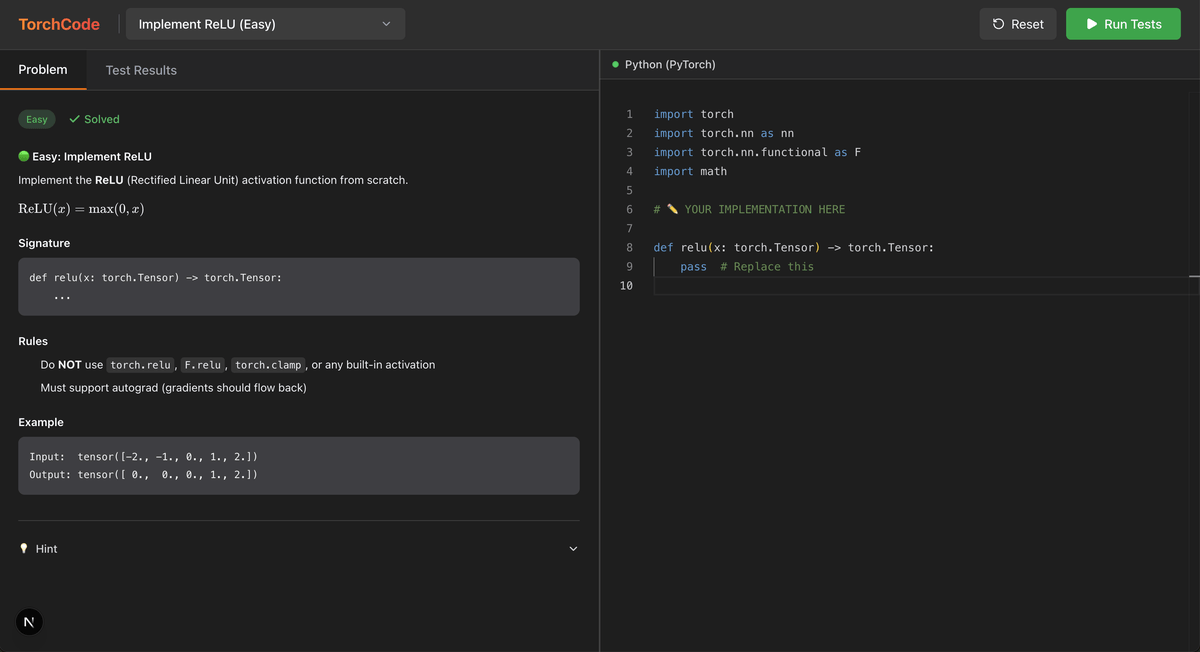
TorchCode is a free, self-hosted LeetCode-style platform with 40 auto-graded PyTorch challenges covering attention, GPT-2, LoRA, and more
Takeaways
- TorchCode is a free, open-source LeetCode-style platform for PyTorch with 40 auto-graded implementation challenges.
- Problems cover the full modern ML stack: attention variants, GPT-2, LoRA, MoE, Flash Attention, DPO/GRPO/PPO loss, and more.
- The
torch_judgeauto-grader checks output correctness, gradient flow, shapes, and numerical stability with instant colored feedback. - Runs with zero setup via Hugging Face Spaces, Google Colab, or Docker; no GPU required.
- Includes hints, reference solutions, a one-click notebook reset, and a 4-week study plan (~12-16 hours total).
- The repo has 4,100+ stars;
pip install torch-judgelets you use the grader standalone in any notebook.
TorchCode is an open-source, Jupyter-based coding platform that brings the LeetCode experience to PyTorch. Instead of algorithm puzzles, you get 40 curated ML engineering challenges where you implement real operations from scratch: softmax, multi-head attention, KV cache, Flash Attention, LoRA, and even GRPO loss. The catch? You have to write it all using only basic PyTorch ops, no torch.nn shortcuts.
The repo has already crossed 4,100 stars, and it's easy to see why. ML engineering interviews at companies like Meta, Google DeepMind, and OpenAI increasingly test whether candidates can implement core operations from memory, not just call the right API. TorchCode gives you a structured, repeatable way to practice exactly that.
No setup, no excuses
Getting started requires essentially zero friction. There are four ways to run it:
- Hugging Face Spaces: Open the live demo in your browser. Full JupyterLab, nothing to install.
- Google Colab: Every notebook has an "Open in Colab" badge. You can also
pip install torch-judgeand run the grader directly in any Colab session. - Docker (pre-built image):
docker run -p 8888:8888 -e PORT=8888 ghcr.io/duoan/torchcode:latest - Local build:
make runhandles everything, including fallback to a local build on Apple Silicon.
No GPU required. Everything runs on CPU, because the problems test correctness and conceptual understanding, not throughput.