
Happy Puts Claude Code and Codex on Your Phone With 21K Stars
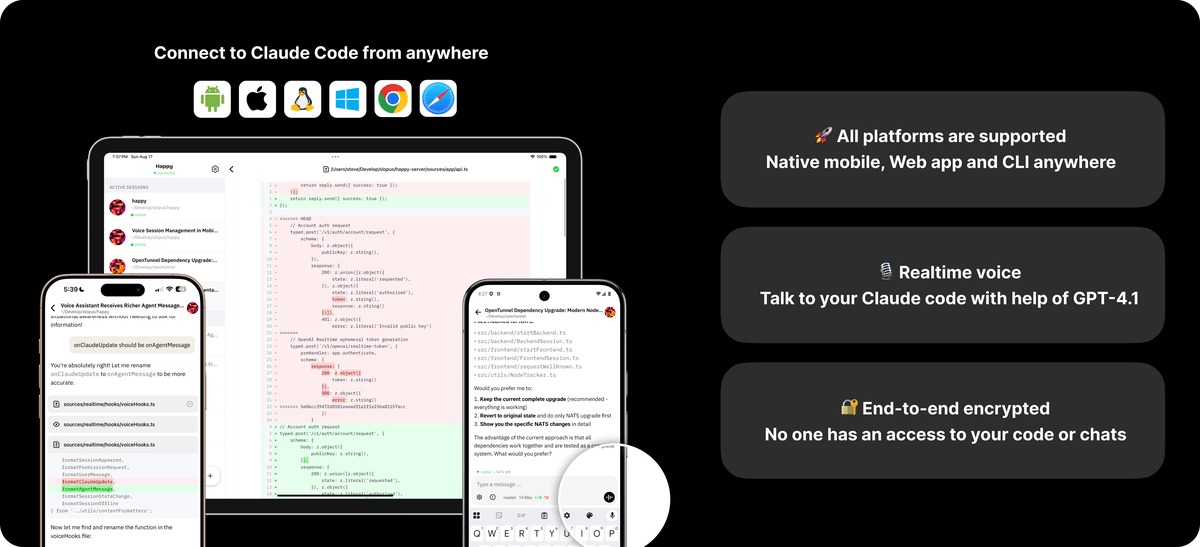
Happy is an open source, end to end encrypted mobile and web client that lets you drive Claude Code and Codex sessions from your phone.
Takeaways
- Happy is an open source mobile and web client for Claude Code and Codex, at 21k stars.
- Install with
npm install -g happy, then runhappy claudeorhappy codexinstead of the vendor CLI. - End to end encrypted using TweetNaCl, the same primitives as Signal, with keys that never leave your device.
- Free hosted relay at happy-api.slopus.com, or self host the server as a single Docker container.
- Push notifications fire on permission prompts, build errors, and task completion rather than every line of output.
- New generic
happy acpcommand extends the client to any Agent Client Protocol compatible coding agent.
Anyone who has kicked off a long agentic coding task and then walked away from the laptop knows the feeling. The agent hits a permission prompt, waits forever, and by the time you return nothing has happened. Happy is an open source project that tries to fix that by putting Claude Code and Codex on your phone, with the same session state you left on your desk.
The repo has crossed 21,000 stars and is built almost entirely in TypeScript, shipping as an iOS app, Android app, web app, and a CLI wrapper. The pitch: an open source, cross platform client that wraps existing AI coding tools with a unified interface, offering real time voice interactions, encrypted communication, and seamless switching between desktop and mobile.
The handoff, without the screen share
The install flow is deliberately boring, which is part of the appeal. Grab the app from the store, install the CLI with npm install -g happy, and run happy claude or happy codex instead of the vendor CLI directly. The team recently migrated from the happy-coder package after @franciscop donated the happy package name.
Under the hood, Happy wraps your existing agent binary. When you want to control the coding agent from your phone, it restarts the session in remote mode and streams state to the mobile client. To switch back to your computer, press any key on the keyboard and the local terminal reclaims the session.
That handoff is more than a screen share. The mechanism uses WebSocket multiplexing and state serialization, capturing the entire terminal state, including command history, environment variables, and active processes, then reconstructing it on the target device within milliseconds.