
CloudCLI Brings Claude Code to Any Phone or Browser With 13k Stars
CloudCLI wraps Claude Code, Cursor CLI, and Codex in a responsive web UI with file explorer, Git integration, and remote mobile access.
Takeaways
- CloudCLI (Claude Code UI) is a web/mobile GUI for Claude Code, Cursor CLI, and Codex, now at 13k+ stars.
- Reads and writes the same
~/.claudeconfig as Claude Code, so MCP servers and settings stay in sync. - Auto-discovers all sessions in
~/.claude, unlike Anthropic's Remote Control which exposes only one. - Three deployment modes: self-hosted npm, experimental Docker microVM sandbox, or managed CloudCLI Cloud from €7/month.
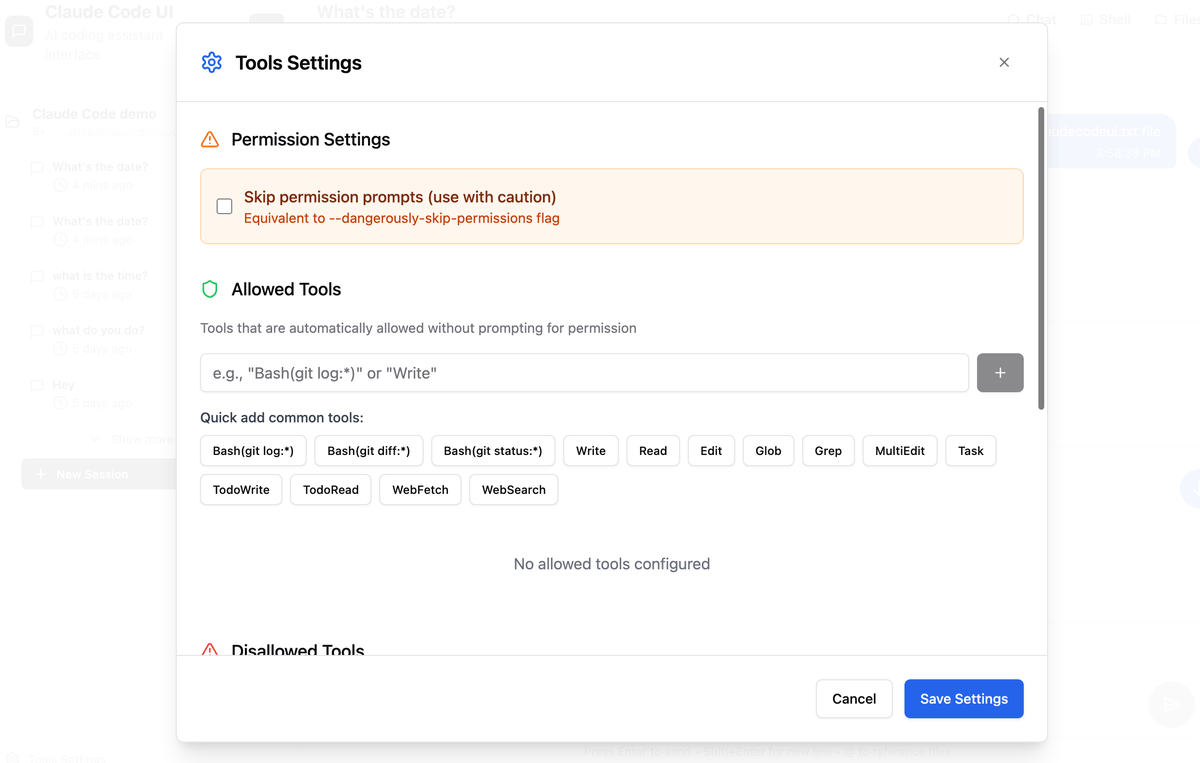
- All tools are disabled by default for security; you must opt in per-tool in the sidebar settings.
- Plugin system lets you add tabs, backends, and integrations via the plugin starter template.
Running Claude Code inside a terminal works well on a desktop, but the moment you step away from your machine that workflow falls apart. A project called CloudCLI (still widely known as Claude Code UI) fixes that by wrapping the major coding CLIs in a full web interface you can hit from a phone, tablet, or any browser on your network. The repo has crossed 13k stars and now supports multiple agent backends behind a single UI.
CloudCLI is a self-hostable web GUI that talks to Claude Code, Cursor CLI, and Codex. Beyond a chat window, it ships a file explorer, Git integration, MCP management, and a shell terminal. One important design choice: it does not duplicate state. The UI reads from and writes to the same ~/.claude config that Claude Code uses natively, so MCP servers you add through the browser appear in the CLI immediately, and the other way around.

What you actually get
The feature set reaches well past a chat wrapper. A responsive layout covers desktop, tablet, and mobile, and includes:
- A chat interface for each supported agent
- An integrated shell terminal for direct CLI access