
chrome-cdp-skill Lets AI Agents Control Your Live Browser Without Re-Login
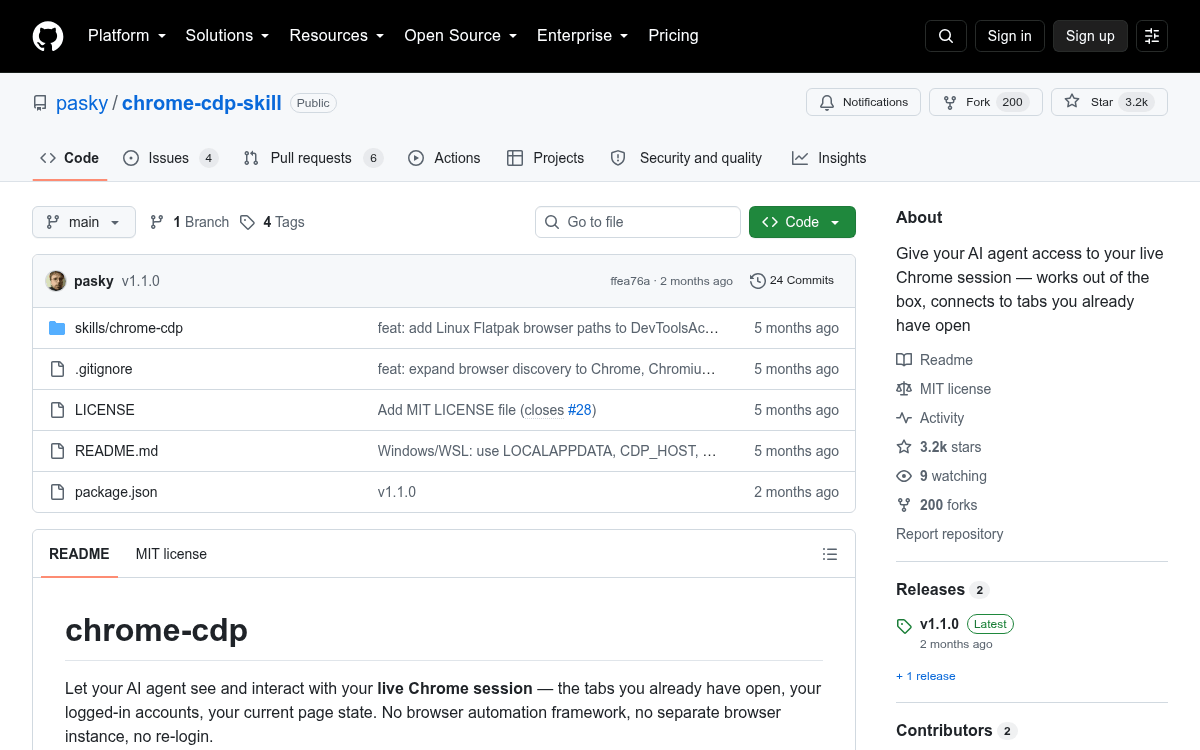
chrome-cdp-skill lets AI agents tap into your already-open Chrome tabs, logged-in sessions included, with no extra browser or re-authentication needed
 Pro
Takeaways
- Live session access: AI agents connect to your already-open Chrome tabs with full login state, no re-authentication needed.
- Persistent daemon architecture: One lightweight daemon per tab holds the CDP WebSocket open, handling 100+ tabs reliably without repeated permission prompts.
- Zero dependencies: Requires only Node.js 22+; works with Chrome, Brave, Edge, Chromium, and Vivaldi on all major OSes.
- Broad agent support: Compatible with Claude Code, Cursor, Amp, and any agent that loads skills from a directory, plus a one-line
pi install. - Full browser control surface: Screenshots, accessibility trees, JS eval, CSS-selector clicks, typed input, network timing, and raw CDP passthrough.
- Security caveat: The open debug port grants full browser access; use a dedicated profile and never expose the port to the internet. GitHub repo
chrome-cdp-skill is a small, dependency-free tool that does something deceptively simple: it lets your AI agent talk to the Chrome browser you already have open. Not a sandboxed copy, not a fresh profile -- your actual tabs, your cookies, your logged-in accounts. The repo crossed 3,000 stars quickly, and for good reason.
The problem every browser-automation tool ignores
Most browser automation tools launch a fresh, isolated browser. chrome-cdp-skill connects to the Chrome you're already running, so your agent can read pages you're already logged into -- Gmail, GitHub, internal tools -- and interact with tabs you're actively working in. That sounds like a small quality-of-life improvement, but it changes the entire workflow. No re-authentication, no session setup, no waiting for a clean browser to reach the right state.
Coding agents face a fundamental problem: they cannot see what the code they generate actually does when it runs in the browser. They're effectively programming with a blindfold on. chrome-cdp-skill removes that blindfold by wiring the agent directly into your live session.
How it actually works under the hood
It connects directly to Chrome's remote debugging WebSocket, bypassing frameworks like Puppeteer. A unique aspect is the creation of a lightweight, persistent background daemon per tab upon first access. That daemon holds the WebSocket session open, which matters more than it sounds.
The alternative, chrome-devtools-mcp, reconnects on every command, so Chrome's "Allow debugging" modal can re-appear repeatedly and target enumeration times out with many tabs open. chrome-cdp holds one persistent daemon per tab -- the modal fires once, and it handles 100+ tabs reliably. Daemons auto-exit after 20 minutes of inactivity, so there's no cleanup burden.
Getting it running in two steps
The only runtime dependency is Node.js 22+ -- no npm install needed. Navigate to chrome://inspect/#remote-debugging and toggle the switch. That's it.
The tool is free and open-source under the MIT license.
For agent integration, you have two paths:
- Install as a pi skill:
pi install git:github.com/pasky/chrome-cdp-skill@v1.0.1 -
Compatible with all agents (Amp, Claude Code, Cursor, etc.)
-- just copy the
skills/chrome-cdp/directory wherever your agent loads skills from.
The CLI auto-detects Chrome, Chromium, Brave, Edge, and Vivaldi on macOS, Linux, and Windows.
What the agent can actually do
The skill offers comprehensive browser automation capabilities including taking screenshots of the viewport, capturing accessibility tree snapshots, evaluating JavaScript in page context, extracting HTML content, navigating to URLs, monitoring network activity, and simulating user interactions like clicking elements and typing text. It handles both CSS selector-based interactions and coordinate-based clicks, with built-in support for high-DPI displays.
The full command surface looks like this:
cdp list                        # list open tabs
cdp shot  <tab>                 # screenshot
cdp snap  <tab>                 # accessibility tree
cdp html  <tab> ".selector"     # scoped HTML extraction
cdp eval  <tab> "expression"    # run JS in page context
cdp click <tab> ".btn"          # click by CSS selector
cdp type  <tab> "hello"         # type into focused element
cdp net   <tab>                 # network resource timing
cdp nav   <tab> https://...     # navigate and wait for load
Where it shines -- and where it doesn't
Playwright is excellent for deterministic tests in a clean browser. chrome-cdp-skill is for live-page perception when the agent needs the browser you are actually using -- cookies, login state, and open tabs included. The distinction is important: this is not a replacement for CI test automation. It's a tool for agentic workflows that need to operate in the context of a real user session.
The security tradeoff is real and worth understanding. Once the remote debugging port is open, any process that can reach that port has full control over the Chrome instance -- reading cookies, capturing page content, and executing arbitrary JavaScript. Use a dedicated Chrome profile or a separate Chromium instance for development. Do not expose the debugging port to the public internet.
The bigger picture
With the Chrome DevTools Protocol (CDP), developers can talk to Chromium-based browsers at a low level -- controlling navigation, reading the DOM, capturing screenshots, and observing network activity -- without relying on heavier abstractions. A fast-growing ecosystem of open source projects is packaging CDP into modern developer interfaces, especially for AI coding agents.
The community response has been notable. The repo was starred by Jason Huggins, creator of Selenium, as well as Chip Huyen, author of "AI Engineering", and Magnus Müller, co-founder of Browser Use. That's a signal that people who think seriously about browser automation and AI tooling see something meaningful here.
The skill is ideal for developers debugging web applications, QA engineers automating browser testing, and anyone needing programmatic access to browser state without heavyweight automation frameworks. It's particularly useful for quick inspections, one-off automations, and situations where you need to interact with already-open browser tabs rather than launching new browser instances. If your workflow involves an AI agent that needs to act on the web as you, not as a fresh anonymous visitor, this is the most direct path to making that work.

