
CC Switch Hits 63K Stars Unifying Every AI Coding Tool's Config
CC Switch is a free, open-source desktop app that lets you manage and hot-swap AI providers across Claude Code, Codex, Gemini CLI, and more from a single GUI
Takeaways
- What it is: CC Switch is a free, MIT-licensed desktop app for managing AI coding CLI providers across Claude Code, Codex, Gemini CLI, and more.
- Core problem solved: Eliminates manual config file editing when switching between API providers across tools with incompatible formats.
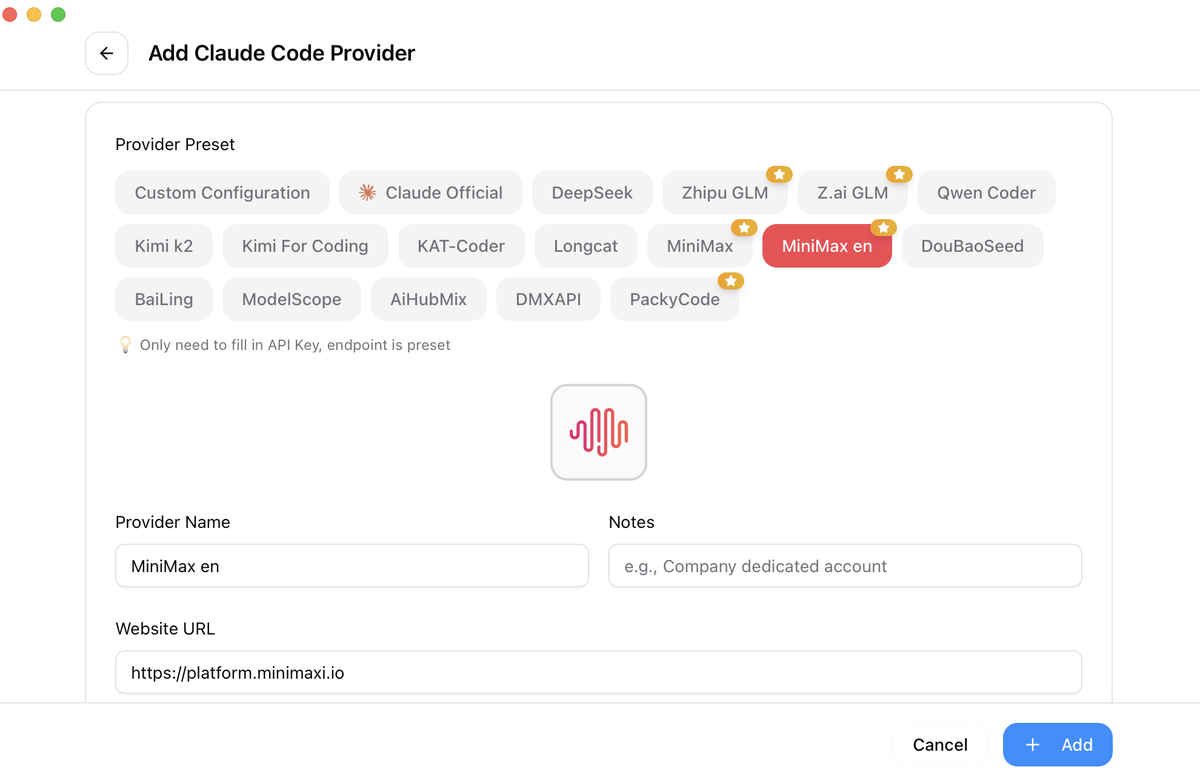
- 50+ provider presets: Includes AWS Bedrock, NVIDIA NIM, and community relay services; one-click import with API key paste.
- Built-in proxy layer: Translates between OpenAI Chat Completions and Responses API formats, enabling third-party models in tools like Codex that normally require official endpoints.
- Unified MCP, Skills, and Prompts: Configure MCP servers, system prompts, and Claude skill extensions once and sync them across all supported CLI tools simultaneously.
- Free and cross-platform: Available via Homebrew (macOS), MSI/portable (Windows), and deb/rpm/AppImage (Linux); 63k+ GitHub stars.
CC Switch is a free, open-source desktop application that solves one of the most annoying daily frictions in AI-assisted development: the fact that every major AI coding CLI tool stores its configuration in a completely different format. Claude Code uses JSON, Codex has its own setup, Gemini CLI uses yet another config structure, and if you want to switch between providers or use a cheaper third-party API relay, you are manually editing files every single time. CC Switch replaces all of that with a single visual interface.
The project has accumulated over 63,000 GitHub stars and nearly 4,100 forks, a signal that this is a real pain point the community has been waiting for someone to address. Built with Tauri 2 (a Rust + WebView framework for native desktop apps) and a React/TypeScript frontend, it runs natively on Windows, macOS, and Linux.
The config-file problem it actually solves
Modern AI-powered coding relies on tools like Claude Code, Claude Desktop, Codex, Gemini CLI, OpenCode, OpenClaw, and Hermes, but each has its own configuration format. Switching API providers means manually editing JSON, TOML, or .env files, and there is no unified way to manage MCP and Skills across multiple tools.
If you are using a third-party API relay to cut costs (which many developers are, given the price of Claude Code at scale), this gets even messier: you need to keep track of which endpoint format each tool expects, whether it speaks the OpenAI Chat Completions API or the newer Responses API, and how to preserve plugin or MCP settings when you switch.
Instead of editing config files by hand, CC Switch gives you a visual interface to import providers with one click, switch between them instantly, with 50+ built-in provider presets, unified MCP and Skills management, and system tray quick switching, all backed by a reliable SQLite database with atomic writes that protect your configs from corruption.