
Automattic's Harper Checks Your Grammar Locally in Under 10 Milliseconds
Harper is a Rust-powered, fully offline grammar checker acquired by Automattic that delivers sub-10ms suggestions without sending a single character to the cloud.
 Pro
Takeaways
- Harper is a free, open-source, Rust-powered grammar checker that runs fully offline, acquired by Automattic (WordPress parent) in late 2024.
- Suggestions arrive in under 10ms with less than 1/50th of LanguageTool's memory footprint -- no GPU, no account, no cloud.
- Available as a language server (harper-ls), a JS/Wasm library (harper.js), a Rust crate, browser extensions, and editor plugins for VS Code, Neovim, Zed, and more.
- Catches misspellings, capitalization errors, awkward phrasing, and broken grammar in code comments and Markdown natively.
- Currently English-only (5 dialects); multi-language support is on the roadmap but not yet shipped.
- Apache 2.0 licensed, 10,000+ GitHub stars, with Automattic planning deeper integration into WordPress.com, WooCommerce, and Jetpack.
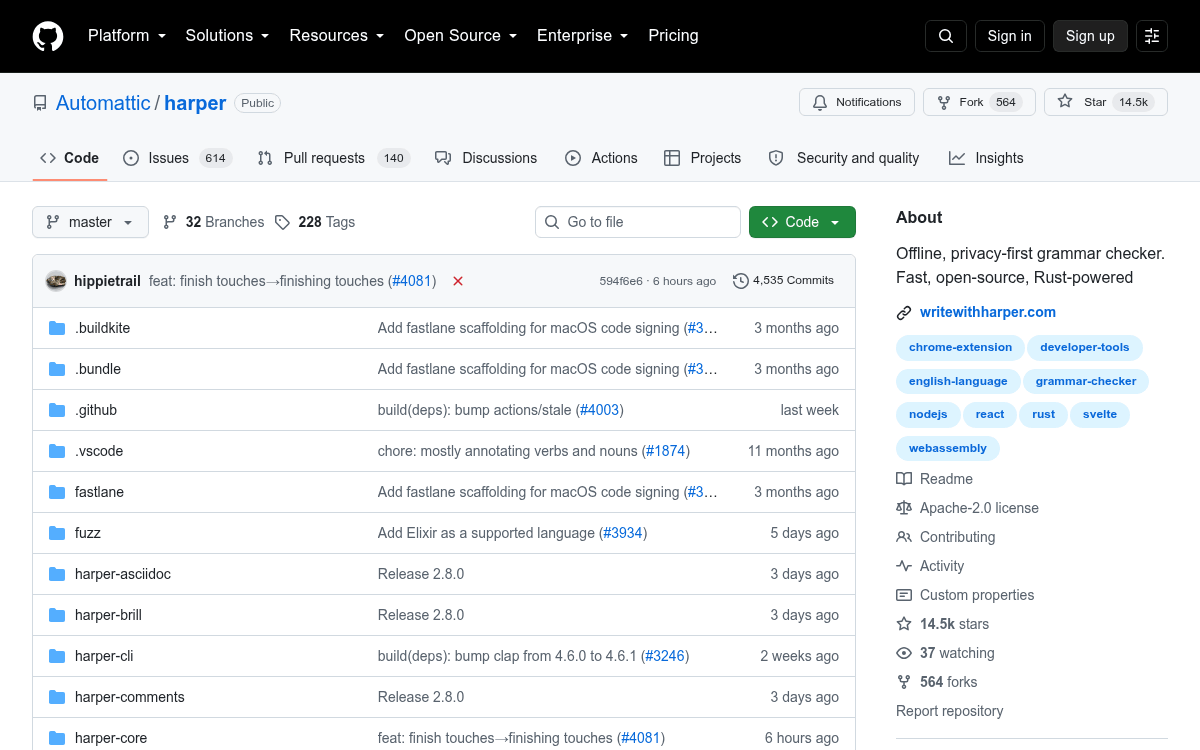
Harper has been quietly picking up steam in developer circles, and it is easy to see why. It is a free, open-source grammar checker that runs entirely on your device, never phones home, and delivers suggestions in under 10 milliseconds. It started as a personal project by developer Elijah Potter and was acquired by Automattic in late 2024. Since then, the project has crossed 10,000 GitHub stars and grown into a surprisingly complete tool.
The problem it was built to solve
Harper's positioning is "just right" -- fast, lightweight, and privacy-first -- born out of frustration with the two dominant alternatives: Grammarly, which sends everything you write to its servers and carries serious privacy concerns, and LanguageTool, which is great but requires several gigabytes of RAM and a roughly 16 GB n-gram dataset download. For anyone writing proprietary code comments, internal documentation, or anything sensitive, neither option is particularly comfortable.
This "privacy-first" philosophy is particularly relevant for professionals handling sensitive information, such as legal documents, proprietary code, or personal journals, where cloud transmission is often a deal-breaker.
How it actually works
Technically, Harper is a language server first and an app second. The core is a Rust crate, wrapped in harper-ls (a language server), harper.js (a JavaScript library), and a WebAssembly build. Everything else -- from the Obsidian plugin to the browser extensions -- is a front end onto that same engine.
That architecture is why it feels instant: the project treats slow linting as a bug, reports checking a document in milliseconds, and claims under a fiftieth of LanguageTool's memory footprint. There is no GPU required, no model to download, and no account to create. It is a rule-based engine -- meaning it applies deterministic linguistic rules rather than running a neural network -- which is exactly why it can be this fast and this small.
harper.js is an ECMAScript module designed to be easy to import into any project. On the inside, it uses a copy of Harper's core algorithm compiled to WebAssembly. It can be imported natively in a browser or through npm and consumed in Node.js.
Here is the minimal integration pattern for a web app:
import { Linter } from 'harper.js';
const linter = new Linter();
const results = await linter.lint('Your text here');
results.forEach(suggestion => {
  console.log(suggestion.message, suggestion.span);
});
Where it plugs in
Harper is distributed as a language server (harper-ls), a JavaScript/WebAssembly library (harper.js), a Rust crate (harper-core), browser extensions for Chrome and Firefox, editor extensions for VS Code, Neovim, Helix, Emacs, Zed, and Sublime Text, an Obsidian plugin, a WordPress block-editor plugin, and a native macOS desktop app. That is a wide surface area for a project of this age.
The coverage that matters most for developers:
- Editor integration:
harper-lsis the Language Server Protocol frontend. Out of the box, it has built-in support for parsing the comments of most programming languages, as well as any and all Markdown files. - Browser: Browser extensions for Chrome and Firefox work across Gmail, Google Docs, social media, and any text input field. The extensions run the same local WebAssembly engine, ensuring consistent performance and privacy regardless of where you're writing.
- Web apps:
harper.jsvia npm for TypeScript/JavaScript projects. - Rust projects:
harper-coreas a crate dependency. - CI pipelines:
harper-clican lint docs directories and output JSON for automated checks.
What it catches -- and what it does not
Harper is an offline, privacy-first grammar and spelling checker written in Rust. It reads your text, flags misspellings, awkward phrasing, capitalisation slips and broken grammar, and offers a fix, without sending anything to a server.
Where it draws the line is style and tone. Harper will not rewrite your sentences for flow, suggest synonyms, or give you Grammarly-style "clarity" scores. Harper excels at catching the kinds of mistakes that matter in technical writing -- improper capitalization, misspelled words, and awkward phrasing that can make documentation unclear. It is especially useful for technical documents, emails, and other formal communication where precision matters.
On the language side, Harper currently supports English and its dialects -- British, American, Canadian, Australian, and Indian. Other languages are on the horizon, but the team wants English support to be truly solid before diversifying.
What Automattic's backing changes
Harper started as a personal project by developer Elijah Potter and was acquired by Automattic in late 2024. That is unusual in this category, where most free grammar checkers are weekend projects that quietly stall after a year. The backing shows up in the things that matter.
Post-acquisition, the plan is to integrate Harper's capabilities across WordPress.com, WooCommerce, the Jetpack plugin, and other Automattic products. For the open-source project itself, that means sustained engineering investment rather than the typical fate of a solo side project.
The acquisition signals Automattic's continued commitment to building tools that prioritize user privacy and developer experience. That said, at least one community member has noted some unease about Automattic as a steward of open-source software, a sentiment worth tracking as the project grows.
Getting started
Harper runs entirely on your own machine, is written in Rust, maintained by Automattic, and installed as an extension inside the editors you already use rather than as a cloud service. There is no account, no subscription, and no usage limit. The Apache 2.0 license means you can read, fork, or audit the entire codebase.
The fastest path to trying it:
- Install
harper-lsvia Homebrew (brew install harper-ls) or Cargo (cargo install harper-ls) - Wire it into your LSP-compatible editor using your existing LSP config
- Or install the Chrome extension for immediate browser-wide coverage
- For web apps, add
harper.jsfrom npm and calllinter.lint()on any string
The core question Harper answers is not whether you need grammar checking -- you do -- but whether you are comfortable with every sentence you write passing through someone else's infrastructure. For a lot of workflows, the answer is no, and Harper is currently the most complete offline option available.
 X X post by @alphasignal