
AgentScope's QwenPaw Hits 33K Stars Running a Private AI Agent on Your Machine
QwenPaw is a self-hostable personal AI agent with persistent memory, multi-channel reach, and kernel-level sandboxing — now at v2.1.0
 Pro
Takeaways
- QwenPaw v2.1.0 ships an Agent OS shell, browser/computer-use, workspace checkpoints, and long-running conversation continuity.
- Three-layer memory (live context + full history + self-evolving knowledge base via ReMe) means the agent never summarizes away your past conversations.
- Kernel-level security with four independent layers: Sandbox, Tool Guard, File Guard, and Skill Scanner — enforced at the OS level.
- Runs fully offline with built-in QwenPaw-Flash models (2B/4B/9B) via llama.cpp; also supports Ollama, LM Studio, and 14+ cloud providers.
- Multi-channel: one agent instance connects to DingTalk, Lark, WeChat, Discord, Telegram, iMessage, and QQ simultaneously.
- Free and open-source (Apache 2.0); install via pip, Docker, script, or desktop app; free hosted option at AgentScope Platform.
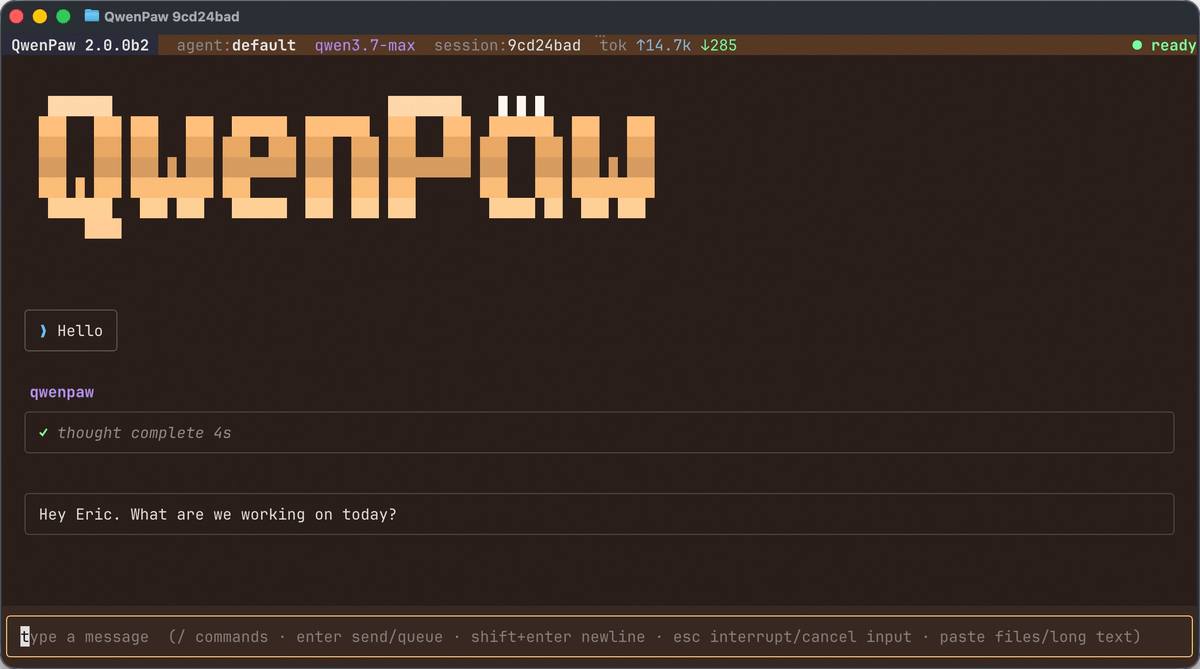
QwenPaw (Qwen Personal Agent Workstation) is an open-source, self-hosted AI assistant built by the AgentScope team. It has crossed 33,800 GitHub stars and 3,000 forks since its launch, and just shipped v2.1.0 , adding an OS-level shell, browser-use, computer-use, and long-running conversation continuity. The core pitch: a personal AI that runs entirely on your machine, never uploads your data, and grows smarter the longer you use it.
The problem it actually solves
Most AI assistants are stateless. Every conversation starts from scratch, and your data lives on someone else's server. QwenPaw attacks both problems at once. It ships with a three-layer memory system: a live working context window, a full verbatim conversation history, and a self-evolving personal knowledge base powered by ReMe , a separate library that continuously converts your conversations and files into readable, editable, searchable Markdown. Nothing gets summarized away.
The other half of the problem is reach. You might want your AI assistant to respond in Slack, push a daily digest to Telegram, or answer a question in WeChat , without running five separate bots. QwenPaw connects a single agent instance to DingTalk, Lark, WeChat, Discord, Telegram, iMessage, and QQ simultaneously.
What's new in v2.x
The v2.0.0 release was a ground-up rewrite built on AgentScope 2.0, introducing what the team calls the Agent OS architecture. Think of it as giving the agent a proper operating system: a workspace with transparent on-disk resources, a governance layer (allow/deny/ask/sandbox per action), and a kernel-level sandbox. The latest v2.1.0 adds:
- QwenPaw OS Shell , a unified terminal interface inside the agent workspace
- Browser-use and Computer-use , the agent can now interact with web pages and desktop UIs
- QwenPaw Creator , a new out-of-box application built on Agent OS
- Codex/Qoder Agent integration , coding agent support baked in
- Workspace checkpoints , snapshot and restore agent state
- Long-running conversation continuity , sessions that persist across restarts without losing context
The memory architecture under the hood
The memory system is one of QwenPaw's most technically interesting pieces. Most agent frameworks handle long conversations by summarizing old turns and discarding the originals , which means the agent quietly forgets details. QwenPaw's Scroll Context approach persists every turn and indexes evicted turns for on-demand recall. When the agent needs something from 200 turns ago, it retrieves the exact text rather than a lossy summary.
ReMe (the memory engine) runs continuously in the background, turning raw conversation history and uploaded files into a structured knowledge graph stored as local Markdown files. You can open, edit, and search these files directly , they're yours, not locked in a proprietary format.
Security that's actually enforced
Giving an AI agent shell access is a real risk. QwenPaw ships four independent security layers that run at the OS level, not just in software:
- Sandbox , kernel-level isolation via Seatbelt on macOS, Bubblewrap/Landlock on Linux, AppContainer on Windows. Shell commands run in a restricted filesystem view.
- Tool Guard , a YAML rule engine that inspects every tool call before execution, catching command injection, path traversal, and reverse shells. Configurable as STRICT / SMART / AUTO / OFF.
- File Guard , independently blocks agent access to sensitive paths like
~/.sshand credential directories. - Skill Scanner , scans third-party skills before activation for prompt injection, hardcoded secrets, and data exfiltration patterns.
Model flexibility: local or cloud
QwenPaw works with 14+ cloud providers (OpenAI, Anthropic, Gemini, DeepSeek, Kimi, OpenRouter, and more) or runs fully offline. The team ships their own QwenPaw-Flash model series , purpose-trained for agent tasks in 2B, 4B, and 9B sizes with Q4 and Q8 quantizations , available on HuggingFace and ModelScope. For local inference, you can use the built-in llama.cpp runtime, Ollama, or LM Studio.
The practical upside: if you're on a laptop with no internet, you can run a 4B model locally with no API key and still get a fully functional agent with memory, skills, and scheduled tasks.
Getting started in three commands
Installation is straightforward. The fastest path for anyone with Python 3.11+:
pip install qwenpaw
qwenpaw init --defaults
qwenpaw app
This opens a web console at http://127.0.0.1:8088/ where you configure your model provider and API key. For a no-Python-setup path, a one-liner script installer handles everything including Node.js and frontend assets. Docker images are on Docker Hub as agentscope/qwenpaw:latest, and a beta desktop app (Tauri-based) is available for Windows 10+ and macOS 14+. There's also a free hosted option via the AgentScope Platform if you don't want to self-host at all.
What it's best for , and where it falls short
QwenPaw shines for automation-heavy personal workflows:
- Scheduled digests , pull news, summarize, broadcast to multiple channels on a cron schedule
- Code assistance with file access , read, edit, review, and test code in your actual project directory
- Document processing , read and convert PDF, Word, Excel, and PowerPoint files
- Multi-agent pipelines , spawn sub-agents with their own memory and skills, coordinated via the Agent Communication Protocol (ACP)
The weaker spots are worth knowing. The desktop app is still in beta with incomplete compatibility testing and potential performance issues on first launch (10–60 seconds to initialize). Windows enterprise environments with Constrained Language Mode require manual path configuration. And while the plugin marketplace is growing, the ecosystem is still young compared to more established frameworks.
The bigger picture
QwenPaw's Agent OS framing is a meaningful architectural bet. Rather than treating an AI assistant as a chatbot with tools bolted on, it treats the agent as a first-class OS process with its own workspace, governance policy, and driver layer for external protocols (MCP, A2A, ACP). This mirrors how the broader field is moving , toward agents that persist state, manage resources, and operate autonomously over long time horizons rather than answering one-shot queries.
The project is free and Apache 2.0 licensed. With 33,800 stars and active development across memory, computer-use, voice interaction, and multi-workspace support on the roadmap, it's one of the more complete open-source personal agent stacks available today. The official documentation covers every subsystem in detail.
