
Agent Zero Gives AI a Real Linux Computer to Work In
Agent Zero gives your AI a full Linux desktop, a browser with DOM annotation, and a 100+ plugin ecosystem — all self-hosted in Docker
Takeaways
- Agent Zero is a free, open-source agent framework that gives AI a full Dockerized Linux desktop, browser, and terminal — not just API tool calls.
- The built-in browser's Annotate mode lets you click any webpage element to change, inspect, lift, or comment on it — the agent then executes the instructions.
- A hierarchical multi-agent system lets a primary agent spawn specialized subagents, each in isolated Docker containers with full code execution.
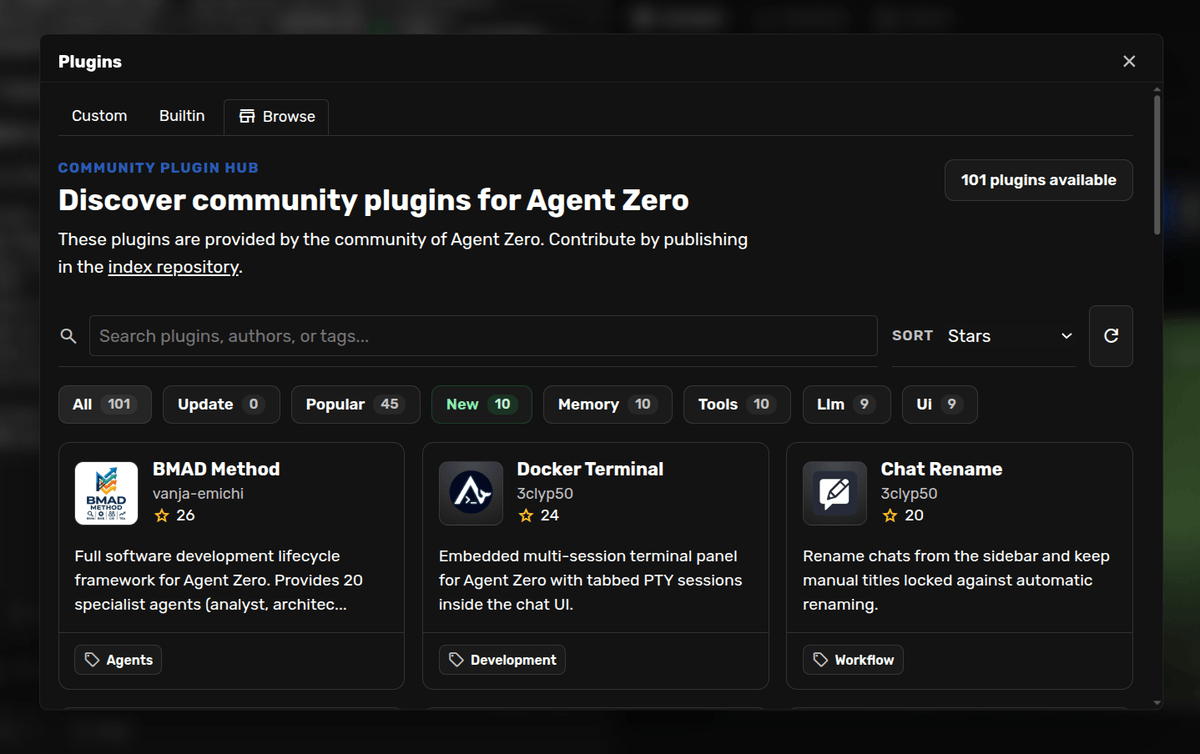
- Over 100 community plugins are available via the Plugin Hub, installable with one click and scanned by an AI security checker before install.
- Time Travel provides snapshot-based workspace versioning so you can inspect diffs and roll back when an agent run goes wrong.
- Free and self-hosted; you only pay for LLM API tokens — or nothing if you run local models via Ollama. Get started at GitHub.
Agent Zero is an open-source, self-hosted agent framework that gives your AI a real Linux computer to work in: a full Dockerized desktop with a browser, a terminal, LibreOffice, and the ability to drive GUI applications like Blender. With over 18,700 GitHub stars and 3,700 forks, it has become one of the most widely used autonomous agent frameworks available.
Most AI tools give you a chat interface that can call a few APIs. Agent Zero runs inside its own virtual machine, with full access to a Linux system, so it can write and execute code, install software, and browse the web. Its capabilities are not predefined; it creates and adapts tools on the fly as tasks demand.
A live desktop, not just a terminal
The defining feature is what the team calls the Canvas: a right-side panel in the web UI that surfaces a live XFCE Linux desktop running inside the Docker container. The agent can open Blender to model a 3D object, manage files visually, or run any GUI tool that has no API. You share the same desktop, so you can watch every action and intervene at any point.

The built-in browser includes an Annotate mode that lets you click any element on a webpage and do one of four things:
- Change it — issue a JavaScript instruction the agent applies and verifies in-place
- Inspect it — pull the DOM, styles, parent chain, and framework hints into the conversation
- Lift it — capture a component from any site and have the agent re-implement it in your own stack
- Comment it — pin actionable notes to elements during a UI review; the agent reads and ships the fixes
The browser also supports Chrome extensions inside the Docker container. A "Bring Your Own Browser" mode through the A0 CLI Connector lets the agent drive Chrome, Edge, Brave, or Chromium on your actual machine.