
Agent Orchestrator Quietly Hits 10K Stars Running 26 Coding Agents at Once
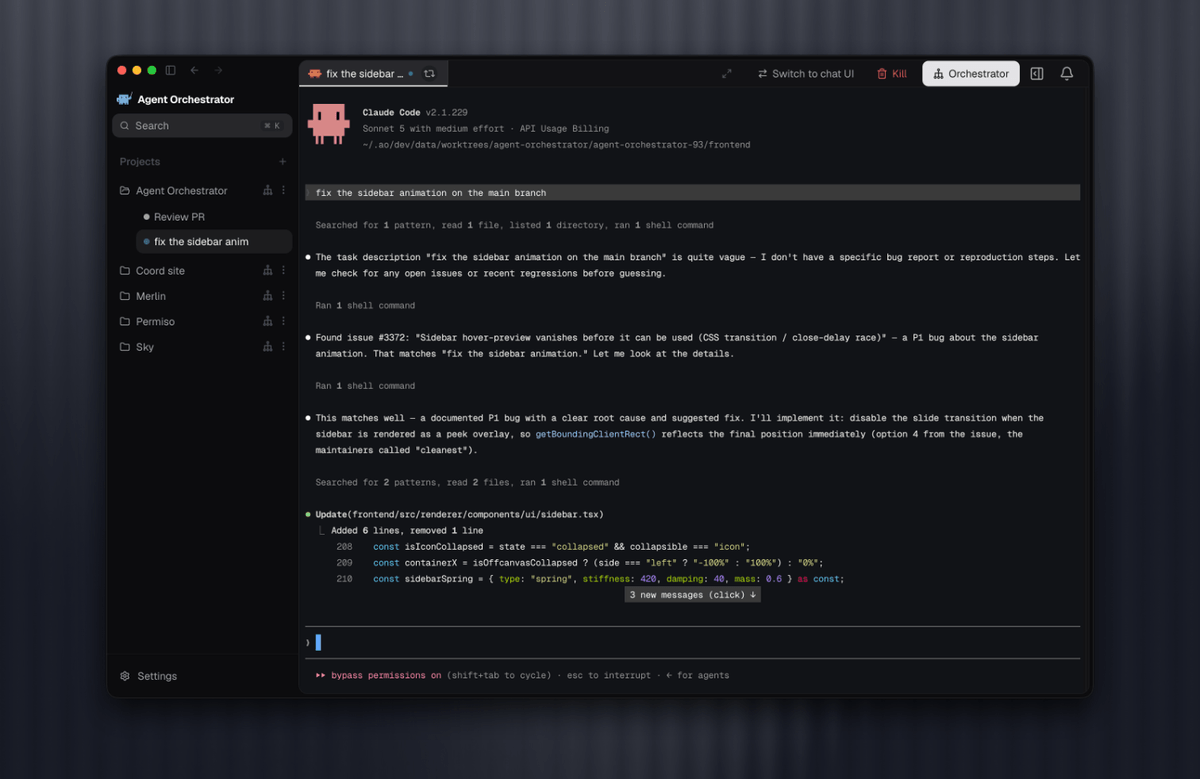
An open-source desktop app called Agent Orchestrator lets you run 26 different coding agents in parallel across Git worktrees, with a live Kanban tracking every PR.
Takeaways
- Agent Orchestrator is an open-source Apache-2.0 desktop app for supervising fleets of coding agents in parallel.
- Each worker gets its own Git worktree and branch, preventing collisions across parallel tasks.
- 26 coding agents are supported, including Claude Code, Codex, Cursor, Aider, Copilot, Droid, and Cline.
- A live Kanban derives card status from real session, PR, CI, and review state.
- A project-level orchestrator agent plans work, spawns workers, and coordinates follow-ups.
- Available for macOS, Windows, and Linux with docs at aoagents.dev.
Running a single coding agent on a task is manageable. Running ten of them across the same repository without stepping on each other's branches, blowing up shared context, or losing track of who owns which pull request is a different problem entirely. Agent Orchestrator, an open-source Apache-2.0 desktop app, targets exactly that problem. The project has quietly grown to nearly 10,000 stars on GitHub and now supports 26 coding agents behind one supervisor.
The pitch: give every task its own agent, workspace, and feedback loop, then plan and delegate larger outcomes with a project-aware orchestrator. Instead of juggling tmux panes and browser tabs, you get a Kanban board that reflects the live state of every worker session, PR, and CI run.
What actually ships
AO is a local desktop workspace rather than a cloud service. You add a repository and create a worker session with the coding agent, model, and interface that fit the job. For Git-backed work, AO gives each worker its own branch and worktree. That worktree isolation is the mechanical piece that makes parallelism actually work, since every agent commits to a separate directory on a separate branch without racing the others.
Behind the UI, a local daemon watches agent activity and source-control state so the desktop app always reflects what agents are doing on disk and in Git. Task, conversation, terminal, changed files, browser preview, pull request, CI, and review state all stay tied to a single session from start to finish.