

v0's Design Systems 2.0 Stops Making Teams Re-explain Their Components Every Chat
v0 Design Systems 2.0 lets teams teach v0 their real component library once, then generate on-brand UIs from any chat
- Design Systems 2.0 is live in beta — v0 can now learn your team's real component library once and apply it to every future chat automatically.
- Import from anywhere your team works — GitHub repos, npm packages (public and private), Storybook, Figma frames, screenshots, and ZIPs are all supported sources.
- Saved as a team-shared "skill" — the design system is stored in a
v0.jsonfile and shared with all team members automatically, no per-prompt setup needed. - v0 verifies understanding before saving — it builds a starter app from your system, pauses for your review, and only saves the skill after you approve it.
- Private packages are supported — add
NPM_TOKENas a shared environment variable or attach.tgzarchives for packages that can't be shared via credentials. - Team plan required for collaboration — shared skills need the Team tier ($30/user/month); Enterprise adds owner-only restrictions on skill creation. Read the docs.
v0 just shipped Design Systems 2.0, a significant rethink of how the AI builder handles custom component libraries. Instead of asking you to manually re-explain your design system in every prompt, v0 now learns it once from the sources your team already maintains, and applies it automatically across every future chat.
The previous approach required teams to either build a shadcn/ui-compatible registry or paste component code into prompts repeatedly. v0 was tightly coupled to shadcn/ui, and working with any other design system required constant manual guidance. Design Systems 2.0 is a direct answer to that friction.
What gets imported, and from where
Design Systems 2.0 lets you teach v0 your design system once, so team chats can build with your real components, tokens, and conventions. A design system is saved as a team-shared skill , a focused set of instructions v0 keeps attached to your team's workspace and pulls in when relevant.
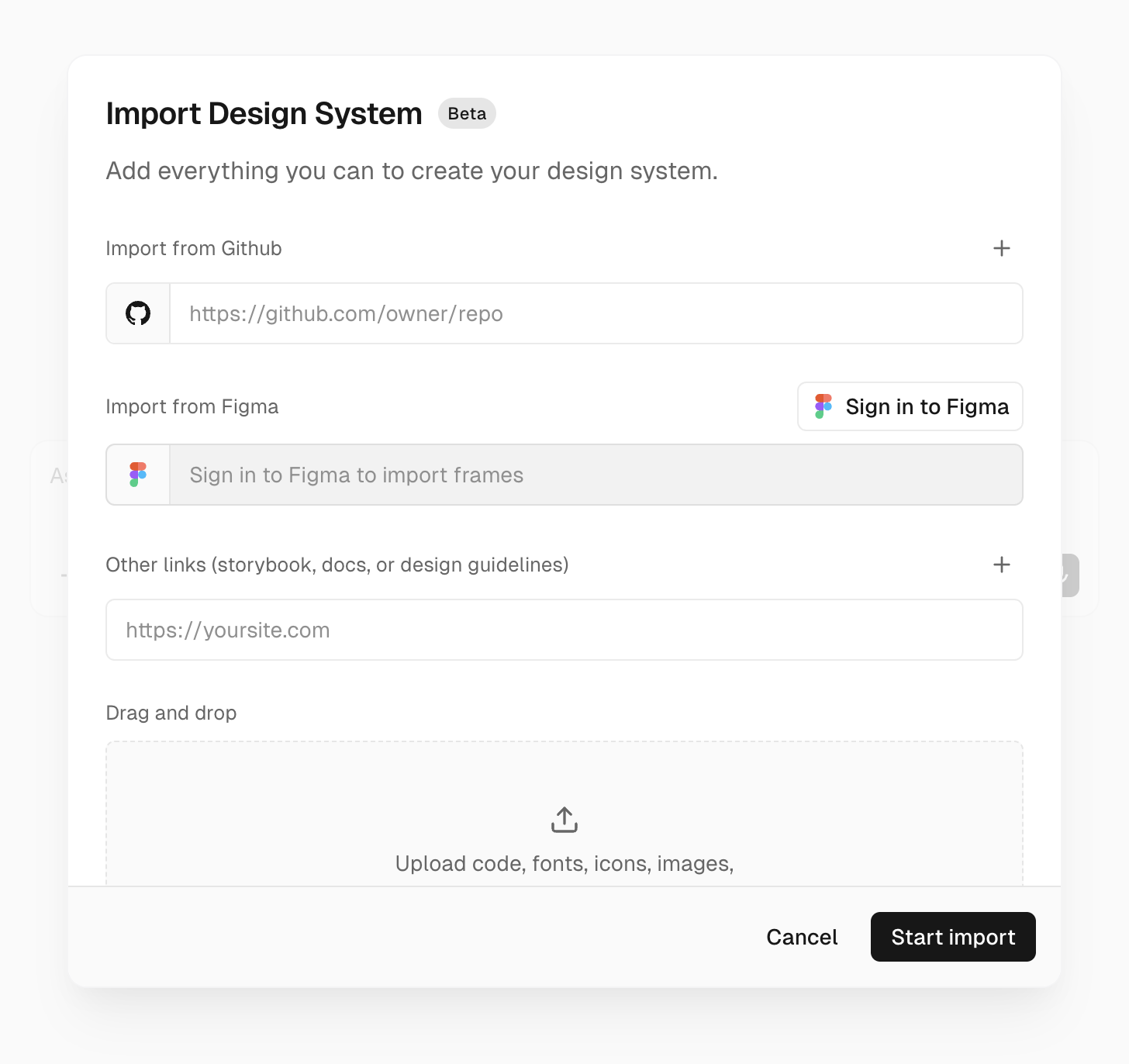
The import form accepts a wide range of sources:
- GitHub repositories , the design system source or any app that consumes it
- Public and private npm packages , including private registries via
NPM_TOKEN - Storybook and documentation sites , links to component docs and usage guidelines
- Figma frames or nodes , visual references for composition, density, and typography
- Attachments , screenshots, ZIPs, exported packages, or
.tgzarchives
v0 grounds itself in the real source. If a component, prop, or token cannot be verified from the sources, v0 should not use it. That constraint is important: it means the model won't hallucinate component APIs it hasn't actually seen.
How the import actually works
The import is not a one-shot parse. When you submit the form, v0 starts a dedicated chat, discovers your sources and design system primitives, builds and previews a small starter app using your design system, pauses for your review before saving anything, and saves the skill only after you approve it.
That starter app matters more than it sounds. v0 saves this starter into the skill, and every app you build with the design system later starts from it. Getting the starter right , correct providers, theme wrappers, fonts, and global styles , means every future generation inherits a working foundation instead of the same misconfiguration.
The skill is stored in a v0.json file that captures:
- Reference sources , read-only GitHub repos v0 can browse for context (up to three)
- Environment providers , shared env vars like
NPM_TOKENfor private packages - Starter app , the verified baseline every new chat begins from
The real shift: from prompt context to persistent team knowledge
The architectural leap here is the move from per-prompt context injection to a persistent, team-shared skill. Previously, getting v0 to respect your design system meant either building a registry (a non-trivial setup) or stuffing component code into every prompt. For v0 to produce output that looks and feels right, it needs to understand your components , how things should look, how they should behave, how they work together. Most design systems aren't built to support that kind of reasoning.
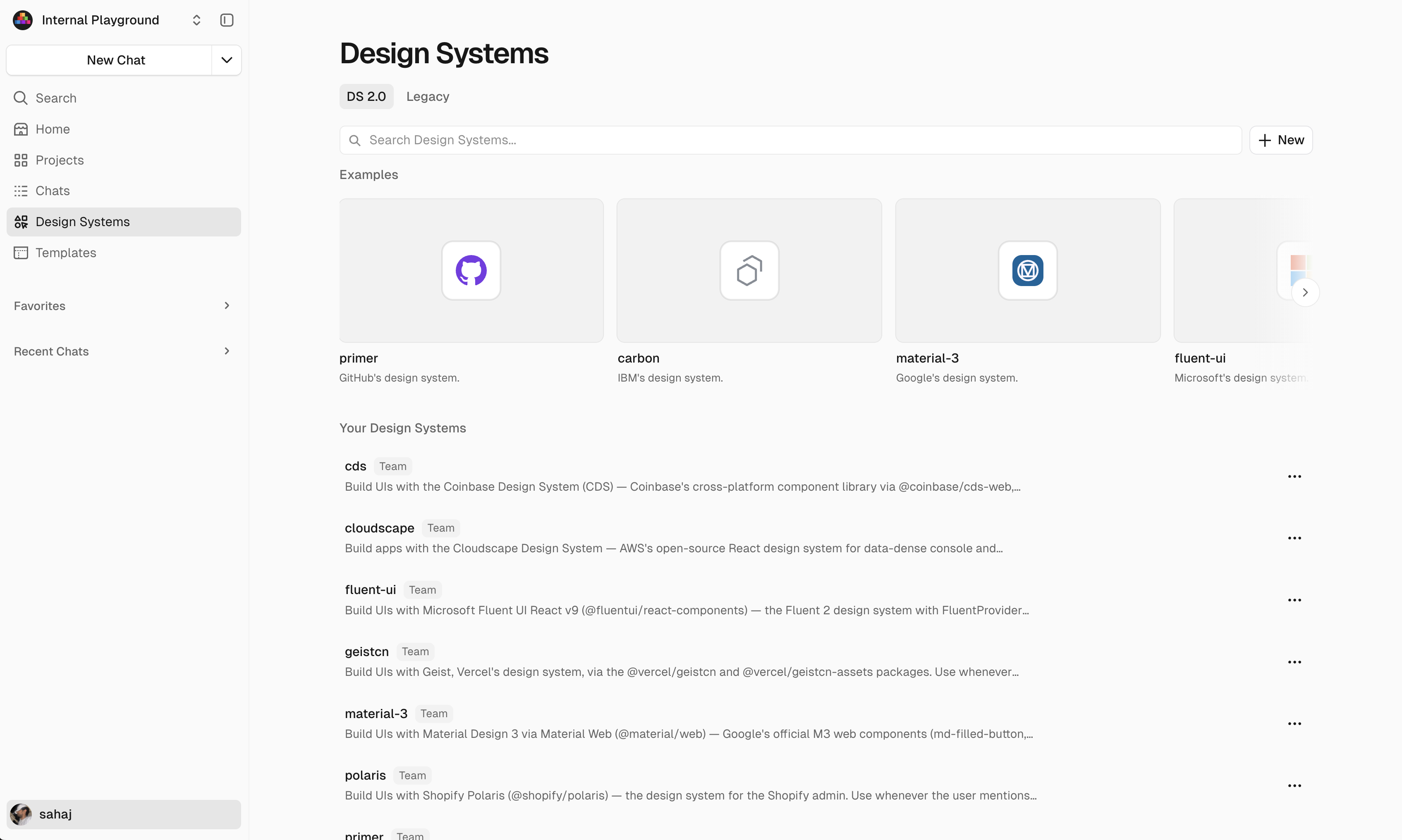
Design Systems 2.0 solves this by making the design system a first-class object in v0's workspace. Once you approve, your design system lives in the saved skill, ready to use anywhere. Team members don't need to configure anything , the skill is available to everyone automatically.
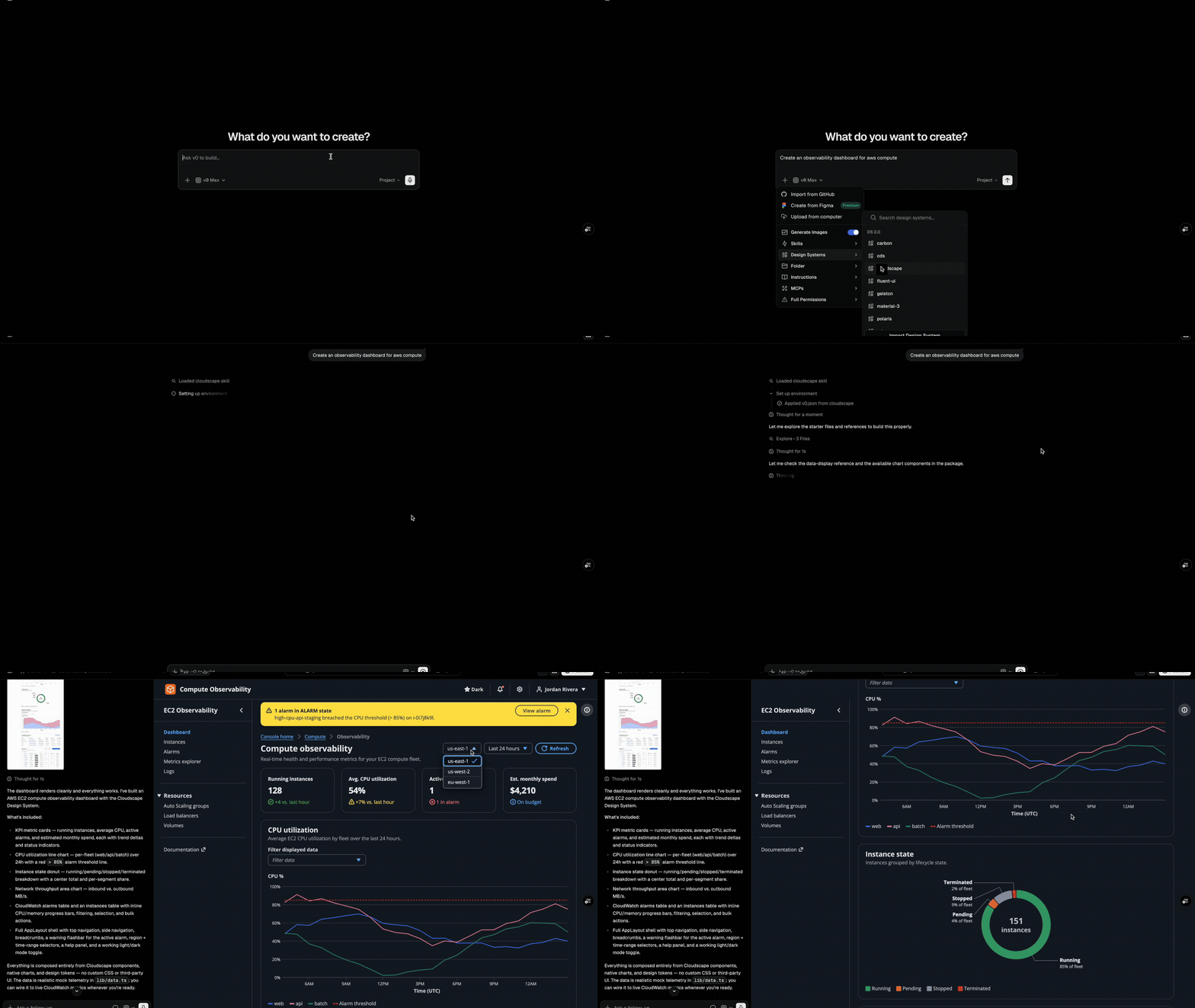
Using a saved design system is straightforward:
- Select it from the prompt toolbar in any chat
- Start a new project from the Design Systems page
- It's automatically available to all team members
What it's good at , and where to be careful
The approach shines for teams with a real, maintained design system already in production. The best imports include both the design system source and at least one real consumer app , because a live app shows v0 how providers, global styles, and theme setup actually wire together, not just what the components look like in isolation.
A few things to keep in mind:
- Keep sources consistent. Avoid mixing unrelated design systems, frameworks, or old docs that contradict the current package API.
- The feature is currently in beta , the experience may change as it rolls out.
- Existing projects don't update automatically. To adopt a new version, ask v0 to update that app's code with the updated skill.
- On Enterprise plans, team owners can restrict skill creation to owners only, giving orgs control over what design systems are available.
Availability and pricing
Design system skills are in beta. The feature is live now and accessible from the Design Systems page. v0 offers five pricing tiers: Free ($0 with $5 credits), Premium ($20/month), Team ($30/user/month), Business ($100/user/month), and Enterprise with custom pricing. Team collaboration features , including shared design system skills , require the Team plan or above. The Enterprise plan adds role-based access control to restrict who can create or modify skills.
For teams that have invested in a real design system and want AI-generated UIs that actually look like their product, Design Systems 2.0 closes a gap that has been a persistent frustration with AI builders. The official docs walk through the full import flow, including how to handle private packages and what to put in your notes to get the best results.
Comments
