

Suno Turns Its Playlist Into a Full Listening and Editing Workspace
Suno rebuilt playlist controls across web and iOS, adding shuffle, in-line editing, library filters, and auto-generated cover art for creators.
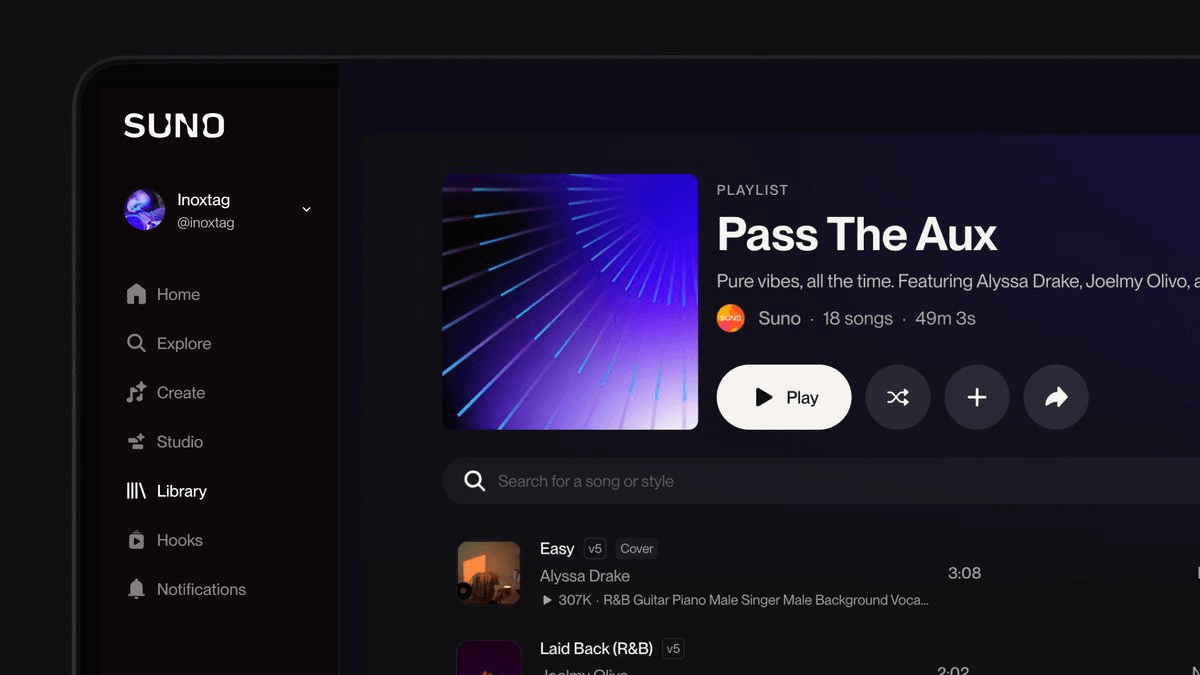
- Suno shipped a playlist overhaul across web and mobile with editing, filtering, and shuffle controls.
- Shuffle playback is live on web, with mobile support promised in a follow-up release.
- Playlists now support in-line reordering, adding tracks, and searching within or across collections.
- Library gets grid or list view, pinning on web, and filters for your, Suno's, or creator playlists.
- Cover art auto-generates from song artwork or can be custom-generated inside Suno itself.
- Update is free across all tiers; see the release notes for details.
Suno just shipped a substantial refresh to how playlists work on both its web app and mobile clients, turning what was previously a bare-bones organization feature into something closer to a proper listening surface. The update touches library management, playback, editing, and even cover art generation, and it applies to free and paid users alike.
What actually changed
The headline addition is shuffle playback, though there is a catch worth flagging up front: according to the release notes, shuffle is web-only for now, with mobile coming soon. Beyond that, the update focuses on making playlists faster to manage without hopping between screens.
The full list of new controls:
- Quick add playlists to your library so saved playlists show up in one place
- Filter playlists by ones you made, Suno made, or another creator made
- Add or reorder songs directly from within the playlist
- View your library of liked playlists in a grid or list view
- Search for songs within a playlist or across playlists
- Pin a playlist to the top of your library (web only)
- Smarter cover art that shows your song art, or you can generate your own playlist cover
The cover-art generation piece is the sneakiest useful bit here. If you have been building themed collections, you can now spin up a custom cover image from within Suno rather than screenshotting song thumbnails or importing something from outside.
Why this matters if you use Suno
Suno has spent most of its product energy on the generation side of the house, which meant the listening and organization experience lagged behind consumer streaming apps by a wide margin. If you generate dozens or hundreds of tracks in a session, sorting the keepers into playlists used to mean bouncing around multiple views. Now the playlist itself is the workspace: add tracks, reorder them, and search across your library without leaving the page.
The creator-versus-Suno-versus-you filter is also more useful than it sounds. Suno's platform generates complete songs with vocals and instrumentals from text prompts, and a lot of what ends up in your library is other people's shared playlists mixed with your own outputs. Being able to isolate the ones you personally built cleans up the surface quickly.
Getting the update
There is nothing to install manually on web, but mobile users need to be on the latest build of the iOS or Android app to see the new controls. There is also no new pricing attached to this release. Suno's plan structure remains the same, with a free tier of roughly 10 songs a day, commercial rights at $10/month on Pro, and the Suno Studio DAW at Premier for $30/month. Playlist features are available across all tiers.
Suno points users to a demo playlist to try the new controls, and the full release notes live on the Suno site if you want to check for smaller tweaks that did not make the announcement thread.
Comments
