

Screenpipe Hits 20K Stars Turning Your Screen Into AI Agent Memory
Screenpipe hits 20K GitHub stars and joins YC S26, turning your local screen and audio history into a live memory layer for AI agents
 PRO
PRO- Screenpipe hit 20K GitHub stars and joined YC S26, trending #3 on GitHub for Rust repos. GitHub
- Event-driven capture stores only ~300 MB per 8 hours vs ~2 GB for continuous recording, using OS accessibility trees before OCR.
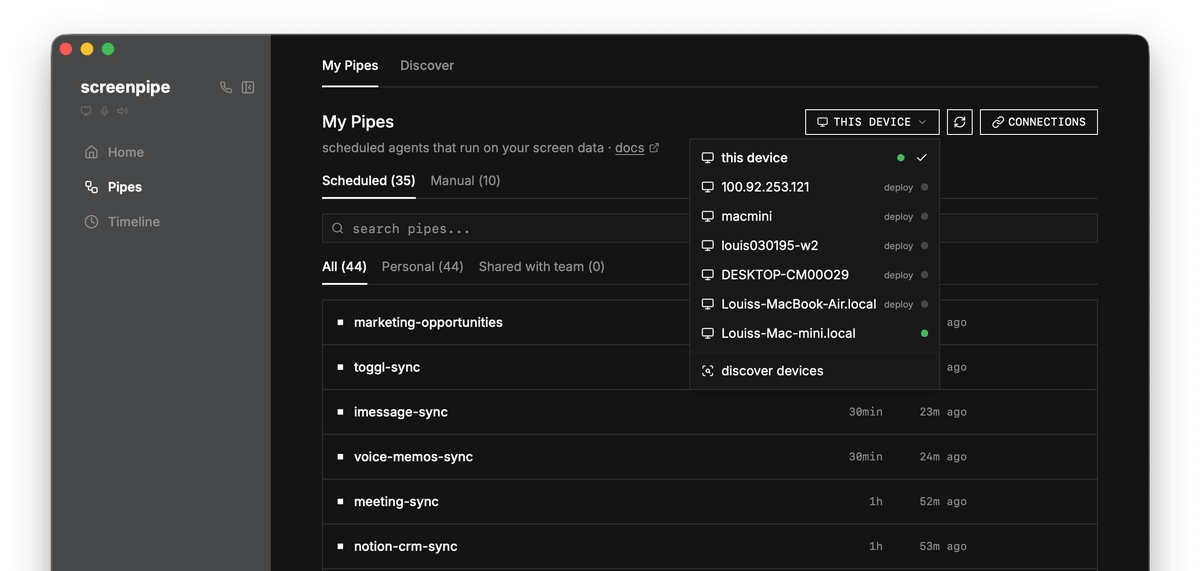
- The Pipes system lets you define scheduled AI agents as markdown files, grounded in your real screen and audio history.
- MCP integration lets Claude, Cursor, and Codex query your local screen history directly with two commands.
- A custom PII model (ScreenLeak) runs at 9ms on CPU, fine-tuned for screen telemetry data rather than prose. ScreenLeak benchmark
- Pricing starts at $25/month for the signed app; source is free for personal non-commercial use via
npx screenpipe record.
Screenpipe just had a breakout moment. The open-source, local-first screen and audio recorder hit 20,000 GitHub stars, climbed to the #3 trending Rust repository on GitHub, and is now a Y Combinator S26 company. The relaunch thread on X cleared 413K views in hours after repositioning the product in one line: record how you work, then turn it into searchable memory, SOPs, and AI agents. The timing is not accidental. As AI coding assistants get smarter, the bottleneck is shifting from model capability to context quality, and screenpipe is betting it can own that layer.
The core idea: your computer as a work ledger
Screenpipe captures what you see, say, and do, locally, then turns real work into searchable memory, SOPs, and automations for AI agents. Think of it as a DVR for your entire workday, except instead of storing raw video, it builds a structured, queryable database of everything that happened on your machine. The pipeline is: screen + audio → local SQLite → MCP/API → agents.
The key architectural decision that makes this practical is event-driven capture. Instead of recording every second, screenpipe listens for meaningful events , app switches, clicks, typing pauses, scrolling , and captures a screenshot only when something actually changes. Each capture pairs a screenshot with the accessibility tree, the structured text the OS already knows about: buttons, labels, text fields. The project claims around 300 MB per 8 hours versus around 2 GB for naive continuous recording, which is what makes leaving it on indefinitely feasible.
How it actually works under the hood
The capture stack is multi-modal by design. For text, screenpipe listens for app switches, clicks, typing pauses, and scrolls, then grabs a screenshot plus accessibility tree when something changes. Text comes from the OS accessibility layer first; OCR (Apple Vision, Windows native, Tesseract on Linux) fills gaps for games, RDP, or broken accessibility implementations. For audio, real-time speech-to-text runs via Whisper Large-V3-Turbo locally on your device, or Deepgram for cloud transcription, with speaker identification and diarization, and it works with any audio source including Zoom, Google Meet, and Teams.
This story is for Pro members
You've reached the end of the free preview. Upgrade to AlphaSignal Pro to read the full article - and everything else behind the paywall.
Comments
