

Replit Now Hacks Your Own App to Find Security Holes Before Attackers Do
Replit's new black-box pen tests probe deployed apps from the outside like real attackers, complementing existing source-code scans with one-click Agent fixes.
- Replit launched black-box pen tests that probe deployed apps from the outside like real attackers.
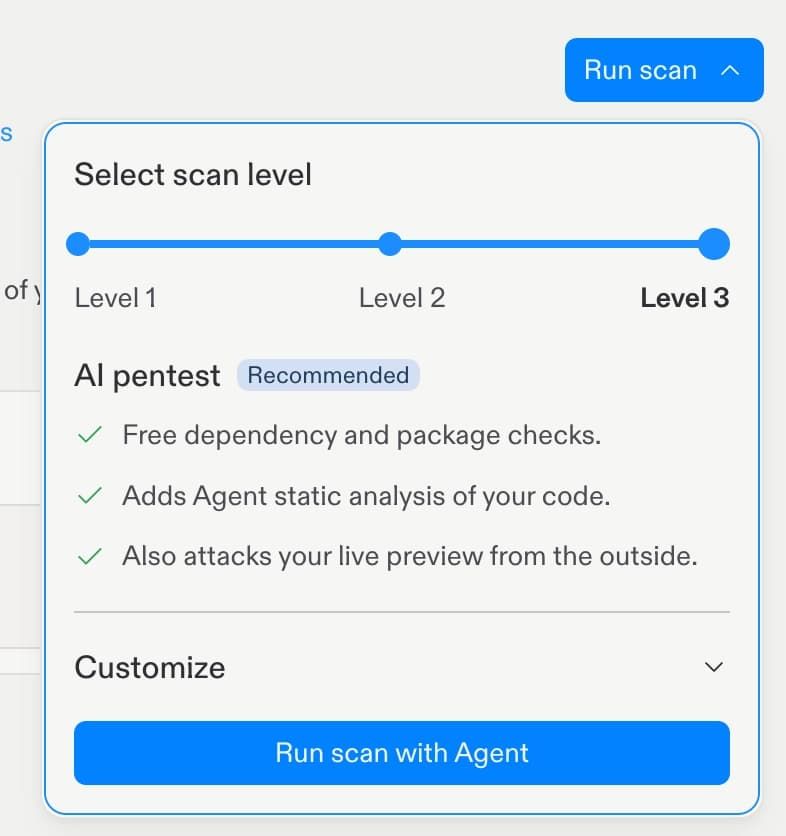
- New Level 3 scans run white-box source analysis and black-box runtime attacks in parallel.
- Scans execute against a sandboxed copy of the app, both anonymously and as an authenticated user.
- Findings from the two scan types rarely overlap, catching different vulnerability classes.
- Replit Agent can auto-remediate discovered issues with a single click.
- Available now inside the Project Security Center; Level 1 dependency scans remain free.
Replit just shipped a security feature that flips the perspective on how vulnerabilities get found in AI-generated apps. Instead of only reading your source code for suspicious patterns, its agent now attacks your deployed app from the outside, the same way a malicious hacker would. The new black-box pen tests run alongside the existing white-box source-code scans, and anything they surface can be handed back to Replit Agent for a one-click fix.
A penetration test is a controlled, authorized mock cyberattack meant to expose flaws before real attackers do. Replit's earlier Security Agent already did the white-box side of that job: it performs a full review of your codebase, maps your architecture, builds a threat model, analyzes routes and APIs, and checks for vulnerabilities like SQL injection, cross-site scripting, and request forgery, then verifies whether those issues are exploitable in production. The new black-box scanner sees none of that. It only gets a URL.
How the outside-in scan actually works
When you kick off a Level 3 scan from the Security Center, Replit spins up two parallel jobs against a sandboxed copy of your app. The black-box side starts by clicking through the UI and watching every network request, which lets it infer the routes and features your app really exposes, including endpoints with no visible button. It then fingerprints your stack and targets known weaknesses for that setup.
The agent runs the probes twice. First anonymously, checking what any random visitor can reach. Then as a logged-in ordinary user, testing whether that account can read someone else's records or wander into admin-only routes. The sandbox isolation matters here: attacks stay inside a private copy so nothing touches your real users or data.
Why source scans miss what browsers catch
The most interesting result from Replit's testing is that findings from the two scans barely overlap. Each catches a different class of bug:
- White-box wins: In one app, the source scan spotted that a user whose access had been revoked could keep operating because the app never rechecked whether their sign-in was still valid. That kind of stale-session logic bug is essentially invisible from the outside.
- Black-box wins: In the same app, the outside scanner found an admin dashboard sitting at a guessable URL with no login gate. The source scan had read that page and moved on because the code itself looked fine. Only somebody typing the address discovers anyone can walk in.
- Black-box wins again: For a multiplayer game on Replit, only the external scan found that flooding an endpoint could crash every ongoing match, a resource-exhaustion attack you cannot easily see by reading routes.
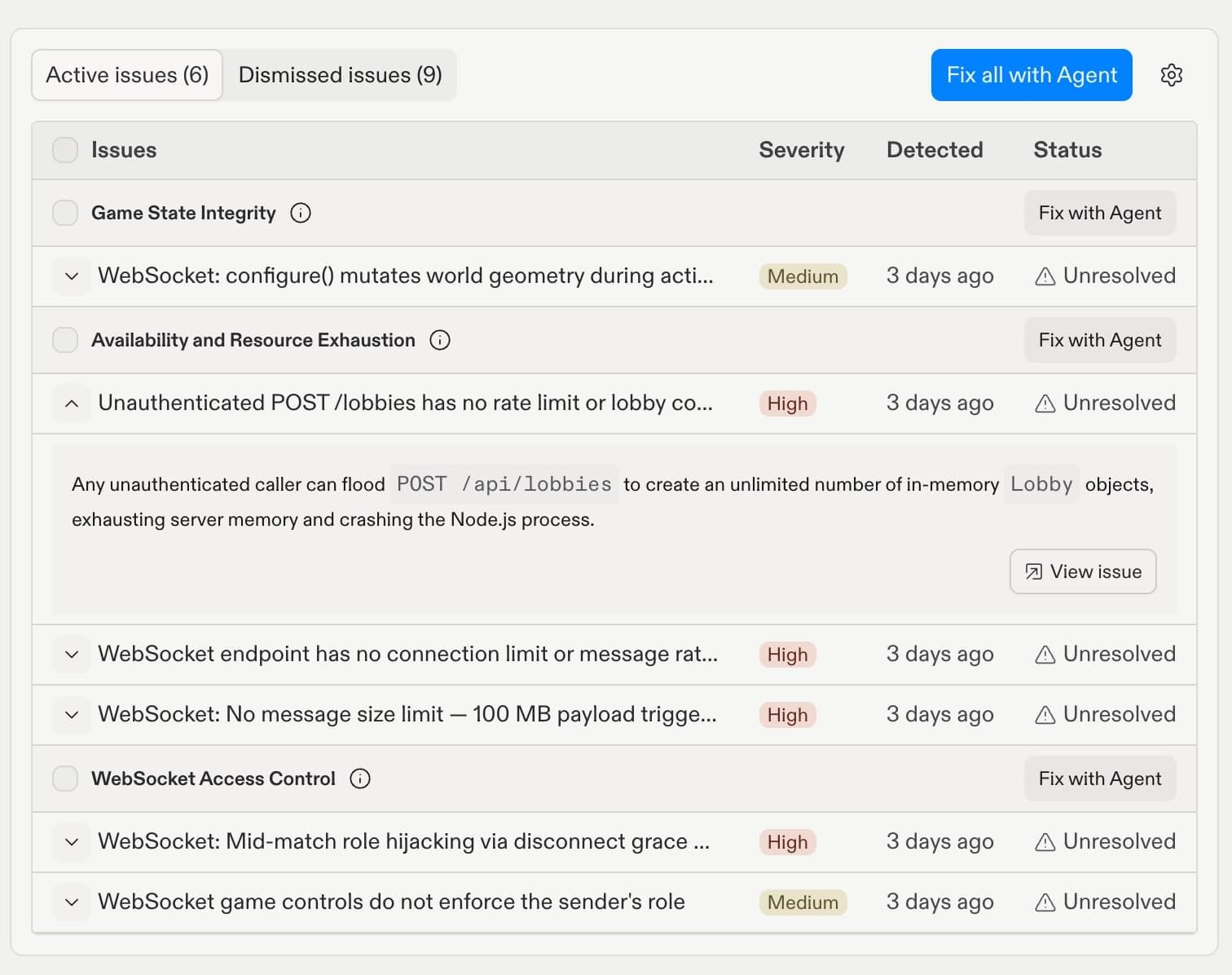
The takeaway is architectural. Static analysis chases dangerous code patterns. Runtime probing chases misconfigurations, exposed surface area, and abusable behaviors that are perfectly reasonable in code but disastrous once deployed. You need both, with different levels of access and different instructions, to cover the full attack surface.
The three scan tiers
Replit now offers three ad-hoc scan levels:
- Level 1: Dependency checks plus static code analysis. Free.
- Level 2: Deep scan led by the white-box agent scanner that reads your source.
- Level 3: White-box and black-box scanners run in parallel against a sandboxed copy of your app.
These sit on top of the Auto-Protect features that stay on by default, including a malicious package firewall, a WAF, and SSL/TLS encryption. For context on the older tooling, the docs describe how findings appear in the Security pane categorized by severity, with Critical covering remote code execution, SQL injection in exposed endpoints, and leaked credentials, High covering issues like XSS and insecure authentication flows, and Medium covering things like missing security headers or overly permissive CORS.
Why this matters for vibe-coded apps
Apps built with AI agents ship fast, sometimes within a day, and they often hold real customer data before anyone has thought about security. Traditional pre-launch pen tests cost thousands of dollars and weeks of vendor back-and-forth, which nobody doing a weekend build is going to pay for. Folding an attacker-perspective scanner into the same workspace that wrote the code, with automatic remediation via the same agent, closes a gap that has become one of the most talked-about risks of the AI coding boom.
If you are running anything on Replit that accepts user data or authentication, the practical move is to run a Level 3 scan before publishing, then re-run it every time the agent makes structural changes. The bugs the black-box scanner surfaces, such as unauthenticated admin pages, IDOR-style access to other users' records, and DoS-able endpoints, are exactly the ones that end up in incident postmortems.
Comments
