Replit Desktop Escapes the Browser Tab on Mac and Windows
Replit launches a native desktop app for Mac and Windows, bringing distraction-free AI-powered development outside the browser
- Replit launches a native Desktop App for Mac and Windows, bringing the full Replit IDE outside the browser.
- Built with Electron and open source on GitHub; supports macOS, Windows, and Linux with auto-updates on Mac and Windows.
- Key additions over the browser: native keyboard shortcuts (Cmd+W/T), multi-window management, and native Chromium devtools in the preview pane.
- All compute still runs in the cloud; an internet connection is required -- this is a UX wrapper, not a local runtime.
- Free to download; pricing mirrors the web platform with a free Starter Plan and a ~$20-25/month Core Plan for full Agent access.
- Part of a broader Replit push to reduce workflow friction, alongside recent Claude connector support, Agent Voice Mode, and MCP server integrations.
Replit Desktop is now officially available for Mac and Windows, giving users a native app experience that pulls the full Replit IDE out of the browser tab and onto your OS. The pitch is simple: same cloud-powered workspace, same AI agent, fewer distractions. It is available to download right now at replit.com/desktop.
Replit has always been a cloud-first platform. Its core is a full-featured code editor in the browser, and that has been both its biggest strength and, for many developers, its biggest friction point. The desktop app does not change what runs under the hood, but it does change how you interact with it.
Same Replit, different container
After starting the app and logging in, you are dropped right into the Workspace, or the Replit IDE, which should look very familiar. The Workspace in the app is almost the same as what you are already used to on the web: a comprehensive set of development tools and features for creating, debugging, and managing your code.
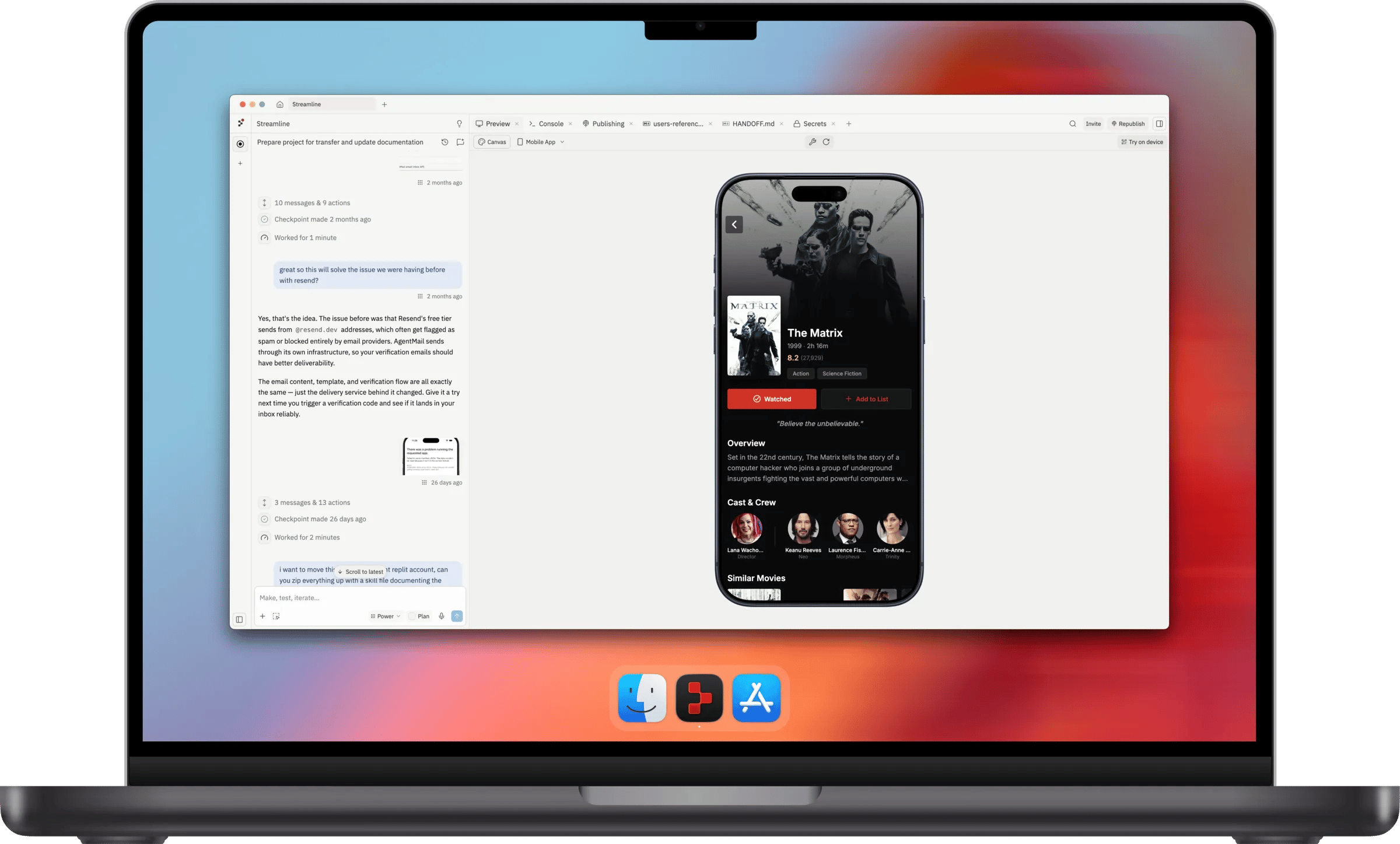
The key differences are in the things that a browser simply cannot do well:
- Native keyboard shortcuts:
Ctrl/Cmd + Tto open a new pane andCtrl/Cmd + Wto close one, which are normally hijacked by the browser to open and close tabs. This alone eliminates one of the most common frustrations Replit users reported. - Multi-window workflow: An updated navigation menu lets you switch between Repls, create new ones, and open new windows, all without ever leaving the Workspace.
- Native Chromium devtools: If you open the devtools from the Webview in the app, it launches the native Chromium devtools that you might be familiar with from web development with Chrome.
- Deep linking: The app supports a
replit://protocol, so you can jump directly to a specific Repl or trigger the new-project flow from a link, even if the app is not already running. - Dock and home screen access: Pin it like any other native app and get back to your projects instantly.
Built on Electron, open source
The desktop app is open source and built with Electron, the same framework behind Figma, Notion, and Slack. Replit chose Electron specifically for cross-platform reach: a single TypeScript codebase that compiles to signed binaries for macOS (both x86 and ARM), Windows, and Linux. The app remotely loads Replit's web frontend and exposes native Node-based APIs to it, which is how features like new windows and native message boxes work without duplicating the entire web codebase.
Packaging and distribution is handled by Electron Forge, which produces platform-native distributables: .dmg for Mac, .exe for Windows, and .deb for Linux. The Mac and Windows builds also support auto-updating on startup, so you stay current without thinking about it.
The bigger picture
The desktop app is not Replit's only recent move to meet developers where they work. Replit recently added Claude connector support, letting users create, update, and discuss apps from Claude, plus send Claude Design projects into runnable Replit apps. It also added new MCP servers, Agent Voice Mode, and guest access for Enterprise workspaces. The desktop app fits into the same pattern: reduce the friction between where you are and where your code lives.
Replit is excellent for rapid prototyping, building MVPs, and learning new frameworks, and is considered an industry leader for AI-assisted development, with the ability to build apps without manual syntax. The desktop app makes that workflow feel less like a browser session and more like a proper development environment.
Who should actually use this
The desktop app makes the most sense if you already use Replit regularly and find yourself fighting the browser. Specifically:
- Developers who keep accidentally closing their Replit tab with
Cmd+W - Anyone running multiple Repls simultaneously who wants proper window management
- Teams doing web development who want native Chromium devtools in the preview pane
- People who prefer apps to live in their dock rather than a pinned browser tab
It is worth noting that the app still requires an internet connection. This is not an offline IDE. It is a native Replit experience free of browser distractions, not a local runtime. All compute still happens in the cloud, which means you get the same zero-setup environment and one-click deployments you would in the browser. The desktop wrapper is purely about the user experience layer.
The app is free to download. Pricing follows the same structure as the web platform: Replit offers a free Starter Plan with basic AI features and a limited trial of the Replit Agent. For serious builders, the Core Plan at around $20-$25 per month provides full Agent access and $25 in monthly usage credits.
Comments