

OpenAI's Codex Now Watches Your iOS App Build and Fix Itself
OpenAI's Build iOS Apps plugin brings a live simulator, SwiftUI previews, and hot reload directly into Codex — closing the iOS dev feedback loop without leaving the agent.
- Build iOS Apps plugin for OpenAI Codex brings a live iOS Simulator, SwiftUI previews, and hot reload directly into the Codex interface.
- Powered by two open-source tools: serve-sim (streams simulator screen via MJPEG) and SnapshotPreviews (extracts SwiftUI previews with zero test code).
- Includes bundled skills for SwiftUI refactoring, iOS debugging, and project scaffolding via XcodeBuildMCP integration.
- Known limitation: hot reload and previews currently only work for non-Tuist projects.
- Available now via the Codex plugin library; requires a Mac with Xcode CLI tools and any Codex subscription (Plus starts at $20/month).
- Part of a broader open plugin ecosystem with 90+ plugins including Figma, Notion, Expo, and macOS app development.
The iOS development workflow has always been a context-switching marathon: write code in your editor, build in Xcode, watch the simulator, spot a bug, switch back, repeat. OpenAI just took a swing at collapsing that entire loop into a single tool. The new Build iOS Apps plugin for Codex lets the agent view a live iOS simulator, open SwiftUI previews, and hot-reload edits , all without leaving the Codex interface.
What the plugin actually does
The Build iOS Apps plugin lets Codex view and test your iOS app in the in-app browser, open SwiftUI previews, and hot reload edits without leaving Codex. That might sound incremental, but the implications are significant: Codex can now observe the visual output of its own code changes in real time, creating a genuine write-build-see loop that was previously impossible for an AI agent working on native iOS.
The plugin is built on top of two open-source projects that do the heavy lifting:
- serve-sim , streams the iOS Simulator's screen to the browser. It spawns a small Swift binary that captures the simulator's framebuffer via
simctl io, exposes it as an MJPEG stream plus a WebSocket control channel, and serves a React preview UI on top. No Xcode plugin, no instrumentation in your app required. - SnapshotPreviews (by Sentry/EmergeTools) , extracts and renders SwiftUI previews automatically. It discovers types conforming to
PreviewProviderby parsing the__swift5_protoMach-O binary section at runtime, then injects test functions dynamically through the Objective-C runtime , no test code required from the developer.
Under the hood, the plugin wires in XcodeBuildMCP for simulator build, run, and debug workflows, giving Codex a structured interface to Xcode's toolchain rather than raw shell commands.
The open-source stack powering it
serve-sim is essentially described as "the npx serve of Apple Simulators." Running npx serve-sim spins up a local server at http://localhost:3200 that streams a full 60 FPS video feed of any booted iOS simulator. It supports gestures, keyboard shortcuts, drag-and-drop of media, and even forwards simulator logs to the browser , making it readable by browser-based MCP tools. It works with iPad, Apple Watch, and iOS, and requires only macOS with Xcode command line tools.
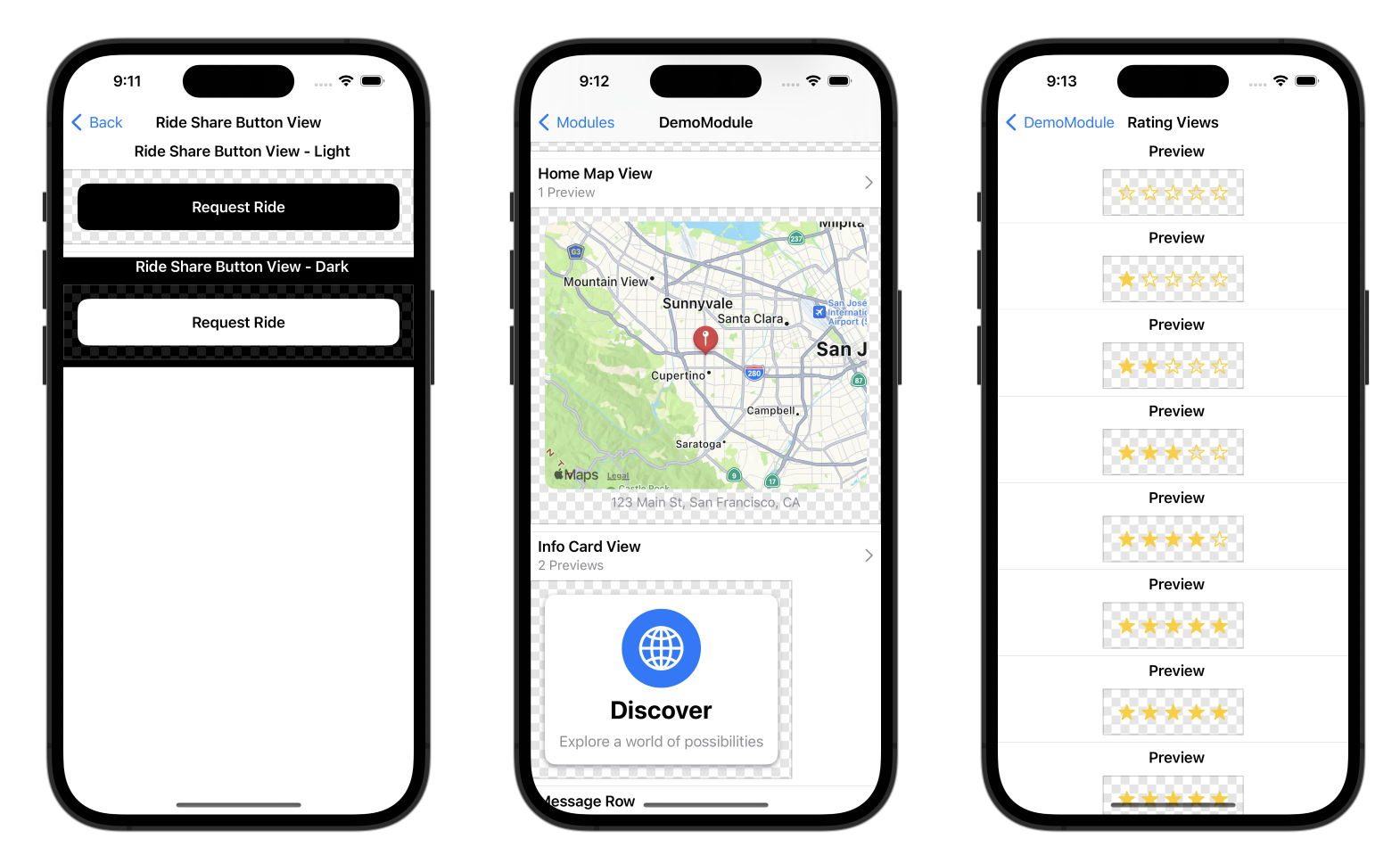
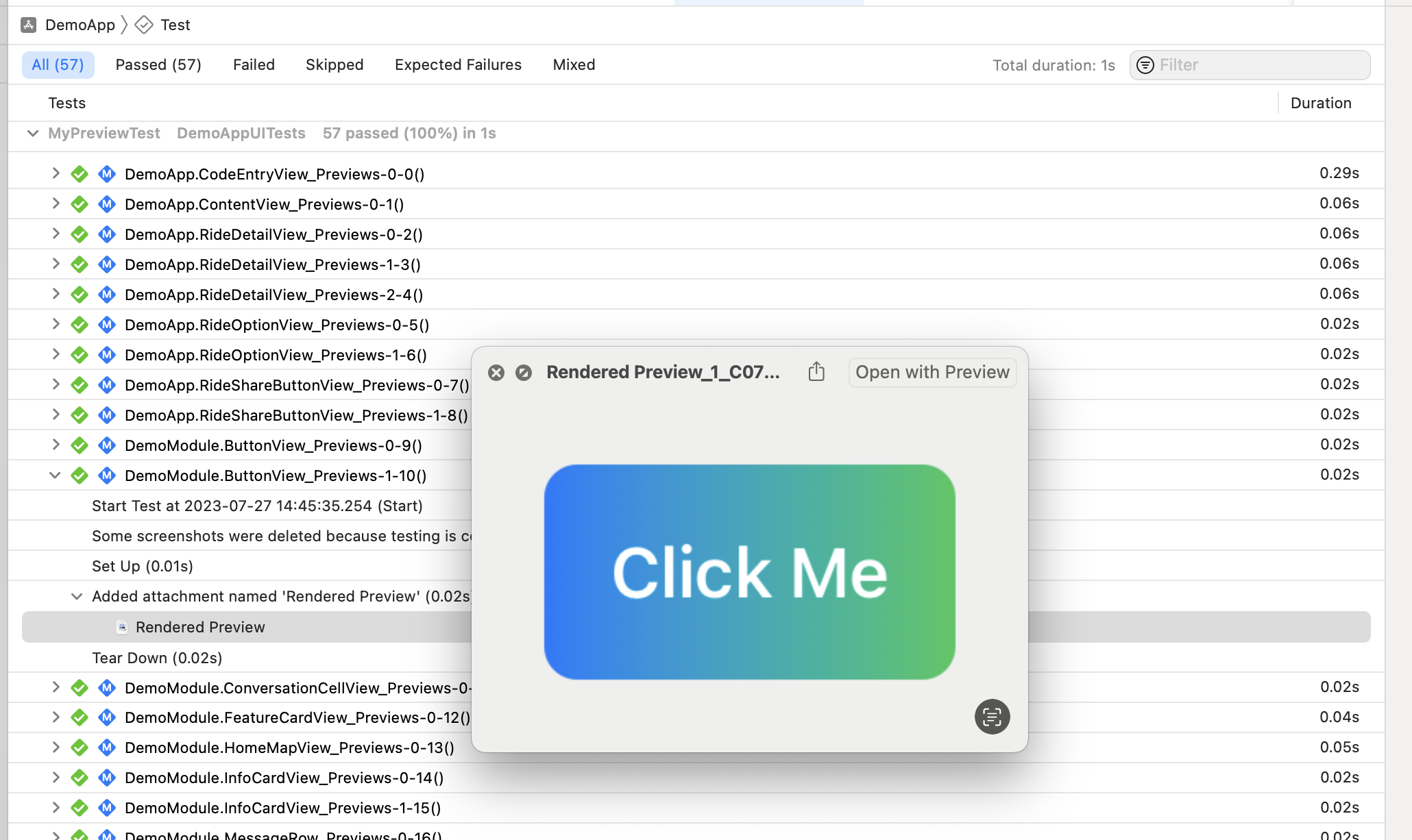
SnapshotPreviews, meanwhile, has been around as a standalone testing tool for a while. It generates snapshot images from your existing Xcode previews with zero test code , you inherit from SnapshotTest and test functions are injected at runtime, one per discovered preview. It supports UIKit, AppKit, and SwiftUI across iOS, macOS, watchOS, tvOS, and visionOS. The Codex plugin now uses it specifically to surface those previews inside the agent's browser view.
Skills bundled with the plugin
The plugin includes a swiftui-view-refactor skill for supporting SwiftUI View refactoring. The skills also include an iOS debugger skill and a project scaffolding skill. The debugger skill includes specific knowledge about Xcode Build MCP integration, common SwiftUI layout issues, and how to interpret Xcode's notoriously cryptic error messages. These skills are structured instruction sets that tell Codex how to approach a specific task , think of them as domain-specific system prompts baked into the plugin.
The full plugin ecosystem is broader than just iOS. OpenAI has released the official Codex plugins repository , a curated collection of plugin examples that extend Codex's capabilities for design workflows (Figma), knowledge management (Notion), mobile development (iOS/macOS), web deployment (Netlify, Expo), and custom tool integration through MCP servers, skills, and agents.
Where it fits in the bigger picture
This release sits inside a fast-moving competitive landscape. Apple deepened the Xcode integration in Xcode 26.3, allowing developers to use the agent inside Apple's development environment , letting Codex inspect a project's structure, consult current Apple developer documentation, build projects, run tests, and revert changes through automatically created milestones. OpenAI's plugin takes a different angle: rather than living inside Xcode, it pulls the simulator into Codex's own interface.
Since the beginning of 2026, features like computer use, image generation, and an in-app browser have been added to Codex one after another, and the number of plugins has exceeded 90. The Build iOS Apps plugin is a natural extension of that trajectory , each addition tightens the loop between the agent and the environment it's working in.
Real-world limitations to know
Community reaction has been enthusiastic but measured. iOS developer Oskar Groth noted that the preview and hot reload features only seem to work for non-Tuist projects, flagging a gap for teams using the popular project generation tool. Early testers found the behavior where Codex fixes build errors on its own quite reliable for small SwiftUI screens, but for fine-grained behaviors dependent on actual devices or parts that are hard to reproduce in the simulator, humans still need to check manually.
Skills are only as good as the instructions they contain. A poorly written skill is worse than no skill at all, because Codex will follow bad instructions confidently , there's no validation layer checking whether a skill's advice is actually correct. That's a general caveat for the plugin system, not specific to iOS, but worth keeping in mind as the ecosystem grows.
How to get started
In the Codex app, click "Plugins" in the left sidebar, type "build-ios-apps" in the search bar, select the plugin, and click "+" to install it. You'll need a Mac with Xcode command line tools installed, since serve-sim requires xcrun simctl to capture the simulator framebuffer. The plugin itself is free , access is gated only by your Codex subscription tier.
OpenAI Codex pricing spans six plans , Free, Go, Plus, Pro 5x, Pro 20x, and Business , plus Enterprise on a custom credit pool. The practical entry point for working developers is Plus at $20/month, which includes cloud task delegation, GitHub code review, and Slack integration. The Build iOS Apps plugin is available across all tiers that have Codex access.
The broader signal here is architectural. The repository reveals OpenAI's vision for a plugin ecosystem where developers can extend Codex with domain-specific capabilities without waiting for OpenAI to build them. The fact that the iOS plugin is built almost entirely on open-source community tools , serve-sim and SnapshotPreviews , and that the plugin format itself is publicly documented, suggests OpenAI is betting on an open, composable extension model rather than a walled garden.
Comments
