

OpenAI Finally Brings ChatGPT and Codex Desktop App to Linux
OpenAI's unified ChatGPT desktop app — with Chat, Work, and Codex — lands on Linux for the first time via official .deb and .rpm packages
- OpenAI launched the ChatGPT desktop app for Linux in preview, the first official native Linux client.
- Supported distros: Ubuntu 24.04/26.04 LTS, Debian 13, Fedora 43/44 — via .deb or .rpm packages for x64 and ARM64.
- The app bundles ChatGPT, ChatGPT Work (agentic task automation), and Codex (AI coding agent) in one place.
- Codex features parallel agents, scheduled background tasks, GitHub PR review, and team-customizable Skills.
- Pricing is tied to ChatGPT plans: Free ($0) through Pro ($200/mo); Plus ($20/mo) is the practical entry point for daily use.
- The launch completes OpenAI's cross-platform desktop push after merging Codex into the unified ChatGPT app in July 2026.
Linux has long been the odd one out in OpenAI's desktop story. macOS got the ChatGPT app first, Windows followed, and Linux users were left with browser tabs and community workarounds. That changes now: OpenAI has launched the ChatGPT desktop app for Linux in preview, and it ships the full unified experience , ChatGPT, ChatGPT Work, and Codex , in a single install.
What's actually in the box
This isn't a stripped-down port. Back in July 2026, OpenAI merged the standalone Codex app into a new unified ChatGPT desktop app for macOS and Windows, keeping Codex as a dedicated coding experience alongside Chat and Work. The Linux preview brings that same unified app to the platform. ChatGPT Work is a new agentic experience designed to handle work across apps, files, and workflows , it can gather data from different sources and create artifacts like spreadsheets, slide decks, documents, and web apps.
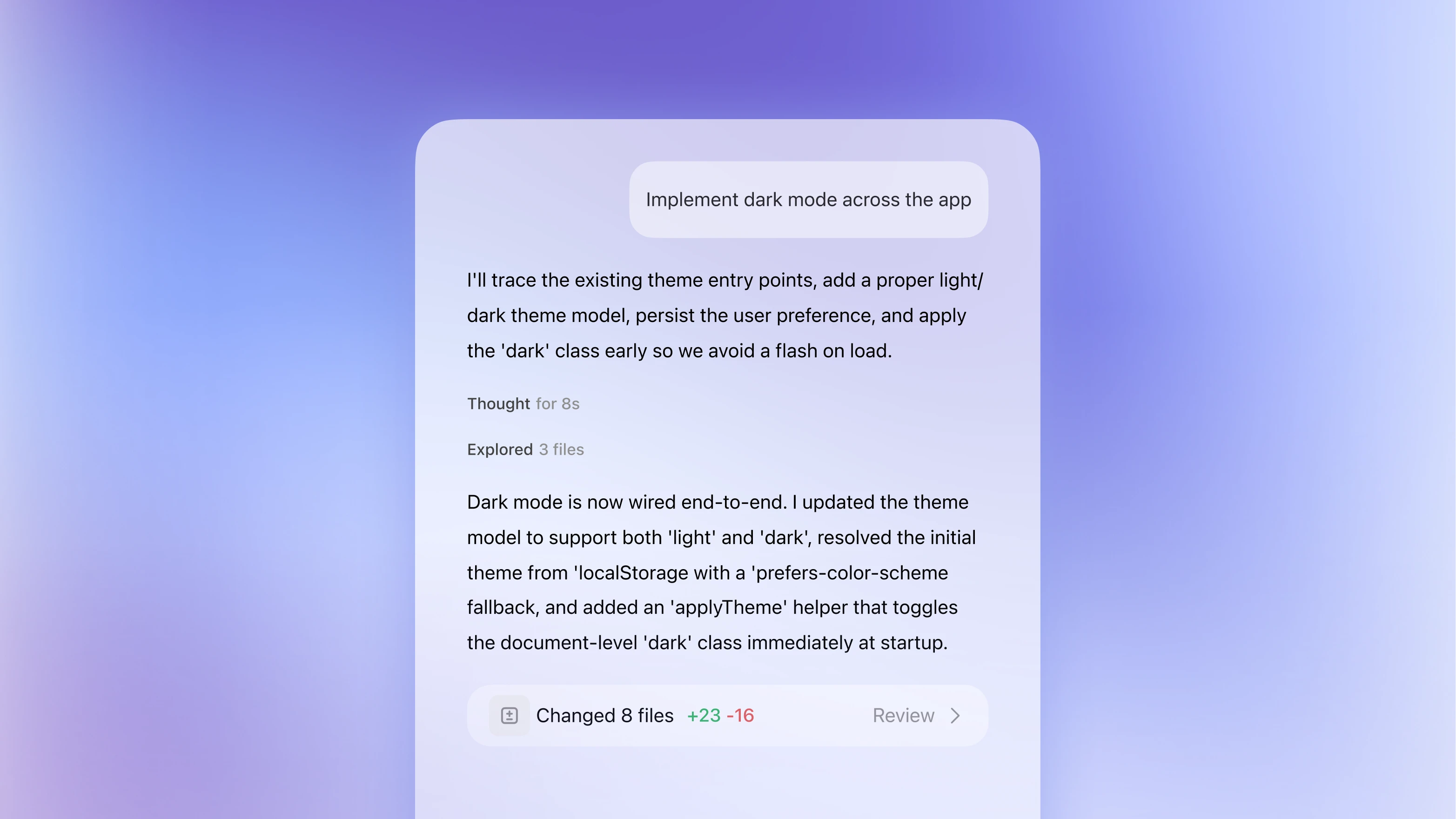
The desktop app includes ChatGPT Work and ChatGPT Codex, which share plug-ins. Codex mode surfaces more technical details that Work abstracts away from the user. Think of Work as the high-level agent for non-engineering tasks, and Codex as the mode where you see diffs, file trees, and PR review panels.
Supported distros and how to install
The preview targets the most widely used enterprise and developer distributions. Supported systems are:
- Ubuntu 24.04 LTS and 26.04 LTS
- Debian 13
- Fedora 43 and 44
Install packages are available as .deb (for Debian/Ubuntu) and .rpm (for Fedora), with both x64 and ARM64 builds covered. This is a preview release, so rough edges should be expected , but it is official, not a community repack.
What Codex can do on your machine
Codex in ChatGPT helps engineering teams build faster with AI coding agents, completing pull requests, refactors, code reviews, automations, and more across parallel workflows. On the desktop specifically, a few capabilities stand out:
- Parallel agents with worktrees: With built-in worktrees and cloud environments, agents work in parallel across projects, completing weeks of work in days.
- Team-aware workflows via Skills: With Skills, you can teach Codex your team's standards, workflows, and ways of working, and Codex applies them consistently across tasks.
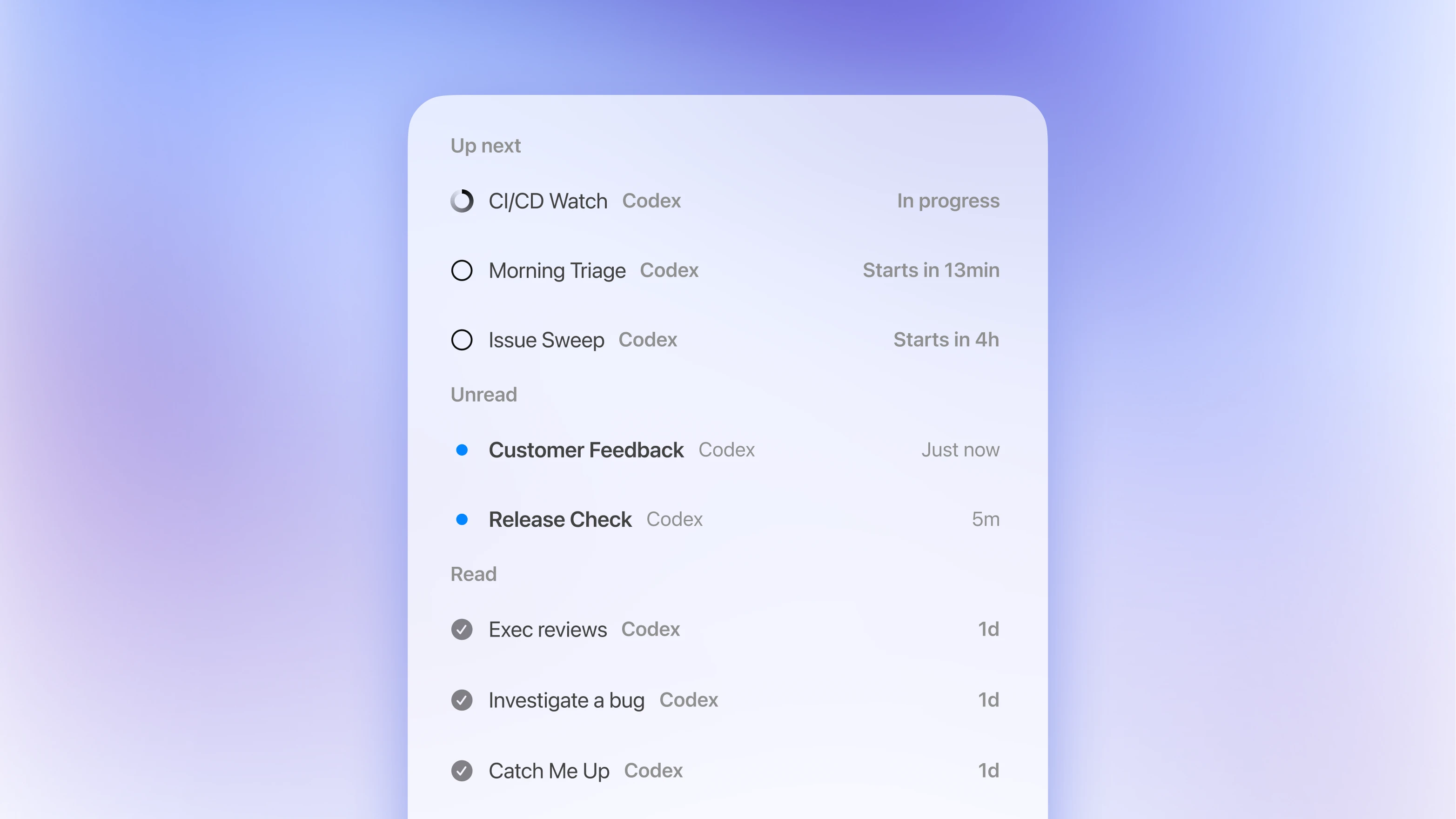
- Scheduled background tasks: You can schedule Codex to pick up routine but important work like issue triage, alert monitoring, and CI/CD, so your team can stay focused on building.
- Code review: Code Review usage applies when Codex runs reviews through GitHub , for example, when you tag @Codex for review in a pull request or enable automatic reviews on your repository.
The model lineup
Free and Go users get GPT-5.6 Terra for Work and Codex. Plus, Pro, Business, and Enterprise users can choose among GPT-5.6 Sol, Terra, and Luna, and set an effort level for each. The three variants trade off cost and capability: Sol is the flagship, Terra is the value default, and Luna is optimized for high-volume throughput.
What it costs
Codex does not have its own price tag , it is bundled into every ChatGPT plan, so your plan choice sets your cost. Plans run from $0 (Free) to $200/month (Pro 20x), plus per-user Business seats and custom Enterprise deals. In practice:
- Free: Limited access, good for trying it out
- Go ($8/mo): More usage, fits solo hobbyists
- Plus ($20/mo): Expanded Codex usage, access through the web app, CLI, IDE extension, and iOS, plus cloud-based integrations such as automatic code review and Slack integration.
- Pro ($100-$200/mo): 5x or 20x higher rate limits than Plus
- Business (~$20/user/mo annually): Shared admin, GitHub, Slack, and Linear integrations
On average, Codex costs roughly $100-$200 per developer per month, though there is large variance depending on model used, number of instances running, automations, and usage of fast mode.
Why this matters beyond the headline
OpenAI had quietly opened a sign-up page for a native ChatGPT desktop app on Linux , a long-standing request from the developer community that had, until then, gone unanswered. The community filled the gap with unofficial tools, but those required building from source or converting macOS DMGs. Now there are signed, first-party packages.
By March 2026, Codex had grown to more than 2 million weekly active users, and OpenAI was positioning it as a broader enterprise agent platform that could eventually be used for tasks beyond software development. Bringing the full desktop experience to Linux , where a disproportionate share of those users likely work , is a natural extension of that push. OpenAI had announced that the ChatGPT app for computers, Codex, and ChatGPT Atlas were to be combined into a single desktop superapp as part of an effort to simplify its product lineup and respond to growing competition from Anthropic. The Linux launch is the final piece of that platform story.
For teams running CI/CD on Linux, building in terminal-first environments, or simply preferring not to context-switch to a browser, this closes a real gap. The preview label means you should watch for rough edges , but the packaging choices (.deb, .rpm, x64, ARM64) signal that OpenAI is treating Linux as a first-class target, not an afterthought. Check the official Codex developer docs for setup details and the latest changelog.
Comments
