

Nous Research Ships Hands-Free 'Hey Hermes' Wake Word to Its 175K-Star Agent
Hermes Agent adds always-on, fully local 'Hey Hermes' wake word detection across CLI, TUI, and desktop app

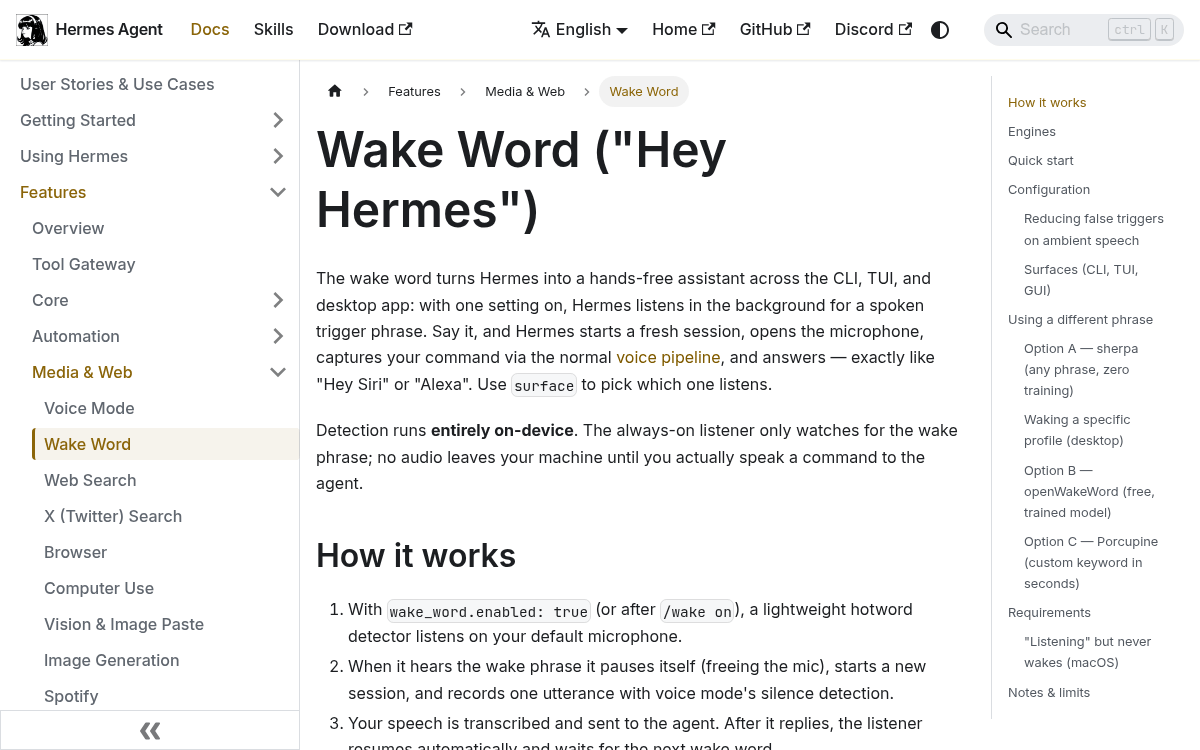
- Wake word shipped: Hermes Agent now supports hands-free "Hey Hermes" activation across CLI, TUI, and desktop app.
- Fully local: Detection runs entirely on-device; no audio leaves your machine until you speak a command.
- Three engines: openWakeWord (default, bundled model), sherpa (open-vocabulary, zero training), and Porcupine (custom .ppn files).
- Multi-profile routing: With the sherpa engine, saying "hey coder" or "hey trader" live-switches to the matching profile -- one listener, any profile.
- Off by default: Enable with
/wake onin CLI or the ear icon in the desktop app; persists toconfig.yamlautomatically. - Free and open-source: MIT licensed; available now at hermes-agent.nousresearch.com.
Hermes Agent now supports wake words. Nous Research shipped the feature across the CLI, TUI, and desktop app, letting you trigger the agent hands-free by saying "Hey Hermes." The entire detection pipeline runs on-device.
What shipped
With wake word enabled, Hermes listens in the background for a spoken trigger phrase. Say it, and Hermes starts a fresh session, opens the microphone, captures your command through the normal voice pipeline, and responds. The flow mirrors "Hey Siri" or "Alexa." Detection runs locally; no audio leaves your machine until you speak a command. The feature is off by default.
Three detection engines
The feature ships with three backends you can swap in config:
- openWakeWord (default) — free, local ONNX models. Bundles a "hey hermes" model; also supports
hey_jarvis,alexa,hey_mycroft, and custom models. - sherpa — open vocabulary: detects any typed phrase with zero training. A small English model downloads automatically on first use at roughly 13 MB.
- Porcupine — the Picovoice engine; built-in keywords plus custom
.ppnfiles. Requires aPORCUPINE_ACCESS_KEYand has a free tier.
Custom phrases without training
Most wake word systems require you to train a model on a custom phrase, which can take hours of compute. The sherpa engine skips that entirely. Type any phrase and it tokenizes at runtime — no training data, no waiting.
That capability becomes particularly useful in multi-profile setups. Every profile with wake_word.enabled: true enrolls automatically, defaulting its phrase to hey <profile name> when none is set. Say a profile's phrase and the desktop app switches to that profile, opens a fresh session, and starts hands-free voice. One listener, any profile.
Say you have a coder profile and a trader profile. "Hey coder" or "hey trader" drops you into the right context without touching a keyboard. A 96-utterance synthetic test reported 23-of-24 correct detections and zero wrong-profile routes.
How the pipeline works
With wake_word.enabled: true set (or after running /wake on), a lightweight hotword detector listens on your default microphone. When it hears the wake phrase, it pauses itself to free the mic, starts a new session, and records one utterance using voice mode's silence detection. Your speech is transcribed and sent to the agent. After it replies, the listener resumes and waits for the next wake word.
Ending a hands-free session works by voice too. Saying "stop," "never mind," "goodbye," "cancel," or "that's all" closes the conversation rather than sending those words to the agent. The match requires a whole utterance, so a real request like "stop the docker container" still goes through normally.
Tuning false triggers
Always-on listeners occasionally trip on ambient speech. Hermes exposes two settings to manage this:
confirmation_frames(default: 3, openWakeWord only) — how many consecutive over-threshold audio frames must occur before the wake fires. A genuine "hey hermes" holds a high score across several frames; an ambient blip spikes just one. Raise to 4–5 in noisy environments.sensitivity(default: 0.6) — the detection threshold from 0.0 to 1.0. Higher means stricter. The 0.6 default sits above openWakeWord's permissive 0.5 baseline; raise toward 0.8 if false triggers persist.
On macOS, the wake listener runs in the Python backend, which needs its own microphone grant separate from the desktop app renderer. Without it, CoreAudio hands the backend a stream that delivers only silence — the indicator shows listening, but the phrase never fires. Running /wake status reports exactly what's missing.
Getting started
Install the wake word dependencies and enable it from inside an interactive hermes session:
# Install wake word deps
cd ~/.hermes/hermes-agent && uv pip install -e ".[wake]"
# Inside a running hermes session:
/wake on        # start listening
/wake status    # show phrase, provider, and state
/wake off       # stop listening
To set it persistently, add this to ~/.hermes/config.yaml:
wake_word:
  enabled: true
  provider: openwakeword   # or sherpa, porcupine
  phrase: "hey hermes"
  sensitivity: 0.6
  confirmation_frames: 3
To use a fully custom phrase with zero training, switch to the sherpa engine and type what you want:
wake_word:
  enabled: true
  provider: sherpa
  phrase: "hey coder"   # any phrase, tokenized at runtime
Where wake word fits
Hermes Agent is a self-hosted, open-source autonomous AI agent from Nous Research. It accumulates memory across sessions, runs scheduled tasks, and writes reusable skills from experience. It reached 175,000 GitHub stars in under four months and runs as a single agent with one persistent memory across a terminal CLI, a native desktop app, and messaging gateways for Telegram, Discord, Slack, WhatsApp, Signal, and email.
Wake word fits that model well. The feature earns its keep when Hermes is already running in the background — during a coding session, while reviewing documents, or whenever you want to hand off a quick task without breaking focus. The goal is ambient reachability, not keyboard replacement.
The feature is available now, free, and MIT licensed. All audio processing stays on your machine.
Comments
