

Nous Research's Hermes Agent Drops a Visual Builder for Multi-Agent Setup
Nous Research adds a guided Profile Builder to Hermes Agent's web dashboard, letting you configure identity, model, skills, and MCP servers in one visual flow instead of editing YAML
- New Profile Builder: Nous Research added a guided wizard to the Hermes Agent web dashboard for building fully configured agent profiles.
- 5-step flow: Identity → Model → Skills → MCPs → Review, covering everything in one session instead of scattered CLI commands.
- Profiles = isolated agents: Each profile gets its own config, memory, sessions, skills, and cron jobs -- useful for running a coder, researcher, and ops bot simultaneously.
- Shareable configs: Profiles can be packaged as git repos and installed on other machines; credentials and memories stay local.
- Free and self-hosted: Hermes Agent is MIT-licensed; the dashboard runs locally on port 9119 with no data leaving your machine.
- Requires extras: Install with
pip install 'hermes-agent[web,pty]'and run withhermes dashboard.
Hermes Agent, the open-source self-improving agent from Nous Research, just shipped a Profile Builder directly inside its web dashboard. What used to require hand-editing YAML files and running a sequence of CLI commands is now a single guided wizard: Identity → Model → Skills → MCPs → Review.
This is a meaningful quality-of-life upgrade for anyone running multiple agent instances. Profiles in Hermes are not just configuration presets. Each profile gets its own directory containing its own config.yaml, .env, SOUL.md, memories, sessions, skills, cron jobs, and state database, letting you run separate agents for different purposes without mixing up Hermes state.
What the Builder Actually Does
The new flow lives at /profiles/new in the dashboard. You open the Profiles page from the sidebar, click the Build button in the header (distinct from the quick Create button), and step through five screens:
- Identity -- set the agent's name and description (its SOUL)
- Model / Provider -- pick the LLM and inference backend
- Skills -- toggle built-in toolsets and install community skills from the hub
- MCPs -- wire up Model Context Protocol servers
- Review -- confirm everything before writing to disk
The key word here is complete. Previously you could create a bare profile with a single command, but wiring in skills and MCP servers required separate CLI invocations or direct config edits. The builder collapses that into one coherent flow.
The Dashboard It Sits Inside
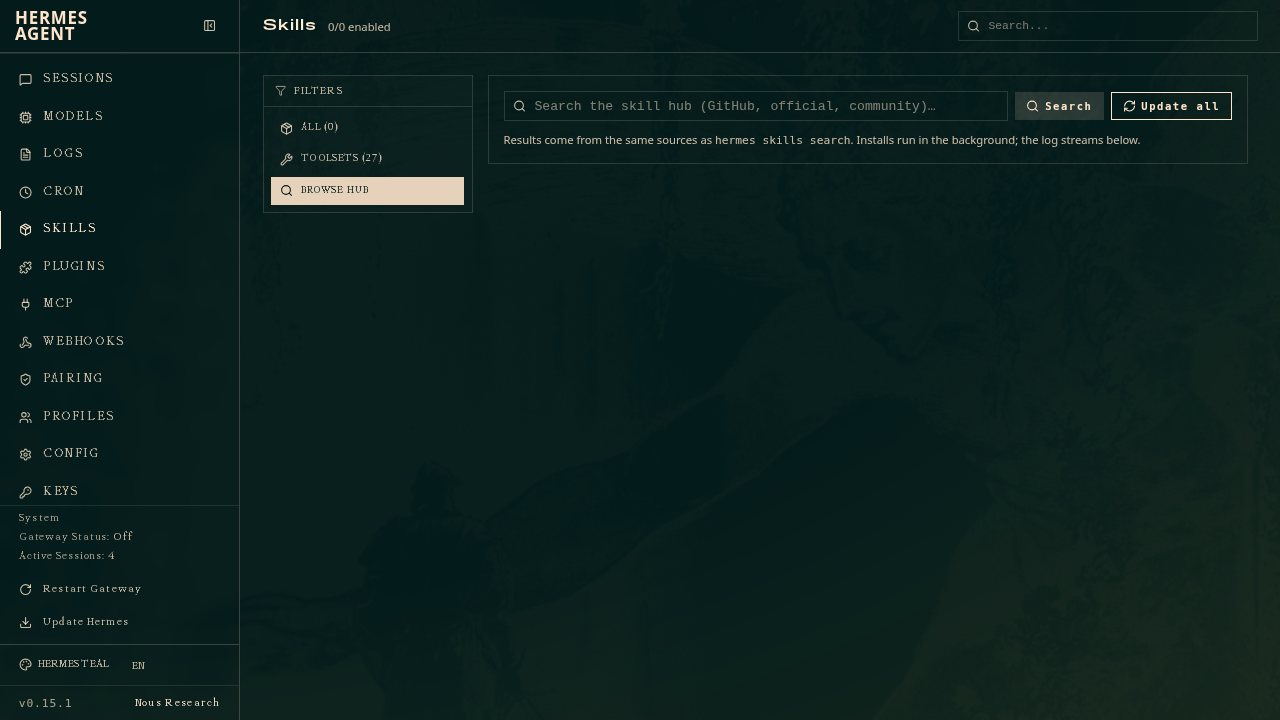
The web dashboard is a browser-based UI for managing your Hermes Agent installation. Instead of editing YAML files or running CLI commands, you can configure settings, manage API keys, and monitor sessions from a clean web interface. It starts a local web server and opens http://127.0.0.1:9119 in your browser, running entirely on your machine with no data leaving localhost.
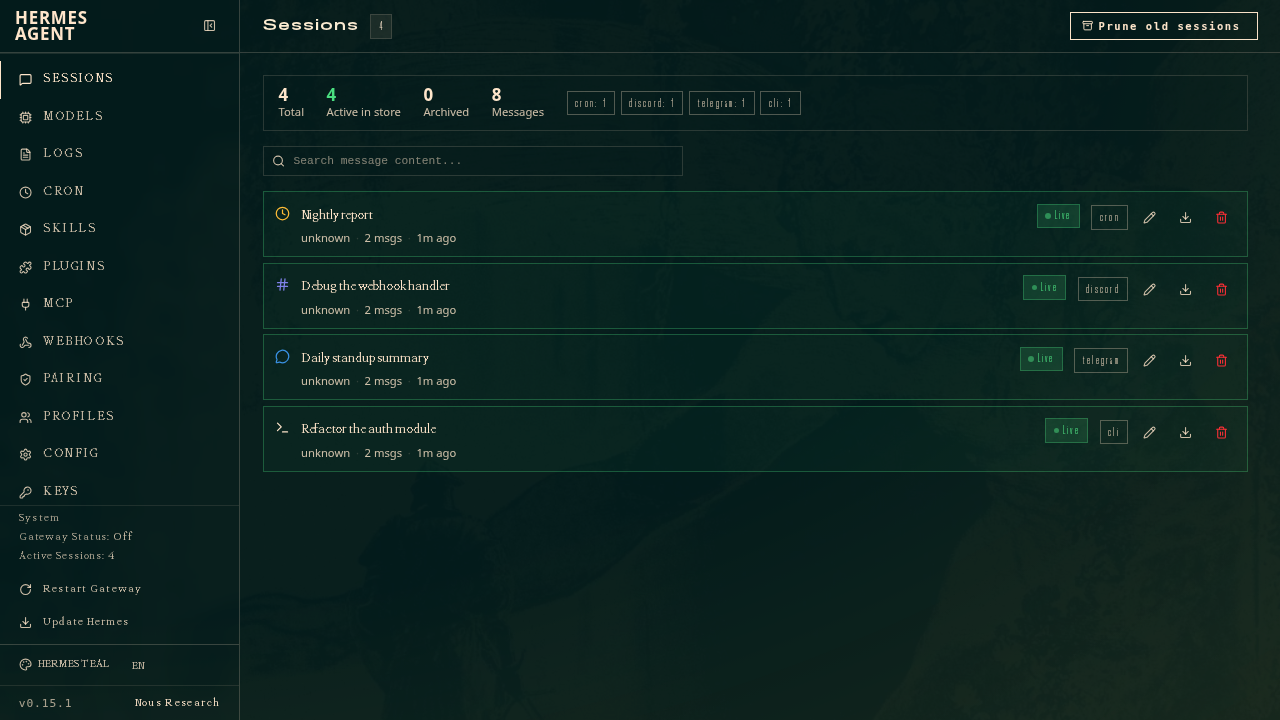
The dashboard is a full admin panel. Beyond profiles, it covers:
- Sessions -- full-text search across all past conversations, export to JSON, rename, prune
- Analytics -- token usage and cost breakdowns by day and by model
- Cron -- create scheduled prompts delivered to Telegram, Discord, Slack, or email
- Channels -- connect to any of 20+ messaging platforms without touching a config file
- MCP -- add, test, enable/disable MCP servers with a one-click catalog browser
- System -- live host stats, gateway lifecycle controls, memory management, and one-click updates
Who This Is For
The profile builder is most useful when you are running Hermes as more than one agent. Profiles let you run separate agents for different purposes -- a coding assistant, a personal bot, a research agent -- without mixing up Hermes state. Think: one profile tuned for DevOps tasks with shell-heavy toolsets and a GitHub MCP server, another for research with web-browsing skills and a different model.
It also matters for teams. A profile you built on one machine can be packaged as a git repository and installed with one command on another machine. The shared package includes the SOUL, config, skills, cron jobs, and MCP connections, while credentials, memories, and sessions stay per-machine. The builder makes it easier to produce a shareable profile that is fully configured from the start.
Getting It Running
The dashboard requires the web extra, which pulls in FastAPI and Uvicorn. Install it with:
pip install 'hermes-agent[web,pty]'Then start it:
hermes dashboardWhen the dashboard is bound to a public or non-loopback address, Hermes Agent engages an auth gate and every request must carry a verified session cookie. Three providers ship in the box: username/password, OAuth via Nous Portal, and self-hosted OIDC. For local use on loopback, no auth is needed.
Hermes Agent is open source under the MIT license and free to self-host. It runs on a $5 VPS, a GPU cluster, or serverless infrastructure that costs nearly nothing when idle. The Nous Portal subscription is optional and bundles model access plus tool APIs (web search, image generation, TTS, cloud browser) under one account.
The Bigger Picture
Hermes is the self-improving AI agent built by Nous Research -- the only agent with a built-in learning loop that creates skills from experience, improves them during use, nudges itself to persist knowledge, searches its own past conversations, and builds a deepening model of who you are across sessions.
It supports any model you want -- Nous Portal, OpenRouter (200+ models), NovitaAI, NVIDIA NIM, Xiaomi MiMo, Kimi/Moonshot, MiniMax, Hugging Face, OpenAI, or your own endpoint. The profile builder makes it straightforward to spin up a purpose-built agent on any of those backends without touching a terminal. For teams already using Hermes, it removes the last major friction point in the multi-agent setup workflow.
Comments
