Moonshot AI's Kimi Code Adds Shell Mode to Ditch Terminal Switching
Kimi Code v0.20 adds shell mode, background task management, remote web UI access, and multi-directory workspaces to its open-source coding agent CLI

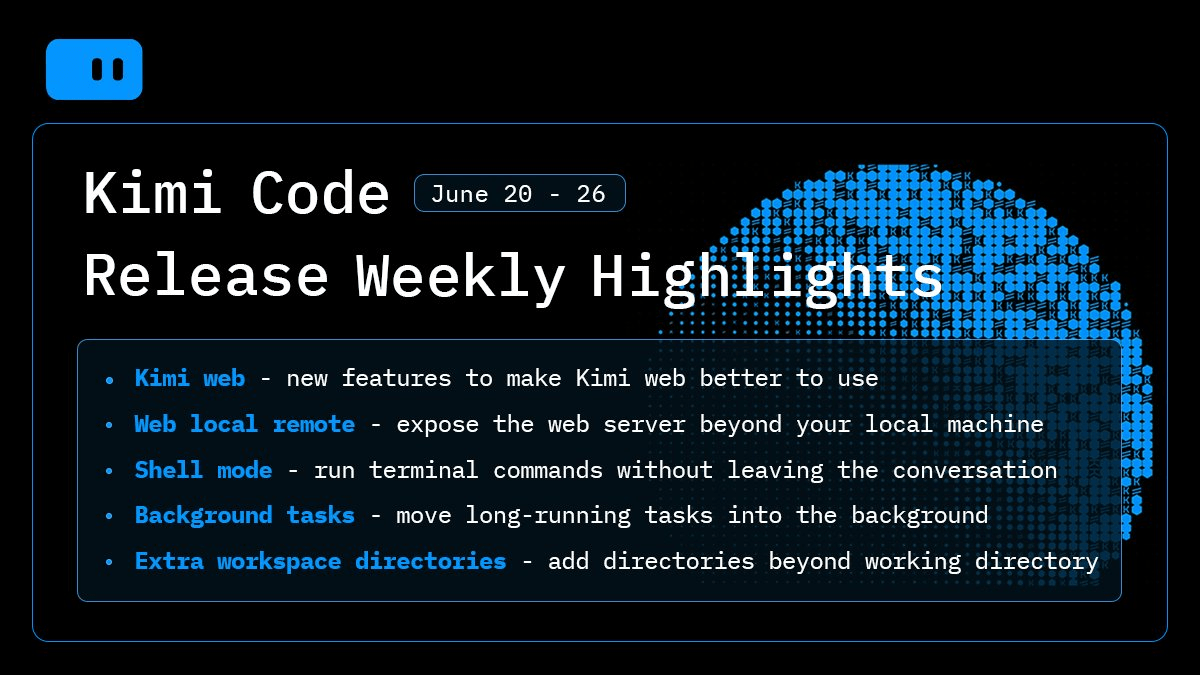
- Shell Mode: type
!to run terminal commands inside Kimi Code; output is fed directly into the AI's context. - Background tasks: press
Ctrl+Bto push long-running commands or sub-agents to the background; monitor them via/tasks. - Remote web UI: new
--hostflag exposes the web server beyond localhost, secured with token auth and rate limiting. - Multi-directory workspaces: use
/add-dir <path>to add directories outside the current working folder; paths persist in.kimi-code/local.toml. - Web UI polish: line-by-line file diffs, copy button on user messages, paginated session list, and persistent workspace ordering.
- Open source and free to install via
npm install -g @moonshot-ai/kimi-code; model access depends on your Kimi Code plan.
Kimi Code, Moonshot AI's open-source terminal coding agent, just shipped a batch of quality-of-life upgrades that collectively push it closer to being a full terminal replacement. The headline features are Shell Mode, background task management, remote web UI access, and multi-directory workspaces. None of these are flashy model improvements, but together they remove the friction that forces you to constantly context-switch out of the agent session.
Shell Mode: the terminal inside your terminal
The new shell mode lets you run terminal commands directly without leaving the conversation. Type ! in the input box to enable it, and the command output is visible to the AI.
This means you can authenticate with external tools, inspect build output, or run a quick script, and Kimi immediately has that output in context for the next turn.
- Enter shell mode: type
!in an empty input box, or paste any command starting with! - Exit shell mode: press
BackspaceorEscin an empty input box; submitting a command also exits automatically -
For long-running commands, press
Ctrl+Bto move them to the background. For example, you can run!gh auth loginto sign in to the GitHub CLI without opening a new terminal, so Kimi can usegh.
Agent Mode sends your input to the AI for processing and planning, while Shell Mode executes shell commands directly without AI involvement. This lets you seamlessly move between AI assistance and direct command execution.
One caveat:
built-in shell commands like cd are not supported yet.
Background tasks: stop babysitting long jobs
Press Ctrl+B to move long-running foreground commands and sub-agents into the background, freeing up the session to continue, and view their status from the /tasks panel.
This is a bigger deal than it sounds. Previously, if you kicked off a slow build or a long-running sub-agent, you were stuck waiting. Now you can keep chatting with the agent while the job runs in parallel.
Background tasks are started by the AI using the Shell tool with run_in_background=true. The system automatically notifies the AI when background tasks complete.
The config also exposes a [background] table where you can set max_running_tasks to cap concurrency and toggle keep_alive_on_exit to control whether tasks survive session close.
Remote web UI with --host
Kimi Code has had a local web interface for a while, but it was locked to localhost. The new --host flag on kimi web lets you expose the server on your network or a remote machine. It ships with token authentication and rate limiting baked in, so you are not just opening a raw port. This is useful for running Kimi on a beefy remote dev box and accessing the session UI from your laptop.
The web UI also got a round of UX polish in this release:
- Line-by-line diffs when the agent edits or writes a file in the web chat
- Copy button on user messages
- Paginated session list per workspace, so the first screen no longer fetches every session up front
- Drag-and-drop workspace reordering with sort order persisted locally
Extra workspace directories
One persistent pain point with coding agents is that they are scoped to a single working directory. If your project spans multiple repos or monorepo roots, you had to either copy files or run separate sessions.
The new /add-dir command lets you add directories outside your current working folder to the session context.
Use /add-dir <path> inside a session or kimi --add-dir <path> at startup. When you choose to remember a directory, the path is written to the project-level .kimi-code/local.toml so it applies automatically in every future session of that project.
The bigger picture
Kimi Code is an AI coding agent designed for terminal-first development workflows. Unlike traditional AI coding assistants that primarily suggest code snippets, it analyzes entire repositories, plans multi-step tasks, executes commands, and iterates autonomously. It is powered by Kimi K2.6 with long-context reasoning.
Kimi Code CLI is Moonshot AI's open-source terminal-first coding agent, a direct competitor to Claude Code and Gemini CLI. What makes this week's update notable is the direction: rather than chasing benchmark numbers, the team is investing in the agent's ability to operate more autonomously over longer horizons. Background tasks, goal queues (introduced in v0.10), and the ability to span multiple directories are all about reducing the number of times you have to babysit the agent mid-task.
Kimi Code CLI is open-source and free to install. Access to the underlying models or services may depend on your Kimi Code plan.
You can install it with a one-line curl script or npm install -g @moonshot-ai/kimi-code, and check the official changelog for the full release notes. The configuration docs cover all the new [background] and workspace settings in detail.
Comments