

Luma Agents' Layers Lets Creators Edit Any Image Part Without Rebuilding Everything
Luma Agents adds Layers: extract, isolate, and re-edit any element in an image through natural conversation, powered by Uni-1

- Layers is now live in Luma Agents: extract any image into editable elements and re-edit them through conversation.
- Change one element, preserve everything else — swap products, restyle backgrounds, or rewrite headlines without regenerating the full image.
- Powered by Uni-1, a decoder-only autoregressive transformer that reasons in language and renders in pixels within a single forward pass.
- Works on any image — generated inside Luma or uploaded externally — with no manual masking or selection tools required.
- Targets ad agencies, e-commerce, and localization teams who need to remix the same scene across many variants at scale.
- Available now on Plus ($30/mo), Pro ($90/mo), and Ultra ($300/mo) plans; API access rolling out gradually.
Luma Agents just shipped a feature called Layers that lets you edit one part of an image without touching anything else. You can ask the agent to decompose any image into its constituent elements, then swap the product, restyle the background, or rewrite the headline while the rest of the composition stays locked.
Layers works on any image, whether generated inside Luma or uploaded from outside. The interaction is conversational: describe what you want changed, and the agent handles the rest. No manual masking, no layer panel, no selection tools.
The problem it solves
Anyone who has iterated on a generated image knows the cycle. You get a great product shot, but the background is wrong. You regenerate, and now the product looks different. Standard image generation models treat an image as a single flat output, so changing one region tends to bleed into adjacent areas or force a full regeneration. Traditional background removal tools offer only a binary foreground-background split, which falls well short of what real creative workflows need.
A real ad campaign might require the product, its shadow, the surface, and the background as four independently editable elements. Producing that kind of composite traditionally meant advanced retouching, complex masking, manual shadow reconstruction, and careful color correction, with every additional variant adding production time.
What Layers actually does
The workflow is: generate or upload an image, ask the agent to extract its layers, then iterate on individual elements through conversation. Luma's announcement gives a concrete example of the loop:
- Extract layers from a generated or uploaded image
- Swap the product for a different one
- Restyle the background independently
- Rewrite any headline or text overlay in place
The core promise is surgical precision: change one element, preserve everything else. That's a meaningful shift from the current norm where editing one region tends to force a full regeneration.
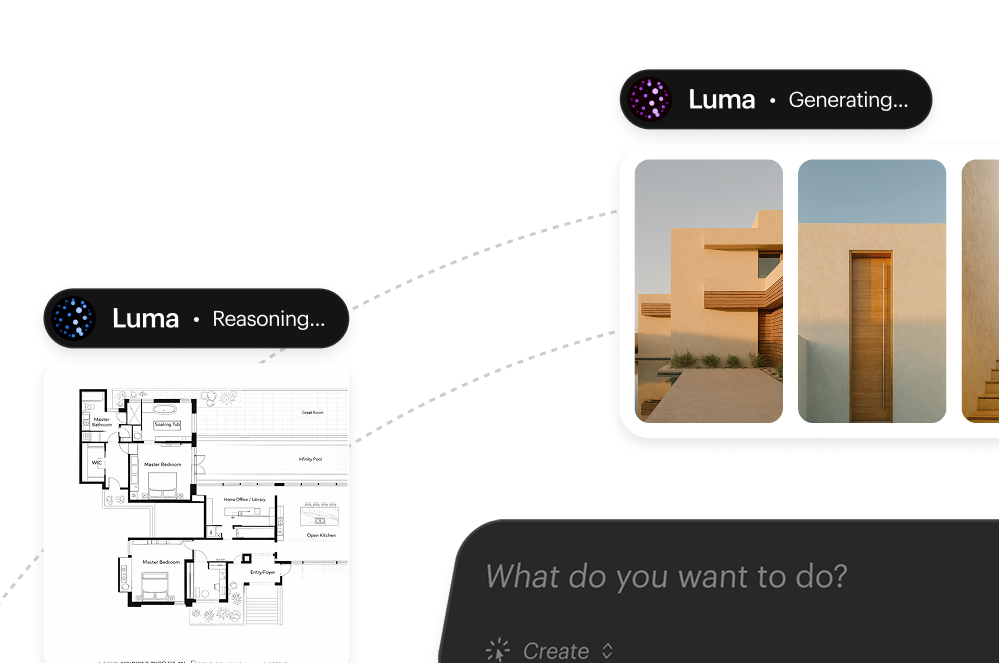
The engine underneath: Uni-1
Layers runs on Uni-1, Luma's first Unified Intelligence model, and the architecture is what makes the feature work the way it does.
Luma describes Uni-1 as a decoder-only autoregressive transformer with a shared token space for language and image tokens. In plain terms: most image models separate the thinking step from the drawing step. Uni-1 does both in the same sequence, in a single forward pass. Language and pixels are treated as first-class citizens of the same stream rather than outputs of separate pipelines.
The industry standard for several years has been to assemble AI systems as pipelines: one model writes text, another generates images, another processes video, and orchestration layers stitch the outputs together. Luma argues these fragmented systems lose context between steps and require increasingly complex workflows to produce reliable results. Uni-1 sidesteps that by keeping reasoning and rendering tightly coupled, which means the model can reason about what a layer is before deciding how to isolate or modify it.
On benchmarks, Uni-1 achieves leading performance on RISEBench (Reasoning-Informed Visual Editing) and ODinW-13 (open-vocabulary dense detection). RISEBench specifically tests a model's ability to decompose complex editing instructions and maintain scene coherence, which is exactly the capability Layers depends on.
Where it fits in the Luma Agents platform
Luma Agents is designed to keep context intact as projects move between formats, rather than reconstructing it at each handoff. Alongside Uni-1, the platform can coordinate work across third-party models including Ray3.14, Veo 3, Sora 2, Kling 2.6, Nano Banana Pro, Seedream, GPT Image 1.5, and ElevenLabs. Layers slots in as an image-specific capability, but once elements are isolated, they can feed into downstream video, audio, or localization workflows without re-importing assets.
The platform is already in production with major agencies. One reported use case turned a 1-year, $15 million international ad campaign into localized multi-country versions in 40 hours, passing strict internal quality control. Layers accelerates that kind of iteration by removing the need to regenerate entire scenes when only one element needs to change.
Practical use cases
The clearest wins are in workflows where the same scene needs to be remixed across many variants:
- E-commerce product photography: swap a product into an existing lifestyle shot without reshooting the environment
- Ad localization: rewrite text overlays for different markets while keeping the visual composition intact
- Campaign variations: test different background styles or color palettes against the same hero product
- Storyboarding: iterate on individual scene elements across frames without losing character or set consistency
There's also a subtler benefit: most tools solve the generation problem but leave the orchestration problem untouched, which is where creative teams actually lose hours. Layers moves that orchestration into the conversation itself.
Availability and pricing
Layers is live inside Luma Agents now. The platform runs on a credit-based subscription model:
- Plus: $30/month for 10,000 credits
- Pro: $90/month for 40,000 credits
- Ultra: $300/month for 150,000 credits
API access is rolling out gradually. Enterprise and team plans with SSO, shared credits, and custom fine-tuning are available through direct contact.
One open question is how well layer extraction handles complex scenes. Overlapping objects, soft shadows, and semi-transparent elements are historically where segmentation approaches break down. How context persists across three or four iterations deep is a real concern too: if a creative director pivots the art direction mid-campaign, whether the agent course-corrects cleanly or drifts is where these workflows tend to quietly fail. Luma's bet is that Uni-1's tight coupling of reasoning and rendering handles these edge cases better than pipeline approaches, but production testing will be the proof.
Comments
