Higgsfield AI Ships DaVinci Resolve Plugin With 7 Built-In AI Tools
Higgsfield's seven AI tools now live natively inside DaVinci Resolve — generate footage, remove backgrounds, match color grades, and upscale to 8K without leaving your timeline

- Live now: Higgsfield's DaVinci Resolve plugin ships seven AI tools natively inside Resolve -- no exports required.
- Seven tools: Generate Video, Generate Image, AI LUT Creator, Draw to Edit, Reframe, Remove Background, and Upscale (up to 8K).
- Compatibility: Requires DaVinci Resolve 19+ on macOS or Windows; works on both free and Studio editions (not the App Store version).
- Pricing: Plugin is free; generations use Higgsfield credits -- plans from $15/mo (Starter) to $84/mo (Ultra), with per-model credit costs.
- AI LUT Creator is the standout DaVinci-specific feature: match any color grade from a reference frame directly inside Resolve's timeline.
- Context: Follows earlier Adobe Premiere Pro and After Effects plugins, completing Higgsfield's coverage of the three major professional NLEs. Download here.
Higgsfield AI just shipped its DaVinci Resolve plugin, bringing a full suite of AI generation and editing tools directly into one of the most popular professional video editing environments in the world. No more exporting clips to a browser tab, waiting, downloading, and re-importing. The entire loop now lives inside Resolve.
The pitch is simple but meaningful for working editors: seven AI tools run natively inside DaVinci Resolve with no exports, no switching apps, and no manual file handoffs. That friction reduction is the real story here, not just the individual capabilities.
Seven tools, one panel
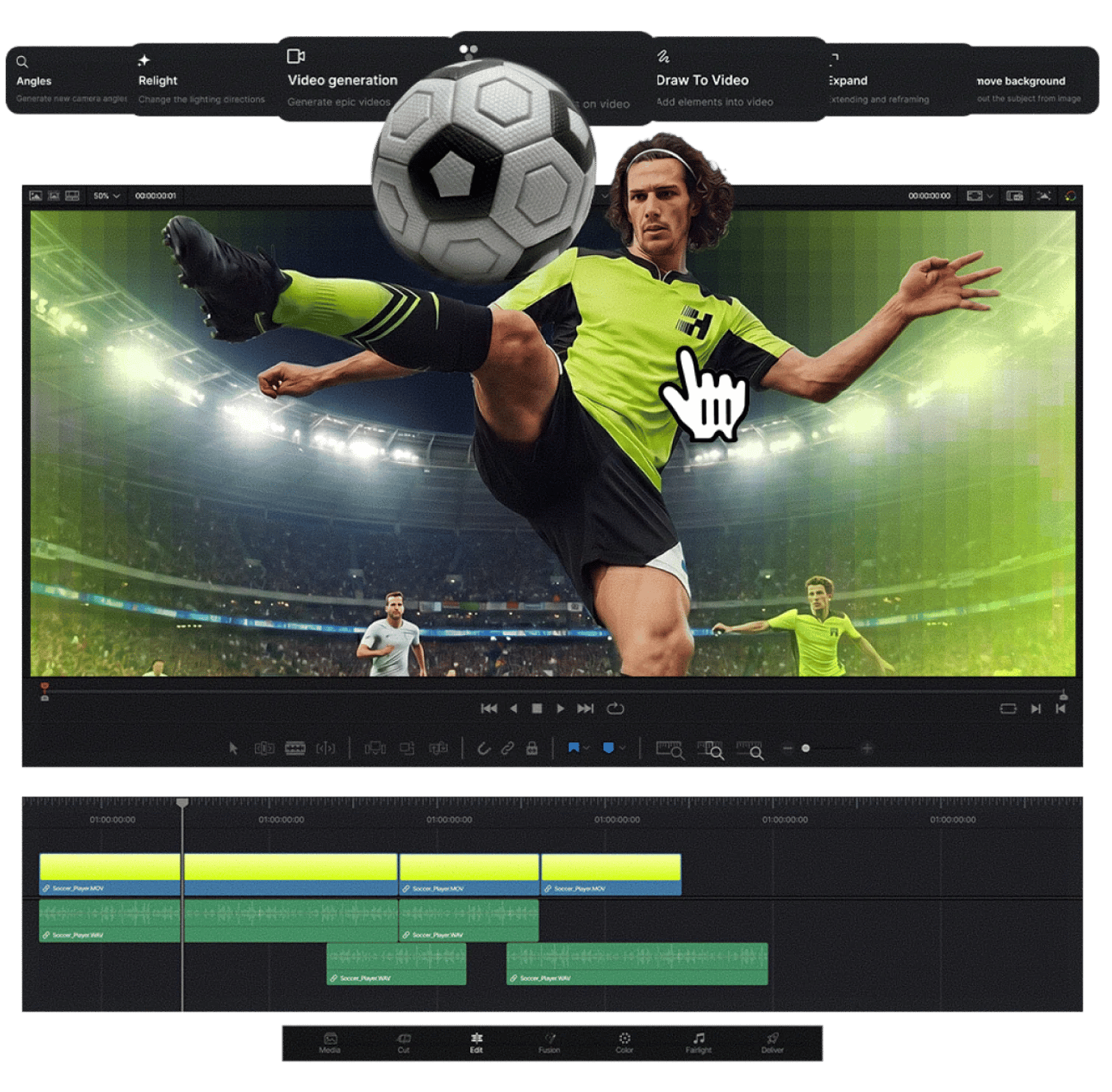
The plugin ships all seven tools in a single installer. Once installed, you find them under Workspace > Scripts > Higgsfield inside Resolve. Here is what you get:
- Generate AI Video -- create any clip with natural language: scenes, characters, B-roll, or camera moves, dropped straight into your timeline.
- Generate AI Image -- build backgrounds, overlays, title cards, or scene elements from a text prompt, delivered directly into your workflow.
- AI LUT Creator -- match any look from a single reference frame, photo, or palette; Higgsfield transfers tones, contrast, and mood straight into your DaVinci Resolve timeline. This is the standout DaVinci-specific feature -- color grading is Resolve's home turf, and an AI that can clone a grade from a reference image is genuinely useful there.
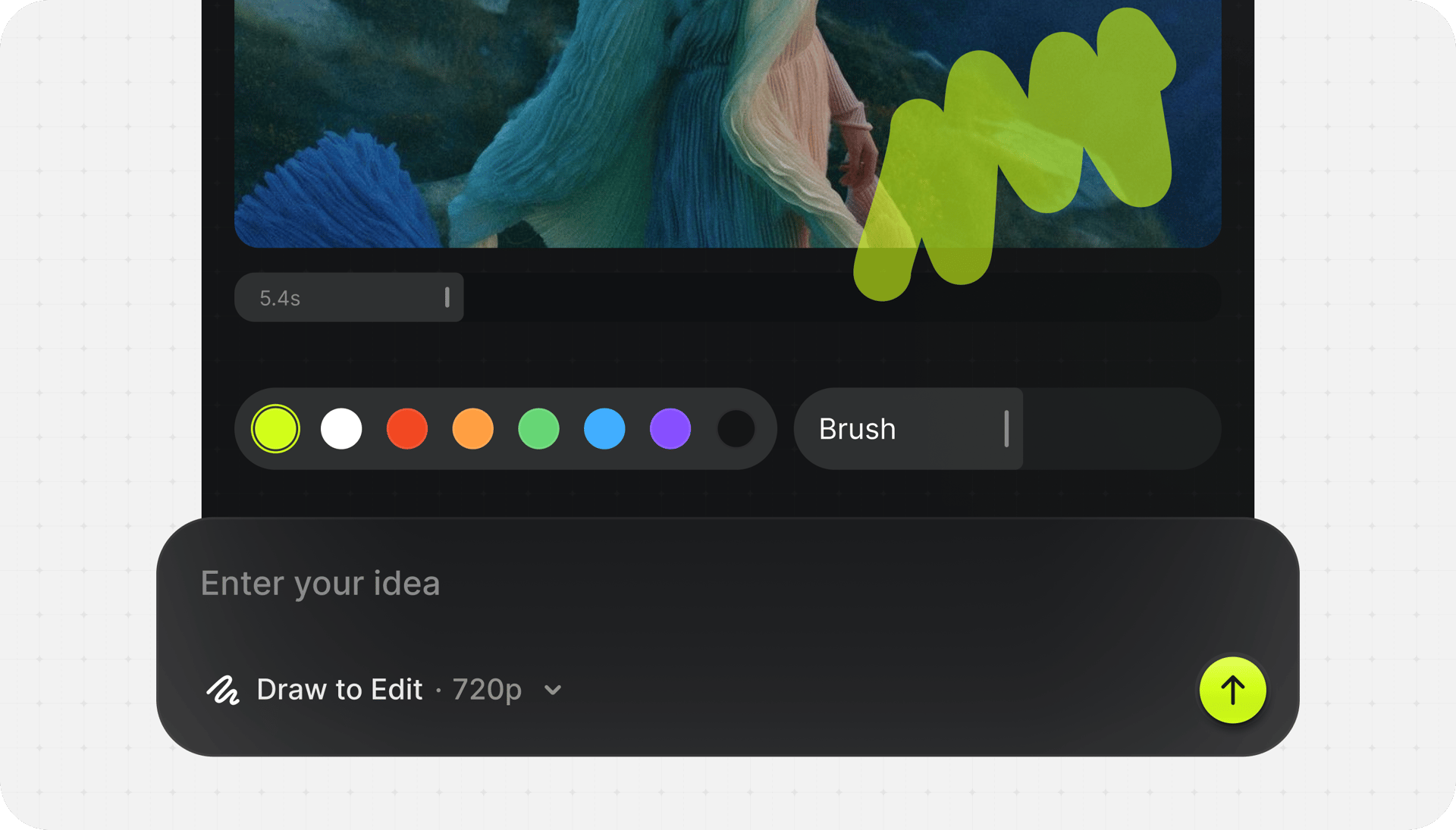
- Draw to Edit -- sketch directly on the frame to tell Higgsfield what to change: remove unwanted objects, add new elements, or replace entire areas with a single brush stroke. Think of it as inpainting with a literal paintbrush over your video frame.
- Reframe -- crop any clip to 9:16, 16:9, 4:3, 3:4, 21:9, or 1:1 with one click; smart subject tracking keeps the focal point centered as the aspect ratio changes.
- Remove Background -- pull a clean key from any footage without a green screen; AI detects subjects with pixel-level precision, handling sharp edges and soft hair detail.
- Upscale -- boost any clip up to 4K or 8K with detail recovery, useful for archive footage or low-res sources.
Getting it running
Installation is straightforward. Download the installer for your OS (.dmg for macOS, .exe for Windows), run it, and it detects DaVinci Resolve automatically and adds Higgsfield to your Workspace menu -- no helper apps, no ZXP tools, no manual file copying.
A few things to know before you start:
- Requires DaVinci Resolve 19 or newer on both macOS and Windows.
- Not compatible with the App Store version of DaVinci Resolve -- use the version from blackmagicdesign.com instead.
- Works with both the free DaVinci Resolve and DaVinci Resolve Studio, though some advanced features may benefit from Studio's extended capabilities.
- An internet connection is required -- Higgsfield runs AI inference on its own servers, so generation happens remotely. Results land back in your media pool automatically.
Pricing and access
The plugin itself is free to download, but generations consume Higgsfield credits from your account. The plugins run on the same Higgsfield credits as the web platform, and if you don't have an account, you can sign up free at higgsfield.ai and try the plugins with starter credits.
Higgsfield aggregates 15+ video models under one subscription, with pricing tiers at Starter ($15/mo), Plus ($34/mo), Ultra ($84/mo), and Business ($49/seat). Credit costs vary by model -- Kling 3.0 runs about 6 credits per clip, while Veo 3.1 costs 40-70 credits per clip at the top end.
One caveat worth flagging: six out of eight models listed as "unlimited" on paid plans are image generators, not video. The only video model with 365-day unlimited access is Soul V2, which is Higgsfield's oldest and lowest-quality video model. Budget accordingly if video generation volume is your primary use case.
The bigger picture
This DaVinci plugin follows Higgsfield's earlier releases for Premiere Pro and After Effects, completing coverage of the three dominant professional NLEs (non-linear editors). The pattern is clear: Higgsfield is positioning itself as the AI layer that sits inside your existing editing environment rather than replacing it.
Higgsfield's core strength has always been cinematic camera movement -- while most AI video tools treat camera motion as secondary, Higgsfield was built around the premise that camera motion is itself a storytelling tool. Bringing that into Resolve, where colorists and editors already live, makes the workflow considerably tighter.
The AI LUT creator is the feature most native to DaVinci's identity as a color-grading powerhouse. Being able to drop a reference frame and have Higgsfield generate a matching LUT -- without leaving Resolve's color page -- is the kind of integration that saves real time on professional projects. Combined with the draw-to-edit inpainting and background removal, the plugin covers the most tedious parts of post-production that editors typically bounce between multiple tools to handle.
Higgsfield has historically been a clip generator, not a production suite -- you generate individual clips and then export to a separate video editor to assemble a final product. This plugin directly addresses that gap, making Resolve the assembly layer where AI generation and traditional editing finally meet in one place.
Comments