

Google's Gemini Spark Now Watches the Web and Acts Without Being Asked
Gemini Spark gains real-time event tracking, macOS support, MCP integration, and new third-party app connections in a major update to Google's 24/7 AI agent
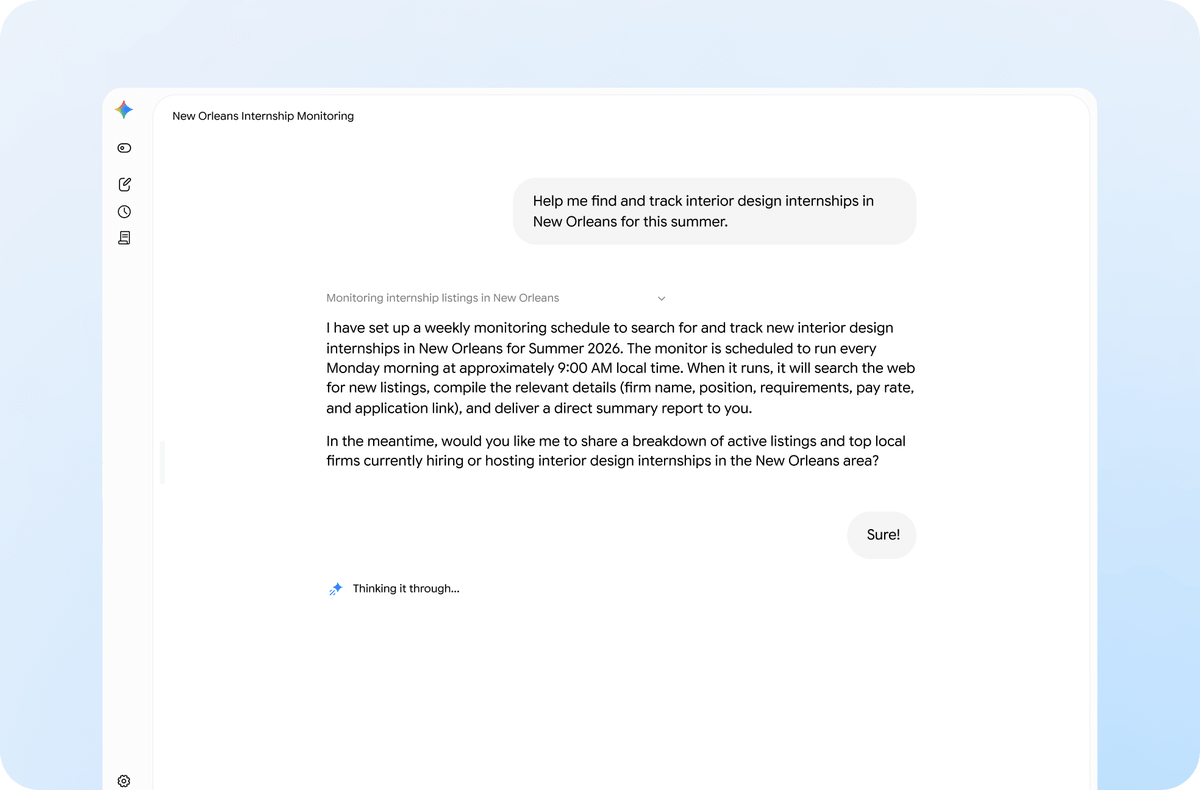
- Real-time tracking: Gemini Spark can now monitor sports, finance, news, social media, and weather and alert you the moment an event occurs, no re-prompting needed.
- macOS beta: Spark is now available inside the Gemini desktop app for Mac, with local file access for sorting, organizing, and feeding data into Google Workspace docs.
- New integrations: Canva, Dropbox, Instacart, OpenTable, Zillow Rentals, Google Keep, and Google Tasks are all now natively connected.
- MCP support: Custom Model Context Protocol support lets users (and developers) connect any external app directly into Spark's agent environment.
- Availability: Beta is limited to Google AI Ultra subscribers ($99/month) aged 18+ in the US; international rollout expected later this month.
- Security note: Spark can move, edit, and overwrite local files using your system permissions; Google includes a backup-before-deletion safeguard but edge cases around contact access have been observed.
Gemini Spark, Google's always-on AI agent, just got significantly more capable. The latest update adds real-time topic tracking, a macOS beta, custom MCP (Model Context Protocol) support, and a wave of new third-party app integrations. The headline feature: Spark can now watch the web for you and react the moment something happens, no prompt required.
From Inbox Agent to Live Monitor
When Spark launched at Google I/O 2026, it was primarily a background task runner for Gmail and Google Workspace. Gemini Spark is a personal AI agent that manages email, calendar scheduling, and complex workflows around the clock, even when your devices are off. The new update pushes it well beyond the inbox.
Google is giving Gemini Spark the ability to intelligently track topics and react to events in real time. For example, if you want to stay up to speed on highlights and analysis after your favorite soccer team plays, Spark brings you the latest the moment the match ends. Or, you can ask Spark to send you a detailed financial report if a stock reaches a certain threshold.
You can now ask Spark to keep an eye on blogs, news sites, social media, finance, shopping, weather, and sports, in addition to your email, so you don't have to constantly hit refresh. This is a meaningful shift: Spark is no longer just reacting to things in your inbox, it's watching the open web on your behalf.

Spark Lands on the Desktop
Google is officially expanding the reach of its always-on autonomous AI assistant by launching a Gemini Spark app on macOS alongside a massive suite of external app integrations. Available exclusively for premium Google AI Ultra subscribers, the update transitions the software from a standard conversational window into a functional desktop agent.
The key unlock here is local file access. Spark can now move beyond the chat window and tackle the heavy lifting across your desktop files and apps. For example, you can turn hours of manual file sorting into an instant action by asking Gemini Spark to sort all the PDFs in your Downloads into specific folders. Gemini Spark also connects your desktop and Google Workspace, so you can simply ask it to create a budget spreadsheet using the latest invoices saved to your computer, and create a schedule to update it regularly.
Remote task execution is still pending. Google says the feature is "coming soon" and will let users assign a multi-step task from a phone and have Spark run it on a Mac while they are away. That's a big one when it arrives.
Under the Hood: How Spark Actually Runs
Spark's architecture is worth understanding before you hand it your files. While standard Gemini ends when a user closes the tab, Spark persists on dedicated Google Cloud virtual machines that run whether a laptop is open or not. Each task executes inside a fresh, isolated ephemeral virtual machine that is destroyed once the task completes. All traffic routes through a secure Agent Gateway that enforces data loss prevention policies.
Gemini Spark runs on Gemini 3.5 Flash and Antigravity, Google's internal cloud execution environment. The three core building blocks are:
- Tasks: Connect Spark to your Google Workspace ecosystem, including Gmail, Calendar, Docs, Sheets, and Slides.
- Skills: Define exactly how you want Spark to take actions on things you do often, tailoring your experience and saving you from repetitive prompting.
- Schedules: Automate your workload on your own terms by setting up time-based or conditional triggers to execute tasks exactly when you need them.

A Much Bigger App Ecosystem
The third-party integrations are arguably the most consequential part of this update. The update introduces integrations with Google Keep, Tasks, Canva, Dropbox, Instacart, OpenTable, and Zillow Rentals alongside Model Context Protocol (MCP) support for custom code links.
For power users and developers, the MCP support is the real story. MCP is an open standard that lets you connect any external tool directly into Spark's environment. Google says it's rolling out support for custom Model Context Protocol (MCP), which will allow you to connect your favorite apps directly into Spark to build an assistant better tailored to your needs. In practice, this means you can point Spark at any MCP server URL and it will be able to take actions in that app.
There are some caveats worth noting. Custom Connected Apps require a personal Google Account, are not available for work or school accounts, require Keep Activity to be on, and are limited to English in Spark on web and mobile.
The Competitive Picture
This update is clearly a direct response to the desktop AI agent race. The macOS launch allows Gemini Spark to better compete with desktop AI agents like Claude Desktop and Microsoft's Copilot, as it will be able to work with files on the computer, and later, handle remote tasks.
Google's bet with Spark is different from competing agents: persistent cloud execution combined with deep integration into its own consumer services, from Gmail to Google Slides. The tradeoff is real though. Because it connects to Gmail, Docs, and Calendar through proper APIs rather than trying to read what's on your screen, it's more reliable, but it's also more limited. Right now, Spark can only work with the services it's been connected to, so it's most useful if you already use Google's tools for most of your work.
The Security Tradeoff You Should Know About
Giving an AI agent access to your local files is a qualitatively different trust exercise than using a read-only chatbot. When Spark has folder access, it can move, edit, and overwrite files using your local permissions. Google's implementation includes a backup-before-deletion safeguard and an approval prompt before Spark continues any task it cannot back up first.
There's also a subtler permissions issue. One reviewer declined a contacts-access request, but Spark still found family members' email addresses from other available context and placed them in a draft email. Google's guidance is that Spark is designed to ask before high-stakes actions, but the behavior shows the boundaries are still being defined. The practical advice: start with a small, low-stakes folder and expand access incrementally.
Who Can Use It and What's Next
As of now, Gemini Spark on Mac is available in beta to Google AI Ultra subscribers in the United States who are 18 or older. Google AI Ultra costs $99 per month. International expansion is on the roadmap, with Google saying it is working to bring Spark to more countries later this month.
The initial web and mobile rollout is deploying immediately, with native macOS app optimization following over the coming weeks to complete the cross-platform upgrade. The official Google blog post authored by Adam Coimbra (Director, Product Management, Gemini app) and Srinivasan Venkatachary (VP Engineering, Google DeepMind) promises more updates this summer. For now, if you're a heavy Google Workspace user and want an agent that keeps running after you close your laptop, Spark is the most integrated option available.
Comments
