

Google's Gemini Omni Lets You Edit Video Through Plain-English Chat
Gemini Omni Flash brings conversational video editing to the Gemini app, letting subscribers create and remix clips through natural language — no timeline required.

- Gemini Omni Flash is live: Google's new conversational video editing model launched at I/O 2026, available now in the Gemini app, Google Flow, and YouTube Shorts.
- Edit by chatting: Upload a video and ask Gemini to change style, action, camera angle, or objects across multiple turns — no timeline or software needed.
- Unified architecture: Omni fuses Gemini's reasoning, Veo's video rendering, and Genie's world simulation into a single native multimodal model.
- Subscription access: Available to Google AI Plus ($7.99/mo), Pro ($19.99/mo), and Ultra ($99.99/mo) subscribers; API pricing not yet published.
- Current limits: Clips capped at 10 seconds and 720p; ~5-6 generations per day before hitting usage limits; no custom audio generation yet.
- Competitive context: Trails Seedance 2.0 on raw generation quality but leads on workflow integration; positions Google against OpenAI Sora and Adobe Firefly.
Google just shipped something that video editors will have complicated feelings about. Announced at Google I/O 2026, Gemini Omni is a new model that lets you create, remix, and edit video through plain-English conversation. Not a timeline. Not keyframes. Just chat. The first model in the family, Gemini Omni Flash, went live the same day for subscribers worldwide.
Gemini Omni is a multimodal AI model designed specifically for video editing, compositing, and remixing tasks. Unlike earlier Gemini models that primarily handled video description and retrieval, Gemini Omni can actively edit and manipulate footage based on natural language instructions. That distinction matters more than it sounds. Most AI video tools today are generation-first: you write a prompt, get a clip. Gemini Omni is designed to work with video you already have, treating editing as an AI-native task rather than an afterthought.
The architecture behind it
Omni fuses three previously separate Google DeepMind systems into one architecture: Gemini (the reasoning engine, which understands language, intent, physics, culture, history, and science), Veo (the video rendering backbone, handling frame-level generation quality, motion, and resolution), and Genie (the world simulation layer, Google's game-world interactive engine that models how objects, environments, and physics behave over time).
Most earlier AI video tools followed a sequential pipeline: convert the input into text descriptions, then pass those descriptions to a separate video renderer. Gemini Omni works differently. It is built on a native multimodal model , one that processes all media types simultaneously within a single core engine rather than routing them through isolated steps. This matters because skipping conversion layers means the model retains richer context. When you supply a reference photo alongside a text prompt, Omni reasons across both at once, preserving visual details that a text-conversion step would typically flatten.
According to Google, the model incorporates real-world understanding of physics, motion, and spatial awareness to ground its outputs in how the physical world actually works. This world model foundation is what enables consistent video generation across multi-turn edits. When a user swaps a background or adjusts lighting through conversation, the model doesn't just composite a new layer , it re-reasons the physical relationship between the subject, the new environment, and the light source.
What it can actually do
At launch, Gemini Omni Flash supports: video generation from text (describe a scene, get a short clip), image animation (give it a still photo, and Omni brings it to life), conversational editing (change action, add characters, adjust style via chat), and explainer creation (turn a brief prompt into a visual breakdown of a complex idea).
The conversational editing is the real headline. Users can request changes to style, action, camera angle, objects, background, references, and other visual details across multiple turns. The significance is that it moves AI video from "one-shot generation" toward "conversational editing" , closer to real creative workflows than simply improving visual quality. Users will no longer only write one long prompt and hope for the best; they will revise scenes, actions, styles, and narratives step by step like directors, editors, and designers.
Where it fits in the broader I/O story
Gemini Omni didn't ship in isolation. It's part of a coordinated push Google made at I/O 2026 that also included Gemini 3.5 Flash , a frontier-class model Google claims is four times faster than comparable models at output , and a dramatic repricing of its subscription tiers. Google AI Ultra was cut from $249.99 to $99.99 per month, a 60% price drop, while Gemini 3.5 Flash was priced at $1.50/$9 per million tokens, 25% cheaper than the prior Pro tier.
There are now three consumer tiers: Google AI Plus for $7.99 per month with 200 GB of storage and double usage limits in Gemini, Google AI Pro for $19.99 with 5 TB of storage, quadruple limits, access to the Pro model, and YouTube Premium Lite, and Google AI Ultra starting at $99.99 with up to 20x limits, 20 TB of storage, and full YouTube Premium.
- Gemini Omni for creating and editing video from any input , text, images, and video , is included for all subscribers.
- YouTube Shorts users get free access; the full experience in the Gemini app and Flow requires an AI Plus, Pro, or Ultra subscription.
- Omni Flash does not yet have a public per-second API rate. Google launched the model and said API access is coming "in the coming weeks."
The real-world ceiling
Early hands-on testing reveals a clear pattern: impressive for iteration, frustrating at the edges. Here's what reviewers are hitting:
- The current Flash version tops out at 720p (1280 x 720) and up to 10 seconds per clip.
- Usage limits are a practical issue. Even on a Pro or Ultra paid plan, roughly five or six video generations in a day can already push you into the limit , frustrating because Gemini Omni works best when you keep editing and regenerating.
- Audio output is voice-only at launch. You can't generate custom music or sound effects yet , just spoken narration.
- Speech and audio editing inside existing videos is also a deliberate omission. Google itself acknowledged it is "still working to test this and better understand how we can bring this capability to users responsibly."
- Video-to-video editing capabilities are currently not available in specific countries and regions.
- Visual consistency can lack at times , it can be a single frame, or the consistency can remain over multiple seconds.
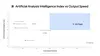
On raw video generation quality, early assessments suggest Omni trails competitors like Seedance 2.0 slightly. On workflow integration and in-chat editing, Omni leads clearly. They are optimized for different use cases rather than being direct substitutes.
Safety baked in from the start
Every Omni-generated video carries an invisible SynthID watermark , part of Google's push to make AI content identifiable at scale. The personal avatar feature lets you create a video clone of yourself, but requires recording yourself reading numbers aloud first , Google's built-in friction against deepfakes. At I/O, Google also announced that OpenAI, Kakao, and Eleven Labs are adopting SynthID, signaling a cross-industry push toward standardized AI content provenance.
What this means for the field
Gemini Omni's integration into the Gemini app, Google Flow, and YouTube Shorts positions it as a versatile competitor to OpenAI Sora and Adobe Firefly, while its SynthID watermarking addresses deepfake concerns without stifling creative freedom.
If Omni is a distinct track optimized for assistant-native editing, the trend is conversational iteration: users treat video like a document that can be revised by chat. That would pressure standalone editors to expose similar natural-language operation layers, not just better pixels. The assumption that video editing requires specialized software is the one most worth revisiting. Until May 2026, Google's AI media stack ran with separate models for each job , Veo 3.1 for video, Imagen for images, Nano Banana for editing, and Lyria for music. Getting to a finished video meant stitching things together by hand, which kills the flow because context gets lost at every handoff. Gemini Omni collapses all that into one system.
For developers, the practical path right now is through the Gemini app or Google Flow while API access catches up. The 10-second clip cap and daily generation limits will frustrate anyone trying to build production pipelines today , but the architecture underneath is pointing clearly at where video creation is heading.
Comments
