

Google's Firebase Agent Skills Brings AI Coding Help to Android and iOS
Firebase Agent Skills expand to Android, iOS, and Flutter, adding Crashlytics debugging and Remote Config support directly inside your IDE
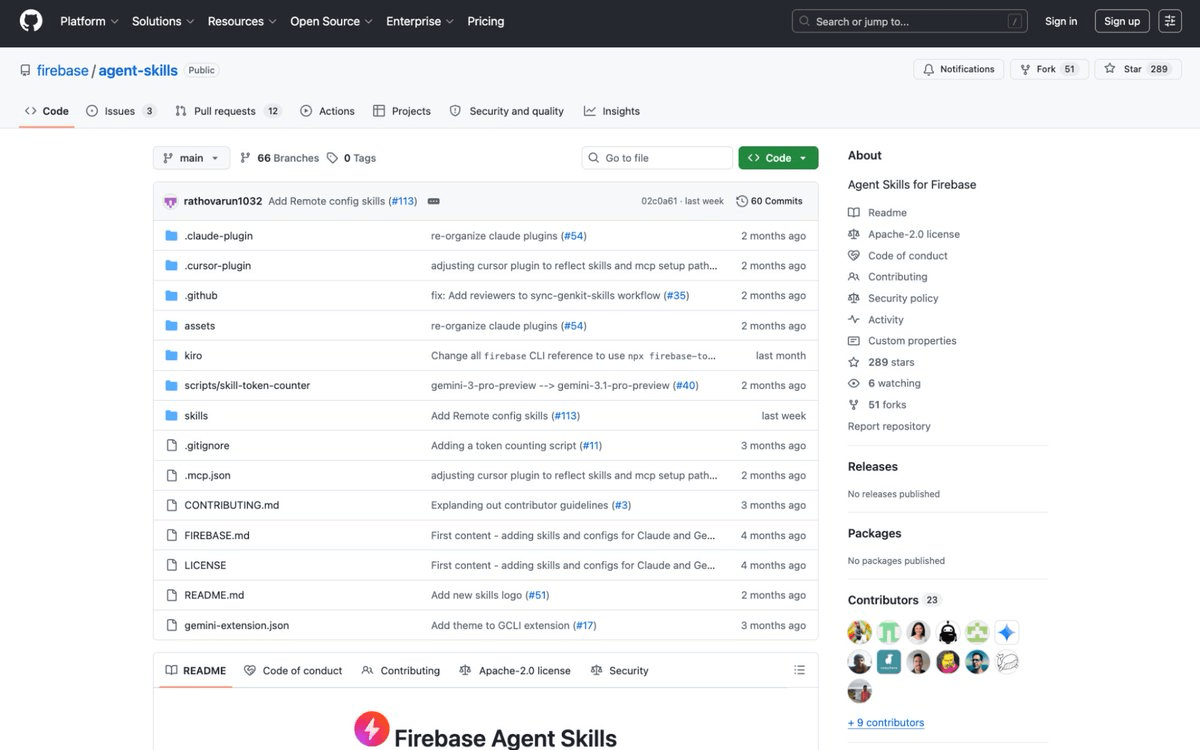
- Mobile support added: Firebase Agent Skills now cover Android, iOS, and Flutter, not just web apps.
- Crashlytics in your IDE: New skill enables crash debugging assistance without leaving your editor or switching to the Firebase console.
- Remote Config skill added: Agents can now set up feature flags and dynamic config with agentic guidance.
- Works with Claude Code, Codex, Cursor, Gemini CLI: Skills follow an open standard and install with a single command per tool.
- Android Studio bundled: Agent Skills are now included by default in Android Studio's Agent Mode -- no setup needed.
- Progressive disclosure keeps token costs low: Skills load ~100 tokens at startup, expanding only when a task matches, vs. dumping full docs into context.
If you've been using an AI coding agent to build Firebase-backed web apps, you've had a quiet advantage: the agent already knew how to wire up Firestore, handle auth, and deploy to App Hosting without you needing to paste in documentation. That same advantage just landed for mobile. Firebase Agent Skills now cover Android, iOS, and Flutter, and two new product skills -- Crashlytics and Remote Config -- round out the update.
What are Agent Skills, exactly?
Firebase agent skills are portable, self-contained modules of Firebase-specific knowledge, instructions, and workflows, designed to help AI assistants understand Firebase best practices and execute complex tasks with higher accuracy and lower token cost. Think of them as a curated, structured knowledge pack that lives in your project directory and gets handed to your coding agent automatically.
The mechanism behind the efficiency gains is worth understanding. Conventional AI integrations often load massive amounts of documentation upfront, which consumes significant tokens and increases session costs. Agent skills use progressive disclosure to minimize this overhead: the agent initially only "scans" brief metadata to see if a skill is relevant, and detailed instructions are only loaded when the agent determines they're necessary for your specific task. In practice, at startup, agents load only the name and description of each available skill (approximately 100 tokens); when a task matches a skill's description, the agent reads the full instructions into context (the standard recommends under 5,000 tokens).
This is meaningfully different from just stuffing a system prompt with Firebase docs. Firebase agent skills are portable, self-contained knowledge modules that provide Firebase-specific instructions, best practices, and automation scripts. Where the MCP server provides tool access (read this document, query that collection), skills provide domain knowledge (how to structure Firestore for offline sync, when to use custom claims versus security rules).
Mobile is now a first-class citizen
Firebase has expanded Agent Skills to include mobile, in addition to the existing skills for Web. You can now give coding agents specialized context needed to expertly integrate and build with Firebase on Android, iOS, and Flutter with higher accuracy and lower token usage. This is a meaningful gap closed: the original Agent Skills launch was explicitly web-first, leaving mobile teams to rely on generic agent context when setting up Firebase SDKs.
The timing is part of a broader push. Agent Skills for Firebase are now integrated by default in Android Studio, meaning Android developers using Agent Mode get Firebase context with zero additional setup. Your agent can configure Firestore, set up Firebase Authentication, generate Firestore queries, and write security rules without you needing to install anything extra.
Crashlytics inside your IDE
The Crashlytics skill is the most operationally interesting addition. Agent Skills now encompass Crashlytics and Remote Config, making it easier to set up these products with agentic assistance. Crashlytics skills enable debugging assistance inside IDEs so you can resolve issues faster, without interrupting your coding or requiring you to switch to viewing the Crashlytics dashboard.
That last part matters more than it sounds. The typical crash debugging loop today involves switching context: you get a notification, open the Crashlytics console, find the stack trace, cross-reference it with your code, then jump back to your editor. The new skill collapses that loop. The agent can surface crash context directly in your coding session and help you trace the issue without leaving your IDE.
The firebase-remote-config-basics skill covers the other new addition. It assists with Remote Config template management, including setting up Remote Config, managing feature flags, SDK usage, and updating app behavior dynamically.
Third-party agents are supported
You can also use Agent Skills with third-party agents in the broader ecosystem such as Claude Code and Codex to help those agents better understand and execute Firebase tasks. The skills follow an open standard, which means the same skill files work across a wide range of tools without modification.
Here's how to install for the most common setups:
- Claude Code:
claude plugin marketplace add firebase/agent-skillsthenclaude plugin install firebase@firebase - Codex:
npx skills add firebase/agent-skills --agent=codex - Cursor:
npx skills add firebase/agent-skills --agent=cursor(or install from the Cursor Marketplace) - Gemini CLI:
gemini extensions install https://github.com/firebase/agent-skills - Android Studio: No setup required -- Agent Skills are bundled by default with Agent Mode
The full skills catalog
Here's what's currently available in the open-source repo:
| Skill | What it covers |
|---|---|
firebase-basics | First-time Firebase setup and general platform workflows |
firebase-auth-basics | Sign-in flows, user management, auth-based Security Rules |
firebase-firestore-standard | Database provisioning, Security Rules, SDK data operations |
firebase-crashlytics | Setup, instrumentation, and validation for iOS and Android |
firebase-remote-config-basics | Template management, feature flags, dynamic app behavior |
firebase-app-hosting-basics | Deploying Next.js, Angular, and other SSR frameworks |
firebase-ai-logic-basics | Gemini API integration, multimodal inference, structured output |
firebase-data-connect-basics | PostgreSQL-backed apps via GraphQL (Firebase SQL Connect) |
Where this fits in the bigger picture
This is the era of agent-led development, where agents are evolving from coding assistants to intelligent collaborators capable of managing the entire software development lifecycle. At Google I/O 2026, Firebase unveiled updates that help create more seamless, secure bridges between AI tools and agents and its core services.
The Agent Skills system pairs naturally with the Firebase MCP server. When you have both the Firebase MCP server and Firebase agent skills installed, skills can teach models how to use the MCP tools to accomplish complex tasks efficiently. The MCP server gives the agent the ability to act on your Firebase project; the skills give it the judgment to act correctly.
Skills are free to use and open source under the Apache 2.0 license. The main cost consideration is the token savings themselves -- by avoiding upfront documentation dumps, you spend fewer tokens per session compared to naive context-stuffing approaches. Firebase recommends keeping skills updated regularly, since the modules are actively developed as Firebase products evolve.
Comments
