

Google's Antigravity Brings AI Agents Into VS Code, JetBrains, and Zed
Google's agent-first coding platform now embeds directly in VS Code, JetBrains, Zed, and Visual Studio, sharing one account and context across editors.
- Google shipped Antigravity extensions for VS Code, Visual Studio, JetBrains, and Zed editors.
- Single Antigravity account works across all editors with shared context and no separate logins.
- Free tier available via any Google account; enterprise sign-in via Gemini Enterprise or GCP.
- Multi-agent orchestration, inline diffs, and side-panel conversations without leaving the IDE.
- JetBrains support starts at version 2026.2.1; Visual Studio and enterprise JetBrains/Zed in preview.
- Enterprise data governed by Google Cloud terms, never used to train foundation models.
Google's Antigravity coding platform started life as a standalone application built around autonomous agents. That was fine if you wanted to fully commit to a new editor, but it left a gap for developers who still live inside their existing IDE for debugging, inspection, and small edits. Google is closing that gap with lightweight extensions that bring Antigravity's agents into the editors you already use.
Antigravity Extensions are now available across four environments, and the same account works everywhere so users don't have to sign in or manage licenses separately. Here is what shipped:
- Visual Studio Code on macOS, Linux, and Windows via the VS Code Marketplace
- Visual Studio 2026 for .NET solutions (Preview)
- JetBrains IDEs including IntelliJ IDEA, PyCharm, WebStorm, GoLand, CLion, and Rider, starting with version 2026.2.1, with one-click installation directly inside the IDE
- Zed via one-click install inside the editor
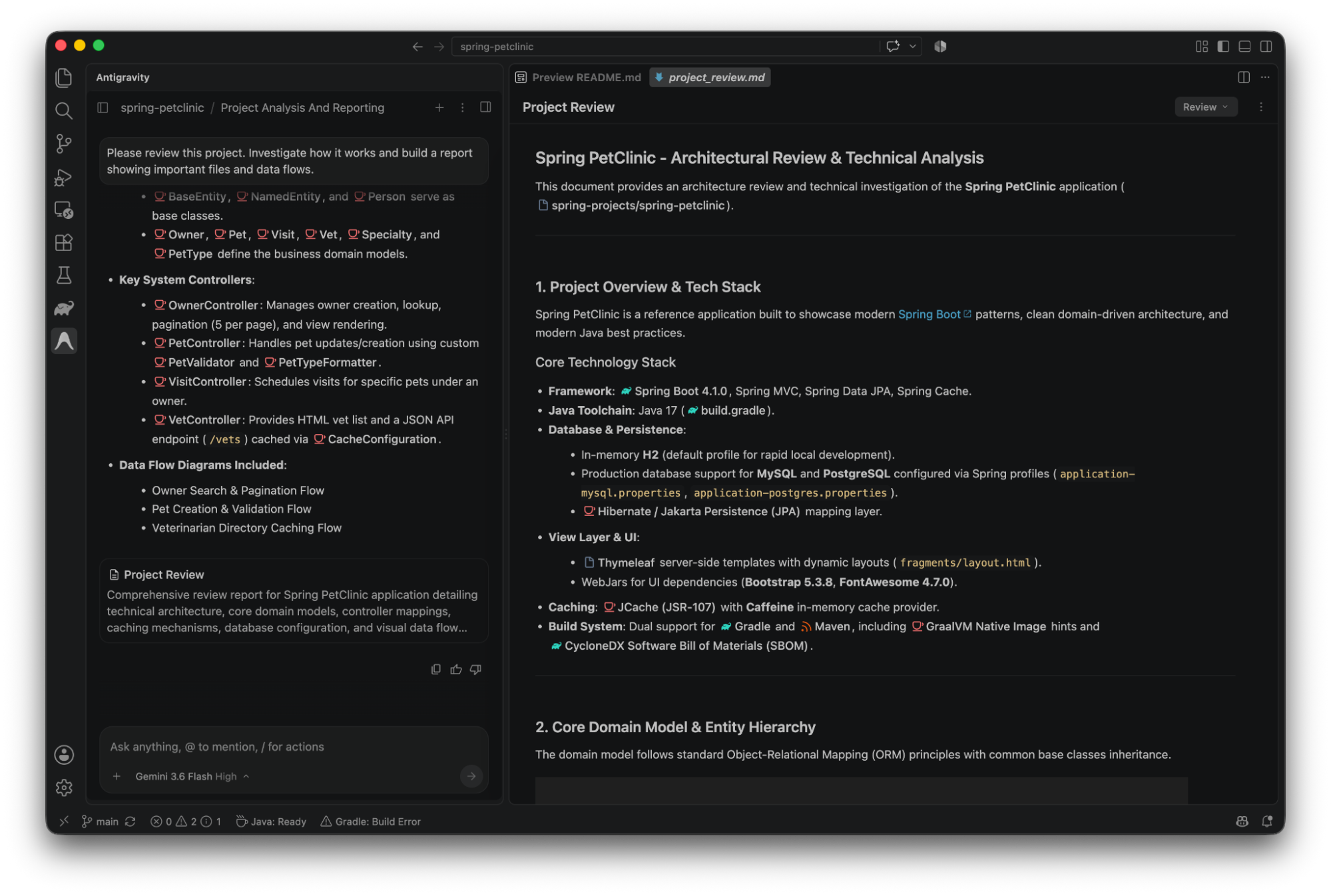
Agents in a side panel, not a separate app
The extensions are not a full port of the Antigravity 2.0 desktop app. Google is deliberately keeping them thin. The extensions let developers open agent conversations in a side panel, review inline diffs, inspect plans and delegate multi-step engineering tasks without moving a project into the Antigravity 2.0 desktop application.
The philosophy behind this split is worth calling out. Google's argument is that heavy multi-agent orchestration belongs in a dedicated surface like Antigravity 2.0 or the CLI, while the IDE remains the right tool for drilling into specific code paths, reading compiler diagnostics, and stepping through logic with a real debugger. The extensions share context with the rest of the Antigravity ecosystem, so a session started in VS Code can continue in the standalone app without losing state.
What the agents actually do
Antigravity's differentiator is orchestration, not just autocomplete. Google Antigravity's Agent Manager spawns and orchestrates multiple AI agents across workspaces in parallel. One agent researches documentation while another refactors code. Two other pieces round it out: the Knowledge Base feature saves useful context to improve future tasks. The Skills system enables extensible agent capabilities via SKILL.md files.
Underneath, Antigravity runs on Gemini 2.5 Pro and the newer Gemini 3.1 Pro, released in February 2026. Gemini 3.1 Pro brings significantly improved reasoning, better context retention, and stronger multi-step problem-solving. The large context window is the practical enabler here, which matters when an agent needs to reason across a monorepo before making changes.
Pricing and enterprise story
For individual developers, the entry point is free. Antigravity IDE Extensions support the full security, compliance, and governance tiers of the Antigravity platform: Sign in with your Google account with any Antigravity plan from the pricing page (including the free tier). To install in VS Code, hit Ctrl+Shift+X, search for Google Antigravity, and sign in from the Activity Bar.
For teams, the extensions plug into Gemini Enterprise, with JetBrains and Zed enterprise support still in preview. Sessions run under Google Cloud Terms of Service, your data is not used to train foundation models, and interactions respect existing IAM policies and VPC Service Controls. Admins can also cap budgets and restrict what an agent can reach per session, which is how Google keeps every session tied to the same policies and project budget regardless of whether it starts in VS Code or JetBrains. Developers can switch editors without changing what the agent can reach or how its usage is billed.
Why this matters
The interesting move here is not the extensions themselves. VS Code, JetBrains, and Zed all already have AI plugins, some from Google itself. What is different is that Antigravity is trying to be a control plane that spans editors: one account, one context, one governance model, whether the developer prefers a JetBrains IDE, VS Code, or the standalone Antigravity app. For teams juggling mixed toolchains across backend, frontend, and .NET stacks, that consistency is a bigger deal than another chat panel.
Comments
