

Google Opens Gemini CLI to Developers, Hitting 105K GitHub Stars
Google open-sources Gemini CLI, a TypeScript terminal agent with a 1M-token context window and a generous free tier for individual developers
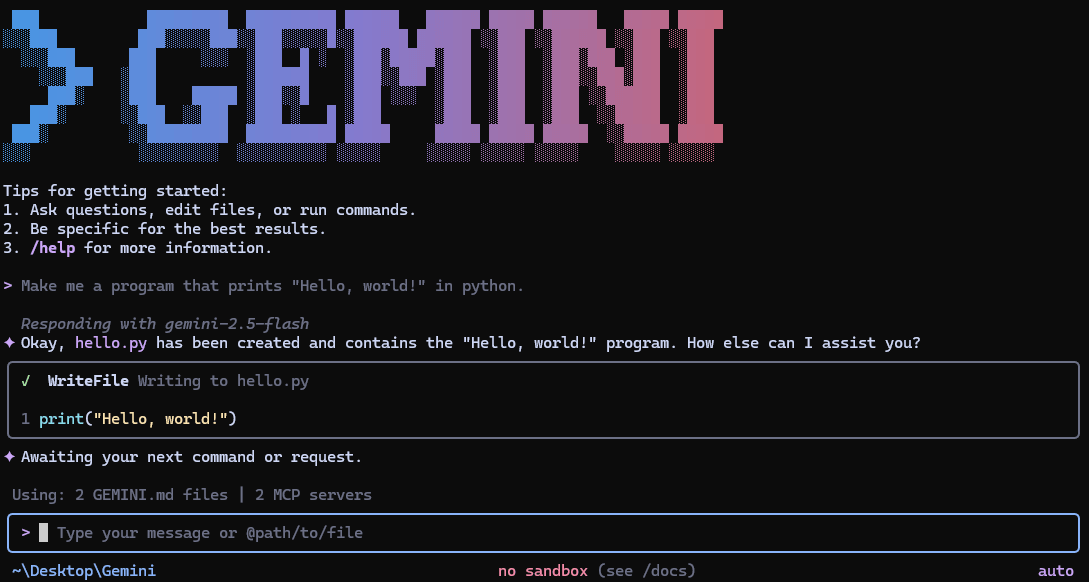 PRO
- Open-source release: Google published Gemini CLI on GitHub under Apache 2.0, now at 105k+ stars.
- Agentic terminal agent: Reasons over goals, calls tools, and executes multi-step tasks directly in your terminal.
- 1M token context window: Powered by Gemini 2.5 Pro, handles entire codebases in a single session.
- Generous free tier: 60 requests/min and 1,000 requests/day with a personal Google account, no API key needed.
- MCP + GEMINI.md extensibility: Connect external tools via MCP servers and persist project-specific instructions via GEMINI.md files.
- GitHub Action included: Automate PR reviews, issue triage, and on-demand help via
@gemini-climentions in CI/CD.
Gemini CLI is Google's open-source AI agent for the terminal, now publicly available on GitHub with over 105,000 stars. It brings the power of Gemini directly into your terminal, giving you the most direct path from your prompt to the model. Written in TypeScript and released under the Apache 2.0 license, the project is fully open to contributions, forks, and inspection.
What it actually does
The tool is designed to act as a local AI assistant that supports complex developer workflows such as code refactoring, documentation generation, executing shell commands, running scripts, and editing files. The key distinction from a chat interface is that it is agentic: it lives in your terminal, reasoning about a goal, calling tools, and adjusting when something goes wrong, so it can carry out multi-step work rather than answer a single prompt.
It leverages up to 1 million tokens of context, allowing the CLI to understand and manipulate large codebases or documents in a single session. That means you can point it at an entire monorepo and ask it to summarize changes, trace a bug across files, or generate tests , without manually copying anything into a chat window.
Built-in tools out of the box
Built-in tools include Google Search grounding, file operations, shell commands, web fetching, and MCP (Model Context Protocol) support for custom integrations. MCP , a standard protocol for connecting AI agents to external tools , means the agent can reach beyond the terminal when needed.
This story is for Pro members
You've reached the end of the free preview. Upgrade to AlphaSignal Pro to read the full article - and everything else behind the paywall.
Comments
