
GitHub's MCP Server Lets AI Agents Write Code and Open Pull Requests
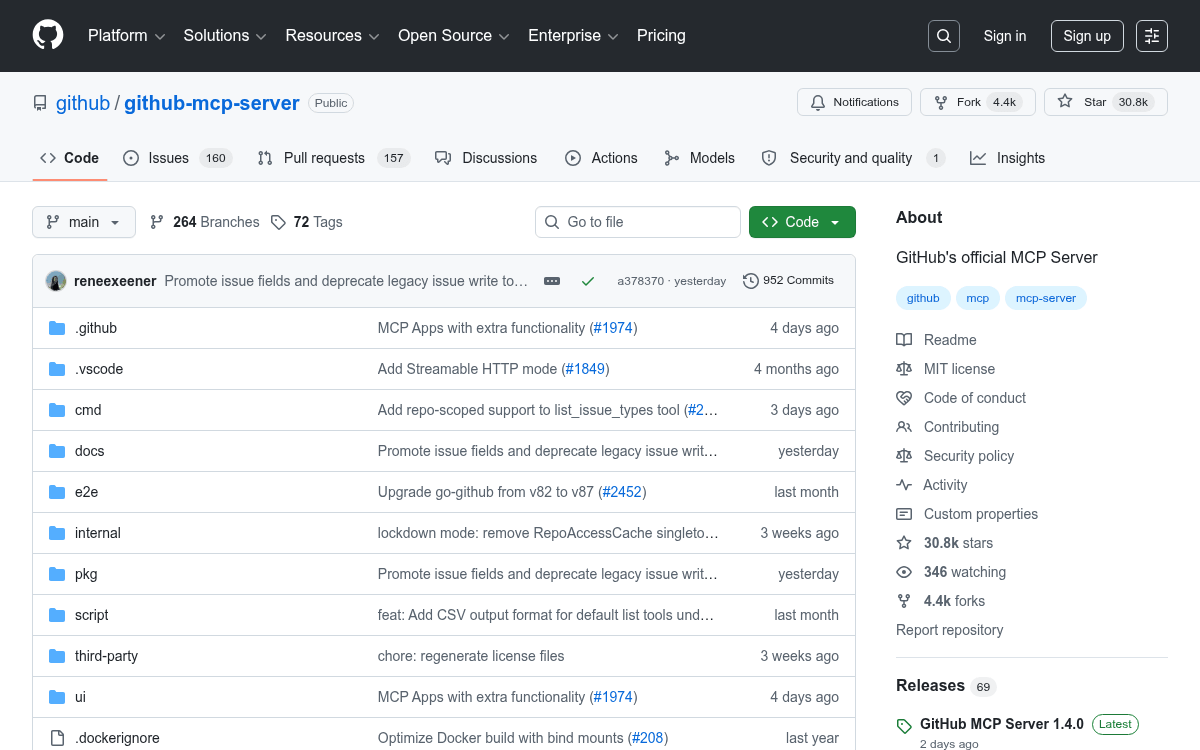
GitHub's official MCP server gives any AI agent full programmatic access to repos, issues, PRs, Actions, and security tooling -- with nearly 30k stars and growing fast
 Pro
Takeaways
- GitHub's official MCP server lets any AI agent read repos, manage issues/PRs, trigger Actions, and query security alerts via natural language -- 30k+ stars on GitHub.
- Two deployment modes: a hosted remote endpoint at
api.githubcopilot.com/mcp/(OAuth, auto-updates) or a self-hosted Docker/Go binary with a PAT. - 19 modular toolsets covering repos, issues, PRs, Actions, Dependabot, secret scanning, Projects, discussions, and more -- only 5 are enabled by default to save context.
- Copilot coding agent integration lets any external agent assign a GitHub issue to Copilot, which then writes code and opens a draft PR autonomously via GitHub Actions.
- Prompt injection is a real risk: malicious content in public issues can hijack agents with private repo access; GitHub added lockdown mode and content sanitization as mitigations.
- MCP replaced Copilot Extensions entirely in November 2025 -- the GitHub MCP server is now the standard integration path across VS Code, JetBrains, Eclipse, and Xcode.
The GitHub MCP Server is GitHub's official bridge between AI agents and the entire GitHub platform. In plain terms: it lets any MCP-compatible AI tool -- Claude, Copilot, Cursor, Windsurf, Gemini CLI -- read your code, file issues, open pull requests, trigger workflows, and triage security alerts, all through natural language. No custom API glue code required.
What MCP actually is
MCP (Model Context Protocol) is a standard that helps LLMs access data and systems beyond their training data, standardizing how developers expose tools and context to models so they can interact with external systems in a safe, predictable way. Think of it like REST or GraphQL, but for AI agents. Instead of building custom integrations for every AI platform, developers can create an MCP server once and use it everywhere.
One of the core problems MCP solves is the "N x M integration problem": integrating N tools (like Slack, GitHub, or databases) with M model frontends (like ChatGPT, Gemini, or Claude) creates an explosion of one-off integrations. GitHub's server is the official answer to that problem for everything living on GitHub.
What it can actually do
The server is organized into modular toolsets -- groups of related capabilities you can enable or disable independently. The full list covers nearly every surface of GitHub:
- repos -- browse files, read commits, push changes, manage branches and releases
- issues -- create, update, search, comment, manage sub-issues and labels
- pull_requests -- open, review, merge, update PRs; add inline review comments
- actions -- list workflow runs, fetch job logs, trigger workflows, download artifacts
- code_security -- list and inspect code scanning alerts
- dependabot -- query Dependabot vulnerability alerts by severity or state
- secret_protection -- surface secret scanning alerts
- projects -- manage GitHub Projects boards, items, and status updates
- discussions -- read and list repo discussions and comments
- notifications -- list, dismiss, and manage notification subscriptions
- copilot -- assign issues to the Copilot coding agent, request Copilot PR reviews
By default, only the five most-used toolsets are active: context, repos, issues, pull_requests, and users. The default configuration was updated to include a reduced list of the most-used toolsets to keep the agent's context window lean and tool selection accurate.
Two ways to run it
There are two deployment modes. The remote server is hosted by GitHub at https://api.githubcopilot.com/mcp/ and is the easiest path. You get OAuth authentication, automatic updates, and access to toolsets that open the door to richer AI workflows. It works with VS Code 1.101+, Claude Desktop, Cursor, Windsurf, and others out of the box.
The local server runs as a Docker container or a compiled Go binary, authenticated via a GitHub Personal Access Token (PAT). This is the option for GitHub Enterprise Server, air-gapped environments, or anyone who wants full control. Here's the minimal Docker setup:
docker run -i --rm \ -e GITHUB_PERSONAL_ACCESS_TOKEN=<your-token> \ -e GITHUB_TOOLSETS="repos,issues,pull_requests" \ ghcr.io/github/github-mcp-serverYou can also build from source with go build in the cmd/github-mcp-server directory if Docker is not an option.
Fine-grained control over what the agent can touch
One of the more thoughtful design decisions is how granularly you can constrain the server. Beyond enabling specific toolsets, you can:
- Pass
--read-onlyto strip all write tools entirely -- useful for read-heavy analysis agents - Use
--tools get_file_contents,issue_readto allow only specific named tools - Enable
--dynamic-toolsets(beta) so the model discovers and enables toolsets on demand, rather than loading everything upfront - Use
--lockdown-modeto filter out content from users who lack push access to a repo -- a direct response to prompt injection concerns
The server also manages tool availability based on your authentication method. When using a classic PAT, it automatically detects your token's OAuth scopes and hides tools you don't have permission to use, reducing clutter and preventing errors.
The Copilot coding agent integration is the sleeper feature
The copilot toolset is where things get genuinely interesting. The Copilot coding agent starts its work when you assign a GitHub issue to Copilot or prompt it in VS Code, then spins up a secure and fully customizable development environment powered by GitHub Actions. Through the MCP server, any external AI agent can trigger this same workflow programmatically -- assign an issue to Copilot, and it will write code, run tests, and open a draft PR for review.
The GitHub MCP server is configured automatically for the Copilot cloud agent, giving it access to GitHub data like issues and pull requests. By default, it connects using a specially scoped token with read-only access to the current repository. This is a meaningful safety boundary for autonomous agents.
Context window efficiency has been a recurring focus
A recurring theme in the server's changelog is aggressively shrinking its footprint in the model's context window. The team has been merging related tools into unified, multifunctional ones, where each consolidated tool supports multiple operations through a single method parameter, making configurations leaner, AI reasoning clearer, and performance faster.
The Projects toolset previously used a significant portion of the context window. The consolidation reduced token usage by around 23,000 tokens -- a 50% reduction. At scale, that matters: fewer tokens consumed by tool definitions means more room for actual code and reasoning.
Server instructions -- a feature of the MCP spec that acts like a system prompt guiding the model in using the server effectively -- were also added. They're especially useful for things like respecting tool interdependence and following multi-tool workflows.
The security picture is complicated
Giving an AI agent write access to your repositories is not a decision to take lightly. Researchers at Invariant Labs warned of a prompt injection vulnerability in the GitHub MCP server that could result in code leaking from private repositories -- and crucially, the issue is not a flaw in the server's code, but an architectural issue with how LLMs process untrusted content.
The attack vector: a malicious actor creates a public GitHub issue with hidden instructions. An AI agent with access to both that public repo and your private repos reads the issue and follows the injected instructions. The MCP specification states that humans should approve tool invocations, but in intensive agentic use, understanding every tool invocation becomes burdensome. Developers are vulnerable to confirmation fatigue.
GitHub has responded with concrete mitigations baked into the server itself. Lockdown mode restricts content from untrusted contributors in public repositories, and comprehensive content sanitization is now enabled by default to protect against prompt injection attacks. The --read-only flag is another practical safeguard for agents that only need to observe, not act.
The bigger shift: MCP replaces Copilot Extensions
GitHub deprecated its proprietary Copilot Extensions in November 2025, replacing them entirely with MCP. The shift is complete: MCP is GA in VS Code, JetBrains, Eclipse, and Xcode. Any MCP server works as a Copilot extension. This is a significant platform bet -- GitHub is standardizing on the open protocol rather than maintaining a proprietary extension system.
The practical implication: the GitHub MCP server is now the canonical way to give any AI agent GitHub context. With nearly 30,000 stars and over 4,200 forks, it has become a foundational piece of the agentic development stack. The server is free and MIT-licensed. You only need a GitHub account and a PAT to get started -- or just point a compatible MCP host at https://api.githubcopilot.com/mcp/ and authenticate with OAuth.