

GitHub's Copilot App Lets Developers Run 10 Parallel AI Coding Agents at Once
GitHub's new standalone desktop app drops the waitlist, letting paid Copilot users run parallel AI agent sessions from issue to merged PR in one place.
- Waitlist dropped: The GitHub Copilot app technical preview is now open to all Copilot Pro, Pro+, Max, Business, and Enterprise subscribers.
- Standalone desktop app: Not an IDE extension — a separate macOS/Windows/Linux app for orchestrating multiple parallel AI agent sessions from one dashboard.
- Git worktree isolation: Each agent session runs in its own isolated branch copy; up to 10 sessions can run simultaneously on the same repo without file conflicts.
- Agent Merge: Monitors CI, handles review comments, and completes the merge automatically once developer-defined conditions are met.
- Canvases: Shared bidirectional work surfaces where both the developer and agent can view, edit, and redirect plans, diffs, and terminal output in real time.
- Billing caveat: Cloud sandbox sessions are metered separately; a 1-hour 4 GiB session costs ~$0.13, and usage-based billing has already sparked developer backlash.
For years, the AI-assisted coding loop has been a tab-switching marathon: open the issue in the browser, jump to the IDE, spin up a terminal, check CI in another window, repeat. The GitHub Copilot app is GitHub's answer to that fragmentation. Announced at Microsoft Build 2026 and now open to all paid Copilot subscribers without a waitlist, it is a standalone desktop application built around one idea: every step from reading an issue to merging a pull request should happen in a single place.
This is not an IDE extension. It is a new interface category: a control center for managing multiple parallel agent sessions, each running in its own isolated git worktree. It is available for Windows 11, Mac, and Linux.
The problem it is solving
The app gives users a single place to direct AI agents across parallel workstreams, work with GitHub issues and pull requests, and manage the development lifecycle without switching among terminals, IDEs, and browser tabs. That context-switching cost is real: every time you alt-tab, you lose the thread of what the agent was doing, what it changed, and why.
The shift the Copilot app embodies is from pair programming to task assignment. In the pair programming model, you stay at the keyboard and the AI suggests what to type. In the assignment model, you open an issue, delegate it to an agent, and review the resulting pull request. That is a meaningful change in how you interact with AI tooling day-to-day.
How parallel sessions actually work
The key technical primitive here is the git worktree: a real, isolated checkout of a branch at a separate path on disk. It is a native git feature, but the Copilot app automates the entire lifecycle around it.
Each agent session runs in its own git worktree, a real, isolated copy of the respective branch. This allows multiple agents to work on the same repository in parallel without overwriting each other's changes. The app manages these worktrees entirely on its own: it creates them automatically, separates them per session, and removes them after completion.
You can run ten sessions against the same repository simultaneously and they will not conflict. That said, this architecture only prevents merge conflicts within individual work directories; diverging changes can still lead to conflicts when merging into shared branches later , exactly the same situation you would face with ten human developers working in parallel.
The key features
- My Work view: Brings active sessions, issues, pull requests, and background automations into a single view across connected repositories.
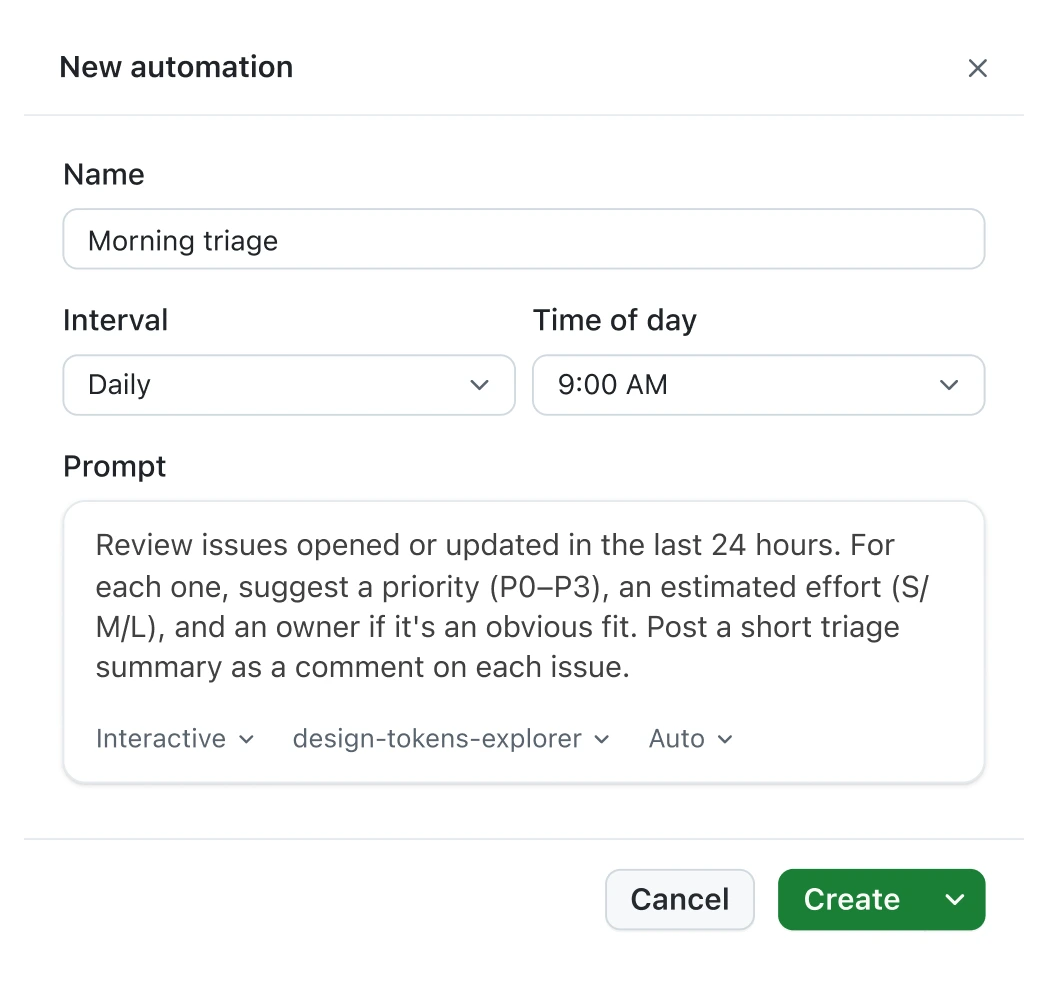
- Three session modes: Choose how you work with agents: Interactive (collaborative), Plan (agent plans, you approve), or Autopilot (fully autonomous).
- Canvases: A new feature called canvases sits alongside the app. GitHub described them as shared work surfaces that can display a plan, pull request, browser session, terminal, deployment, dashboard, or workflow state, allowing both the developer and the agent to update the same view. The aim is to move agent output beyond chat threads into a format where actions and decisions are visible in one place. Developers can edit, reorder, approve, or redirect work directly within the canvas.
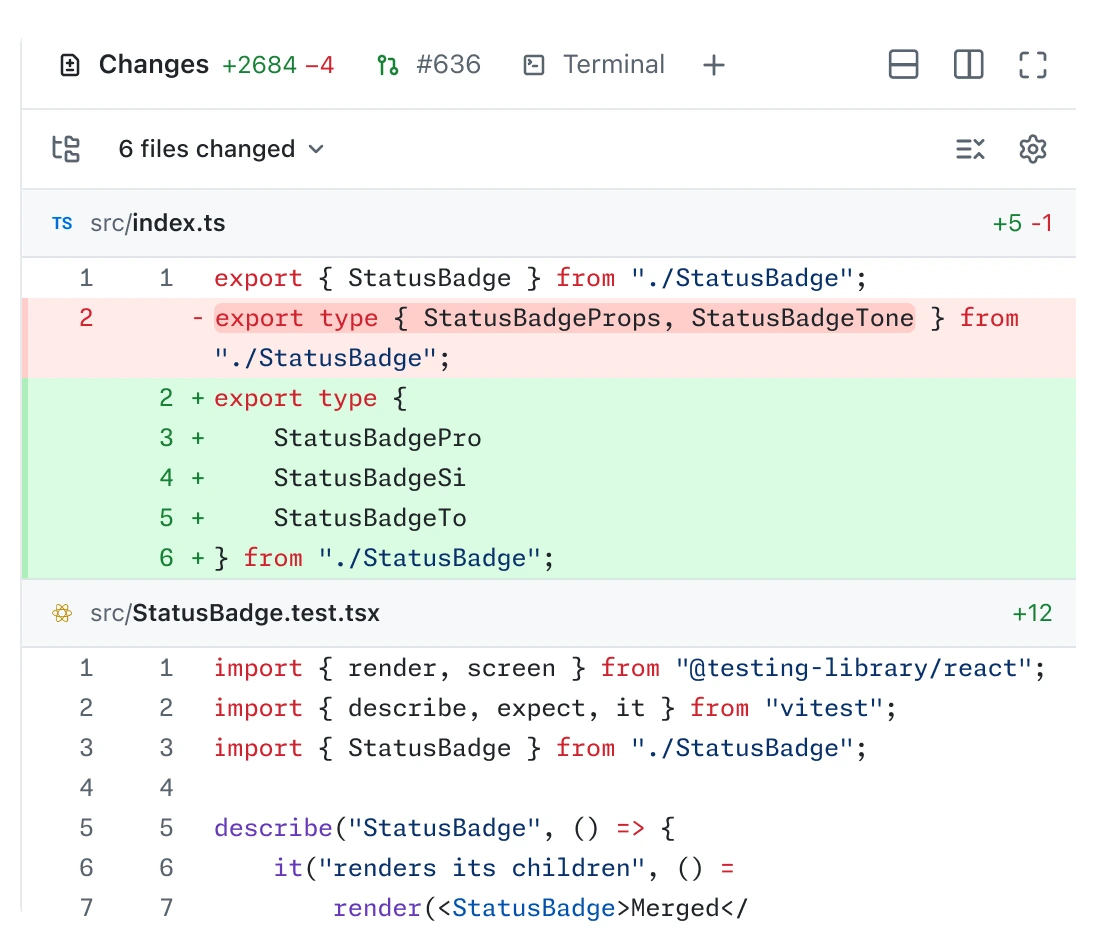
- Agent Merge: A feature called Agent Merge follows a pull request through review and integration. It monitors continuous integration checks, tracks required reviewers, addresses failing checks, and waits for merge conditions to be met. Developers decide which steps Copilot is allowed to perform, including driving CI back to green, addressing reviewer feedback, and completing the merge.
- Agentic browsing: The agent can drive the integrated browser , clicking, typing, taking screenshots , to verify its own UI changes end to end, without you opening a separate browser window.
- Voice conversations: Talk to Copilot using on-device speech-to-text, so no audio leaves your machine.
- Cloud sessions and automations: Cloud automations let agents run on a schedule, respond to GitHub events, open issues, and post comments.
- Rubber duck: A built-in skill that talks through a problem with you before you commit to an approach , useful for the moments when the issue is your thinking, not your code.
- Memory and
/chronicle: Memory++ and the /chronicle command provide continuity across devices and over time, letting context from sessions started in the Copilot app, CLI, VS Code, or on GitHub be queried later.
MCP and extensibility
The app is not a closed system. Partner-built agent applications can now integrate directly with Copilot. These tools can automate coding tasks, generate code, and analyze project context without leaving GitHub. Partners include LaunchDarkly, Bright, Amplitude, Sonar, Endor Labs, Octopus Deploy, Packfiles, PagerDuty, and Miro. MCP servers sync automatically from your repo config, and you can add additional ones via local or HTTP config.
Where it falls short
The app is still in technical preview, and the limitations are real. The hands-on test showed why developers still need to verify agent work in the running app before merging. It still hallucinates , just less catastrophically. Deprecated methods, incorrect API signatures, code that silently fails. You cannot treat Autopilot as a fire-and-forget system.
There is also the billing question. Developer complaints about GitHub Copilot's new usage-based billing model have centered on unexpectedly rapid AI credit consumption. Cloud sandboxing is usage-based, with compute, memory, and storage meters. GitHub lists compute at $0.000024 per compute second, memory at $0.000003 per GiB second, and storage at $0.005 per GiB month. A 1-hour, 4 GiB session costs about $0.1296 before storage. For teams running many parallel cloud sessions, those numbers add up fast.
Who can use it and what it costs
GitHub has opened the technical preview to all eligible paid subscribers, eliminating the waitlist. The move grants immediate access to users on Copilot Pro, Pro+, Max, Business, and Enterprise plans. Copilot Free users do not currently have access. For Business and Enterprise, administrators must first enable preview features and the Copilot CLI in the policy settings.
The app itself carries no additional subscription cost beyond your existing Copilot plan. Local sandboxing is included. Cloud sandboxing is metered separately. Plans start at $10/month for Pro and go up to $100/month for Max, which offers priority access to new models and higher included usage.
The bigger picture
This is the same git worktree primitive Cursor's parallel-agents architecture leans on , the distinction is that GitHub's app is GitHub-native (issues, PRs, CI, branch rules in one surface) while Cursor is IDE-native. That is the real competitive angle: GitHub owns the repository, the issue tracker, the CI system, and the PR review flow. Pulling all of that into a single agent-orchestration surface is something no IDE extension can replicate.
The difference is that the Copilot app does not target people starting from scratch who want quick prototypes, but those working inside existing repositories with real review flows. If your team already lives on GitHub and you are managing a backlog of issues, running parallel agent sessions against that backlog , and having Agent Merge shepherd each one through CI and review , is a genuinely new capability. The question is whether the credit costs stay predictable enough to make it practical at scale.
Comments
