
Callstack's agent-device Lets AI Coding Agents Actually See and Tap Mobile Apps
Callstack's open-source CLI gives AI coding agents a live feedback loop on iOS, Android, and TV apps through accessibility snapshots instead of screenshots.
 Pro
Takeaways
- Callstack's agent-device gives AI coding agents a CLI, MCP server, and Node.js API to drive real mobile apps.
- Supports iOS, Android, HarmonyOS, tvOS, Android TV, Vega OS, web, macOS, and Linux from one interface.
- Uses token-efficient accessibility snapshots with stable refs instead of screenshots for agent input.
- Sessions scoped to git worktrees prevent parallel agents from stealing each other's simulators.
- Records runs as
.adscripts for CI replay, with optional export to Maestro YAML. - Used at Expensify, Shopify, and JPMorgan Chase; MIT-licensed at agent-device.dev.
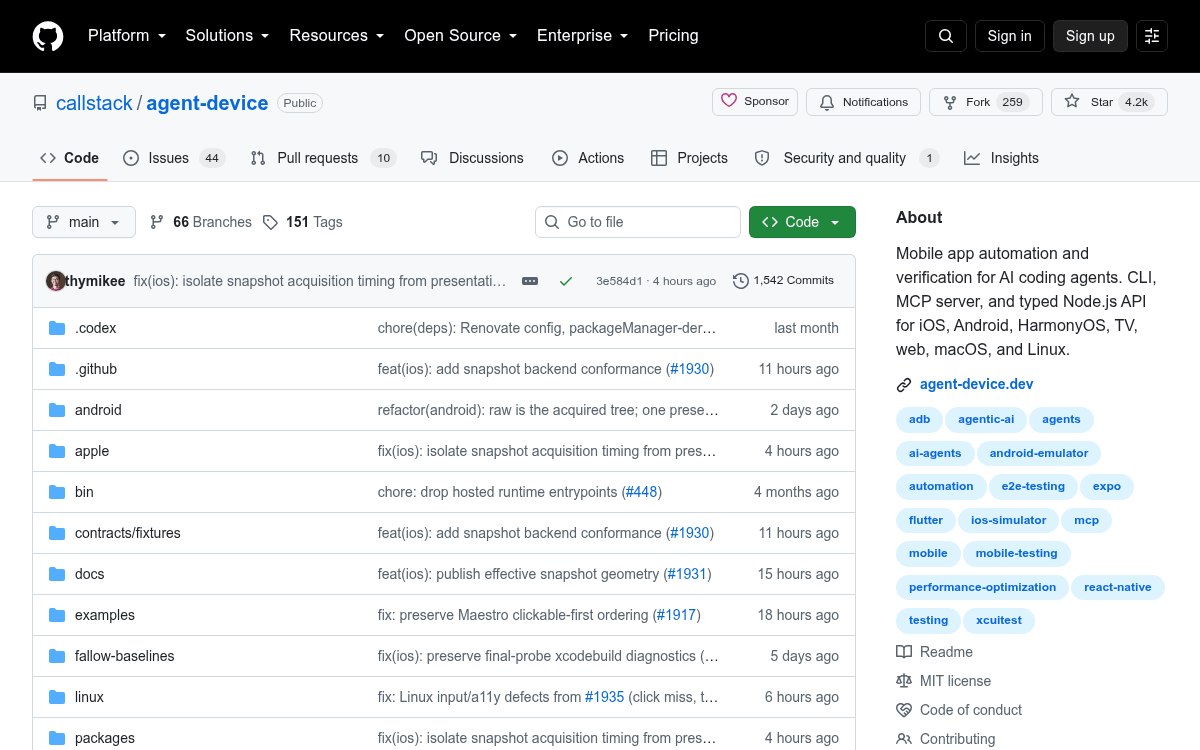
Coding agents like Claude Code and Codex can write mobile app changes all day, but they mostly fly blind once the code compiles. They can't tap a button, read what's on screen, or verify that the onboarding flow actually works. Callstack's agent-device plugs that gap with a CLI, MCP server, and typed Node.js client that lets agents drive real apps and hand back screenshots, logs, and traces as evidence.
The project has crossed 4,000 stars on GitHub and is already in use inside teams at Expensify, Shopify, and JPMorgan Chase. It ships under an MIT license and installs from npm.
Snapshots that don't melt your context window
The core design choice is worth understanding. Rather than feed an agent raw screenshots and ask it to reason about pixels, agent-device reads token-efficient accessibility snapshots, has agents act through refs and selectors, and saves evidence for review. A snapshot looks like structured text with stable references such as @e2 [button] "Add", which the agent can then press, fill, or scroll.
Screenshots and video still get captured, but as evidence attached to pull requests rather than as the primary input the model reasons over. That keeps prompts small and makes runs more deterministic on flows where the underlying accessibility tree is well labeled.

Three entry points, one runtime
The same underlying runtime is exposed three ways, so you can pick whichever fits your agent setup:
- CLI for any agent that can shell out. Commands like
agent-device open,snapshot,press, andfilldrive the device. - MCP server via
agent-device mcp, which starts the official stdio MCP server, exposing the installed commands as structured tools over the same execution path as the CLI. - Typed Node.js client through
createAgentDeviceClient(), useful if you're building your own agent on top of the AI SDK or Vercel's Eve.
A minimal script from Node.js looks like this:
import { createAgentDeviceClient } from 'agent-device';
const client = createAgentDeviceClient({ session: 'qa-run' });
await client.apps.open({ app: 'com.apple.Preferences', platform: 'ios' });
const snapshot = await client.capture.snapshot({ interactiveOnly: true });
const button = snapshot.nodes.find((n) => n.role === 'button');
if (button) await client.interactions.press({ ref: button.ref });
await client.sessions.close();
Everywhere your app runs
The target list is broader than most mobile testing tools. agent-device lets agents inspect, control, debug, and verify apps on iOS, Android, and HarmonyOS (simulators, emulators, and physical devices), plus tvOS, Android TV, Amazon Vega OS TV, web, macOS, and Linux. Under the hood it dispatches to the native automation stack for each platform: XCTest on iOS and tvOS, ADB and a snapshot helper on Android, HDC and ArkUI uitest on HarmonyOS, Vega CLI on Vega, a local helper on macOS, and AT-SPI on Linux.
Support depth is uneven. Newer platforms cover a subset of commands, and you can query what a specific target supports with agent-device capabilities --platform <platform>.
Parallel agents without the chaos
One of the more useful engineering details is how sessions are scoped. Sessions are tied to the caller's git worktree, and host-local device claims stop parallel agents from taking over each other's simulators and emulators. If you run three Claude Code sessions in parallel worktrees, each one gets its own simulator without another agent stealing the screen mid-tap.
The same commands also route to hosted devices on BrowserStack, AWS Device Farm, and Limrun through a remote proxy, so a workflow you develop locally can be re-run on real hardware in the cloud without rewriting it.
Explore once, replay forever
Agent runs can be saved as .ad scripts, replayed deterministically later, and even self-heal stale selectors with an experimental -u flag. That closes the loop between exploratory agent runs and durable CI: record a session as an .ad script, replay it in CI, and keep the screenshots and logs as artifacts. There's a working EAS workflow template for Expo projects, and runs can also be exported to strict Maestro YAML if you want to hand them to an existing test suite.
How it compares to Appium, Detox, and Maestro
Traditional mobile test frameworks assume a human wrote deterministic steps ahead of time. Agent-device flips that assumption: an agent reads app state and chooses each command at run time, then can optionally freeze a successful run into a replay script. It works alongside those tools rather than displacing them, which is why the maintainers explicitly support exporting to Maestro.
The design borrows directly from Vercel's agent-browser: agent-device uses the inspect-act-verify process from that project for mobile, TV, and desktop apps, and web support runs agent-browser inside the same session and replay system.
Getting started
Installation is a single npm command, with a doctor to sanity-check your setup before handing the CLI to an agent:
npm install -g agent-device@latest
agent-device doctor
agent-device help workflow
It requires Node.js 22.12 or newer, with 24+ needed for web automation. Prompts like "reproduce this crash and capture the logs that lead up to it" or "check whether this change causes unnecessary React Native re-renders" work out of the box once the CLI is wired into your agent of choice. For anyone shipping a mobile app with an AI coding workflow, it fills the gap between generated code and evidence that the app still works.