

Arena's Agent Mode Now Connects GitHub, Linear, Vercel and 6 More Developer Tools
Arena's Agent Mode now plugs directly into Gmail, GitHub, Linear, Notion, Vercel, Supabase and more, replacing the copy-paste shuffle between tabs.
- Arena added connectors to Agent Mode for Gmail, GitHub, Linear, Notion, Vercel, Supabase, Drive, Calendar, Dropbox.
- Each connector is OAuth-based and toggles on or off per conversation turn.
- Only tool definitions needed for the current task are loaded, keeping context lean.
- Results pass through the same DLP and moderation policies as the rest of Agent Mode.
- Example flows: Linear ticket to GitHub PR, meeting prep across Calendar and Gmail, auto status updates.
- Connectors are free for logged-in users; more services planned based on community requests.
Arena has expanded Agent Mode with first-party connectors for Gmail, Google Drive, Calendar, Notion, Linear, Vercel, Supabase, Dropbox, and Google Workspace. The release announcement builds on the GitHub connector Arena introduced several months earlier.
The integrations let the agent retrieve context and take actions across connected services. A developer can ask it to read a Linear issue, consult a Notion specification, modify a GitHub repository, and update the ticket without copying each item into the conversation. Arena says connector use is free and available to logged-in users in Agent Mode.
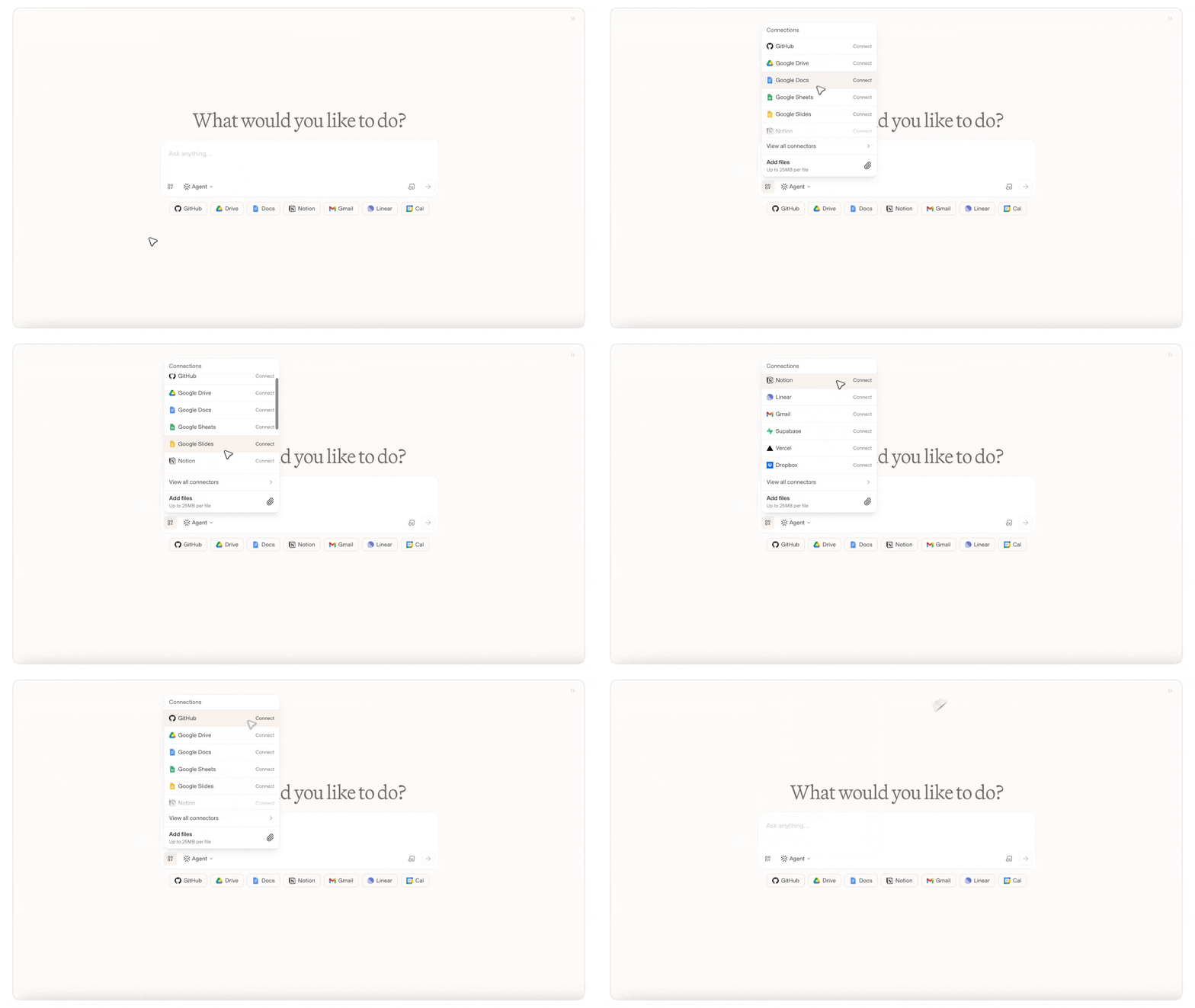
From tickets to deployments
Arena says the initial lineup reflects its community’s most-requested services. Each connector gives the agent tools designed for that service:
| Service | Available actions |
|---|---|
| GitHub | Clone repositories, review diffs, create commits, and open pull requests |
| Linear | Find, create, and update issues |
| Vercel | Deploy and manage web applications |
| Supabase | Perform database operations |
| Gmail | Search, read, draft, and send email |
| Google Workspace | Work with Calendar, Drive, Docs, Sheets, and Slides |
| Notion | Read and write pages and databases |
| Dropbox | Access and manage stored files |
OAuth access, turn by turn
Users connect a service through its OAuth flow, which issues Arena an access token after the user approves the requested permissions. Once connected, each integration can be enabled or disabled for an individual turn from the tool row beneath the prompt.
- Explicit activation: The model can use a connector only when its service is connected and enabled for the current turn.
- Selective loading: Arena says the agent loads only the tool definitions required for the task.
- Existing safeguards: Connector results pass through the data-loss-prevention and output-moderation policies already used by Agent Mode.
A tool definition contains the instructions and parameter schema that tell a model how to call an integration. Loading a smaller set reduces prompt size, token use, and the risk that the model selects an irrelevant tool. Arena says connecting additional services therefore does not load every available definition into each conversation.
The announcement does not provide connector-specific OAuth scopes, rate limits, audit-log details, or a confirmation policy for write actions such as sending email, changing a database, or deploying an application. Those details remain open questions for teams considering the connectors for sensitive workflows.
Workflows that cross apps
Arena’s examples focus on tasks that combine context and actions from several services:
- Ship an issue: Read a Linear ticket, retrieve its Notion specification, change the GitHub repository, open a pull request, and add the link to the ticket.
- Prepare for a meeting: Find the Calendar event, collect the agenda from Drive, review recent Gmail threads, and assemble a one-page brief.
- Publish a status report: Summarize recent GitHub and Linear activity in a Notion page.
These workflows reduce manual handoffs between applications while giving the agent access only for the turns in which a connector is enabled. Their reliability will depend on how accurately the agent selects tools, interprets retrieved data, and handles write operations across services.
Arena’s agent strategy takes shape
Arena is best known for model evaluation, including public leaderboards and an Alignment Index based on 90,000 agent sessions across 27 models. Agent Mode turns that evaluation work into an end-user product that can choose models and equip them with task-specific tools.
The new integrations place Agent Mode alongside the connector ecosystems offered by ChatGPT and Claude. Arena’s approach combines model routing, service-specific tools, and per-turn user control. Its practical value will depend on whether that system can complete multi-application tasks reliably, particularly when those tasks involve commits, email, deployments, or database changes.
Comments
