

Anthropic Merges Claude's Chat and Cowork Agent Into One Shared Memory
Anthropic unified Claude's memory across chat and Cowork, added editable topic files, and gave users a sensitive-topics toggle.
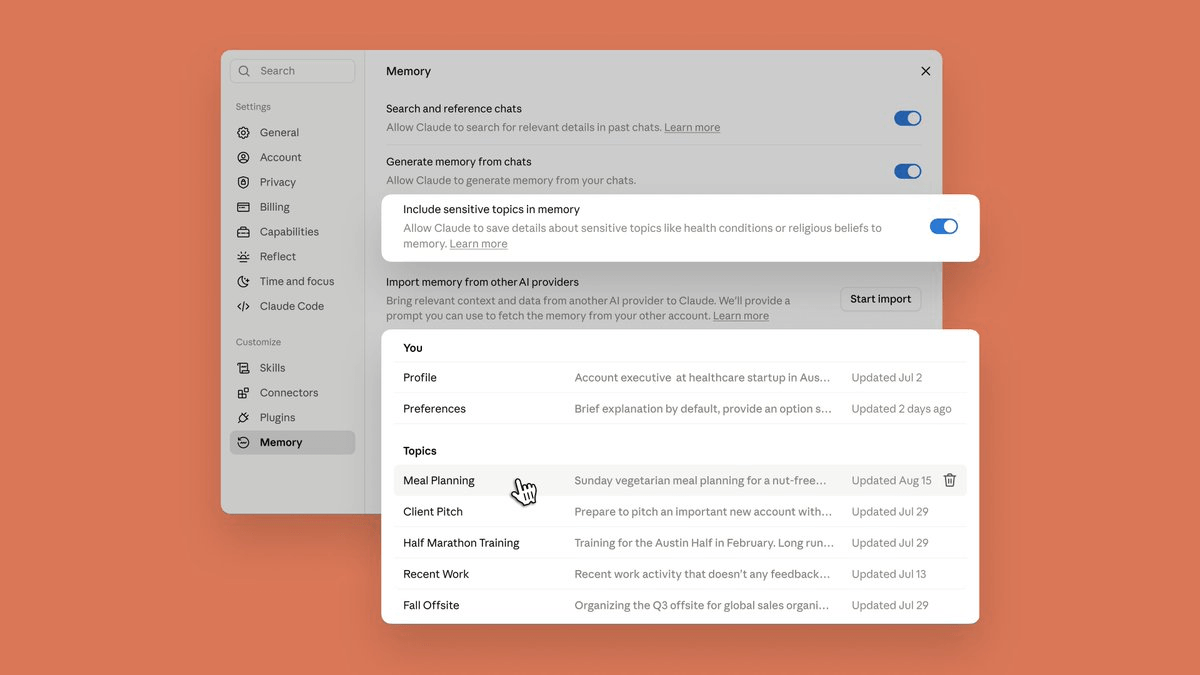
- Claude's memory is now unified across chat and Cowork, ending repeated rebriefings between the two.
- Memories are stored as individual topic files you can read, edit, or delete in Settings.
- Claude now updates memory mid-conversation instead of summarizing chats after they end.
- Sensitive topics like health and beliefs stay out unless you flip a new opt-in toggle.
- On by default for Free, Pro, Max; off by default for Team and Enterprise plans.
- Shared memory only applies when Cowork runs in the cloud, not local sessions.
Anthropic just collapsed the wall between Claude's chat memory and its Cowork agent, so the context you build in one place now shows up in the other. The update also rewires how memories are stored, exposes every saved item as an editable file, and adds a toggle for sensitive topics that were previously kept out of memory entirely.
Anthropic frames the change simply: Claude now has one memory across chat and Claude Cowork, and Cowork starts from what Claude already knows from your chats, whether that's a project, a manager's preferences, or a client from last quarter. Cowork, the computer-use agent Anthropic released earlier this year, previously kept its session memory locked inside Cowork while chat history stayed separate. That split forced users to rebrief the agent every time they moved from planning to execution.
One memory, two sharp edges
The mechanics matter here because they explain some rough spots. Memory is shared between Chat and Claude Cowork when Cowork runs in the cloud; Cowork sessions that run locally on your computer don't use memory. If you rely on a local Cowork session for anything sensitive or offline, you won't get the shared context.
The storage model also changed under the hood. Memory on Claude now works as a set of individual, categorized entries that Claude reads and updates during your conversations, replacing the previous daily memory summary. In practice, Claude saves memory as small topical entries while you chat rather than summarizing conversations after they end, so if you mention that a deadline moved, your next conversation already knows. You can also tell Claude to "remember this" to save something directly.
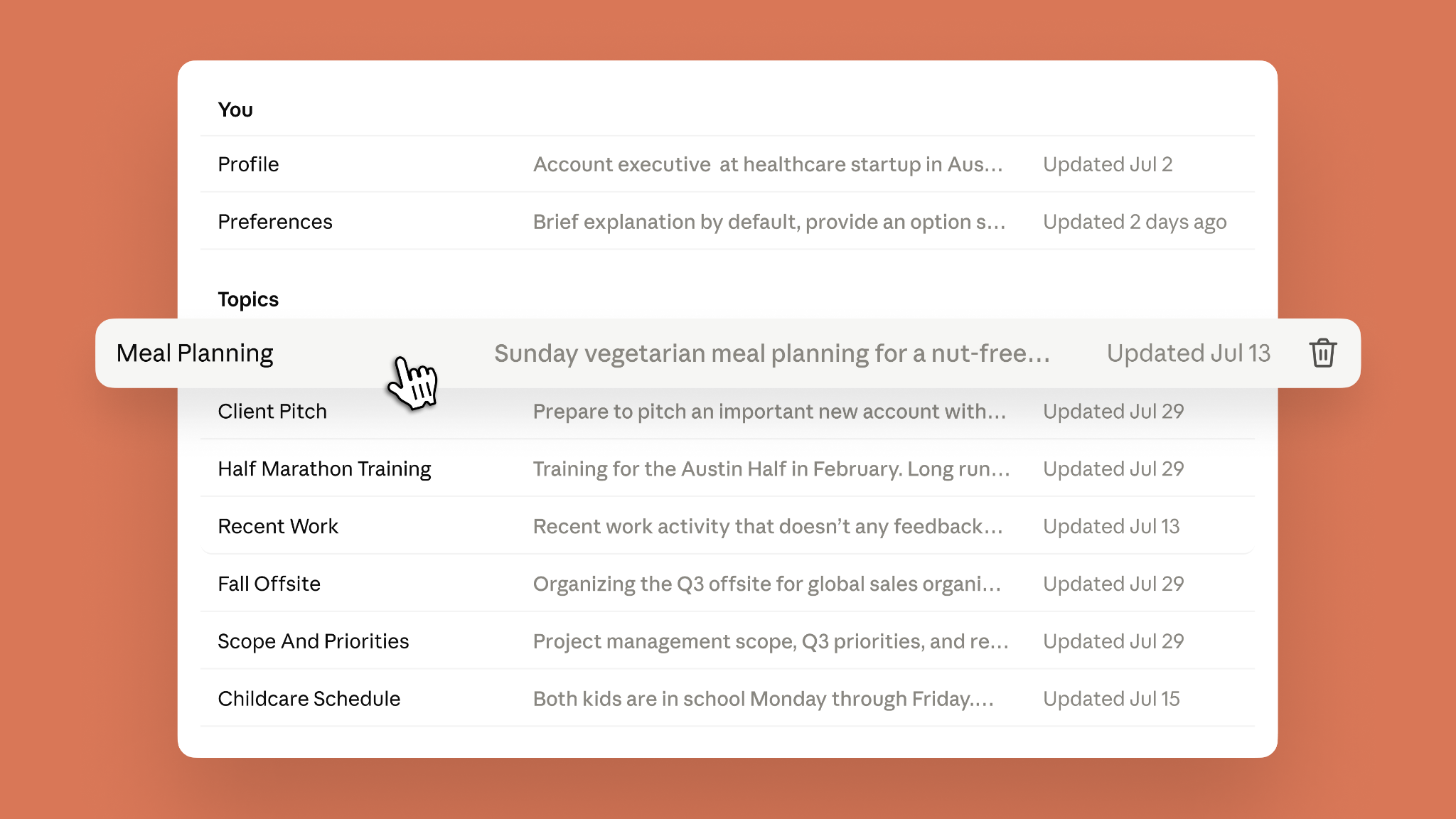
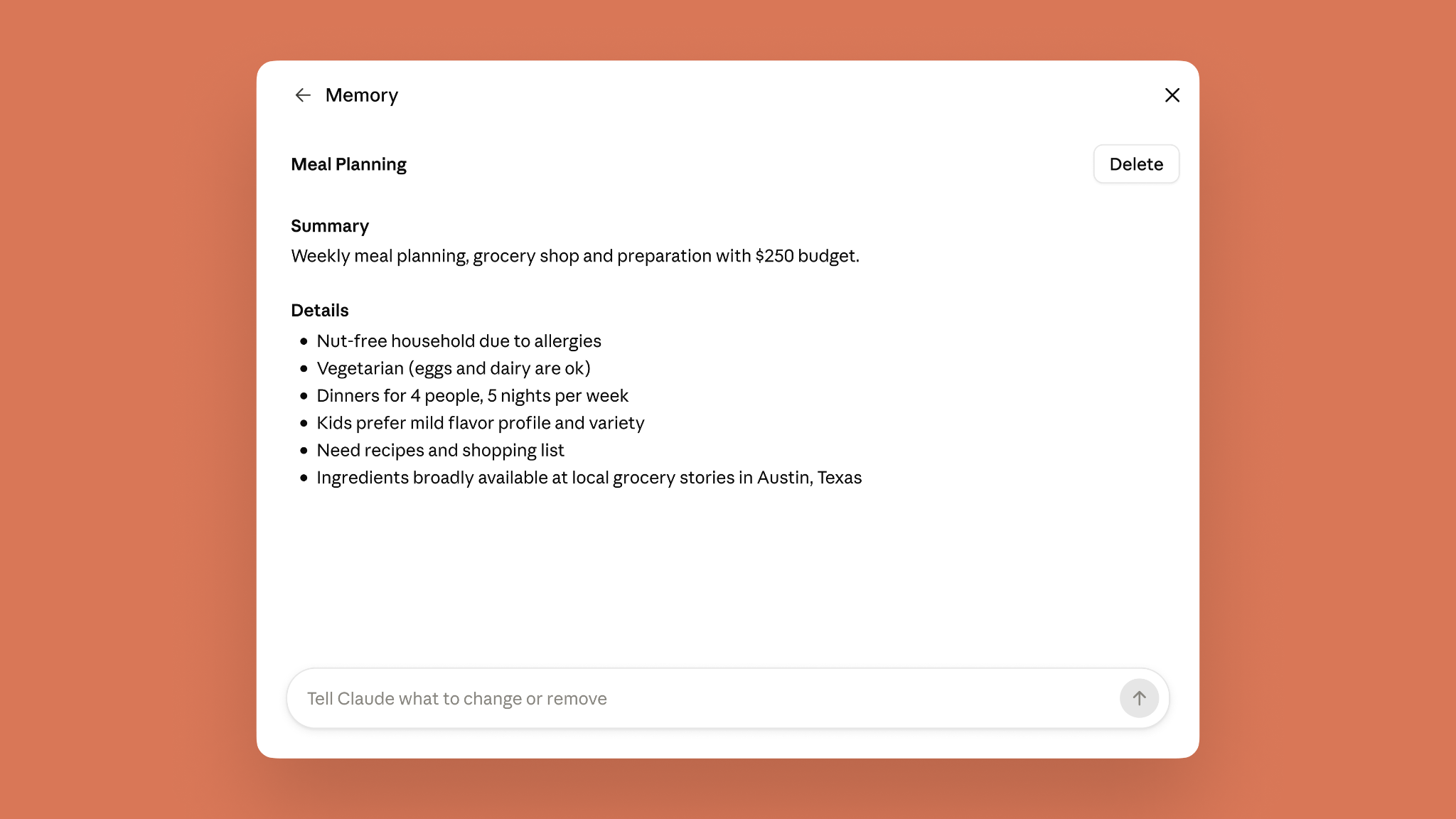
Because topics live as small individual files, editing scales. All the memories are kept in a list of files under Topics in the Memory settings. Fix your company's old name in one file and every downstream conversation picks up the correction, which is a much cleaner mental model than the fragmented, opaque memories users have complained about before.
Opting in on sensitive topics
By default, Claude will not save things like health, race, religious beliefs, politics, or gender identity. That was already the policy, but users who wanted Claude to remember, say, a gluten allergy across meal-planning chats had no way to opt in. Now they do.
- Turn on Include sensitive topics in memory in Settings.
- Claude notifies you each time it saves something from those categories.
- The change is not retroactive. Anything from before you turned it on isn't saved, and you can turn off this setting at any time.
- Some things are never stored regardless. Claude does not store sensitive identification numbers like SSNs and government IDs, criminal history, immigration status, or anything violating the Acceptable Use Policy, and it will tell you when it can't update memory to include such information.
Defaults split along tier lines
The rollout differs sharply between consumer and organizational tiers, which is worth paying attention to if you deploy Claude at work. Memory is on by default for Free, Pro, and Max plans on the web, Claude Desktop, and Claude Mobile. On Team and Enterprise plans, memory is off by default and can be turned on by an owner. Mobile users need the latest app version to see the changes.
Why this matters for building with Claude
The real shift here is about agent ergonomics rather than model capability. Merging the memory systems used by chat and Cowork removes one of the more annoying tics of agent workflows, the constant rebriefing on things the AI already knows. Concretely, that means:
- Hand Cowork a recurring task like a quarterly business review deck and it inherits your team's metric definitions from earlier chats.
- Brainstorm a conference agenda in chat, and users no longer need to re-explain details like headcount, city, or speakers when moving from planning to having Cowork build the budget and logistics documents.
- Corrections propagate. Editing one topic file is closer to maintaining a small YAML config than dumping context into a system prompt every session.
The tradeoffs are the usual ones for any memory system: silent drift if Claude records something you didn't mean to persist, and the local-vs-cloud Cowork asymmetry that quietly changes behavior depending on where a session runs. The topic-file view at least makes those states inspectable, which beats the black-box memory summaries that shipped earlier this year.
Comments
