
Pyannote Ships Community-1 to Identify Speakers 12% More Accurately
Pyannote's new open-source speaker diarization pipeline lands with pyannote.audio 4.0, delivering lower error rates and cleaner reconciliation with speech-to-text timestamps.
 Pro
Takeaways
- Pyannote released speaker-diarization-community-1 alongside pyannote.audio 4.0, under CC-BY-4.0.
- Swaps agglomerative hierarchical clustering for VBx clustering, improving speaker assignment and counting.
- Adds exclusive speaker diarization mode that cleanly reconciles with ASR word timestamps.
- Beats 3.1 on nearly every benchmark, with biggest gains on AliMeeting, Ego4D and AVA-AVD.
- Runs locally, supports offline use, mono 16kHz input, and GPU acceleration via one line.
- Paid precision-2 tier available via pyannoteAI API for lower error rates.
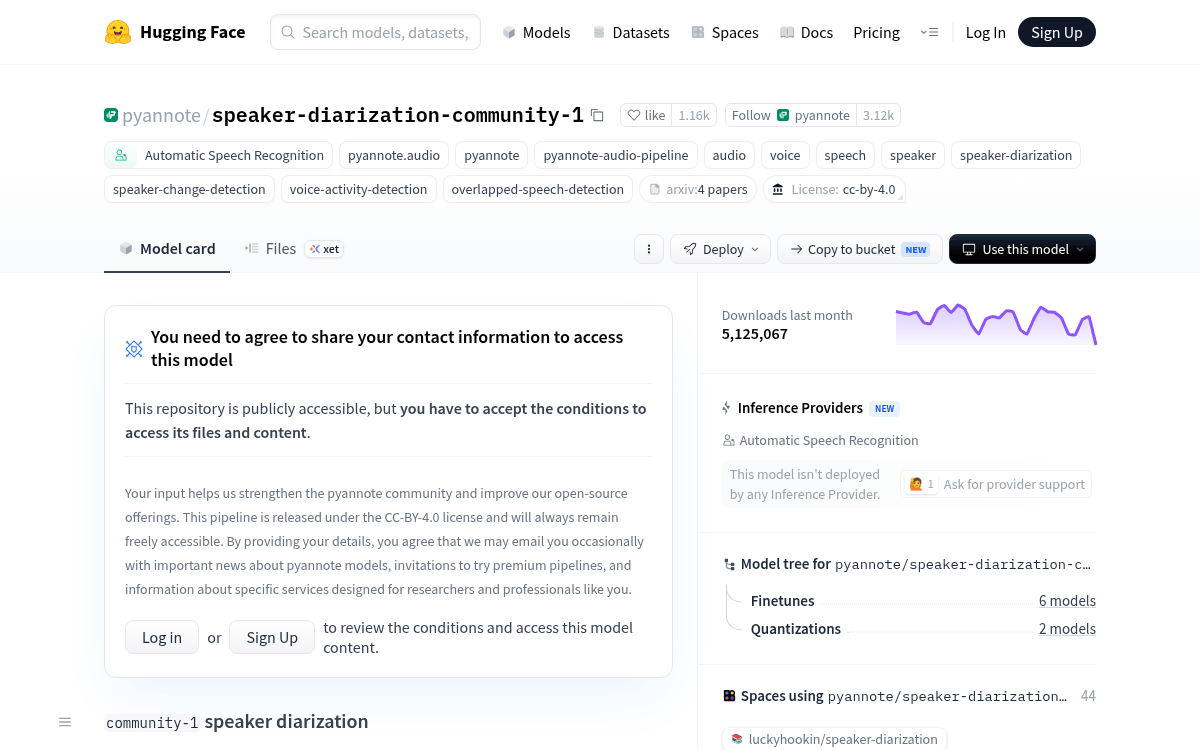
Pyannote just shipped speaker-diarization-community-1, the successor to its widely used 3.1 diarization pipeline. It arrives alongside pyannote.audio 4.0 and already sits at over 5 million downloads on Hugging Face, making it one of the most-used speech models on the hub.
Diarization answers who spoke when in an audio recording. Community-1 keeps the same open, free-to-use posture as its predecessors under a CC-BY-4.0 license, while rebuilding the internals around a new clustering algorithm and adding features that make it easier to bolt onto a transcription stack.
New guts, same interface
The most consequential change is how the pipeline groups speaker embeddings into speakers. Community-1 relies on VBx clustering instead of agglomerative hierarchical clustering, as suggested by BUT Speech@FIT researchers Petr Pálka and Jiangyu Han. VBx is a Bayesian HMM approach that models speaker turns as a sequence rather than greedily merging segments, which tends to help when voices sound similar or when a recording runs long.
The pipeline also returns an exclusive speaker diarization alongside the regular one. This feature is backported from the commercial precision-2 model and simplifies reconciliation between fine-grained speaker timestamps and (sometimes imprecise) transcription timestamps. If you have ever tried to align Whisper word timings with pyannote turn boundaries, you know the pain. Exclusive diarization guarantees non-overlapping segments so each transcribed word maps cleanly to one speaker.
The benchmark numbers
Out of the box, Community-1 beats speaker-diarization-3.1 by a wide margin. The team reports diarization error rates on a large collection of academic benchmarks, using fully automatic processing with no forgiveness collar and no skipping of overlapping speech. That last part matters. Many published DER numbers quietly ignore overlap or add tolerance windows, so these results reflect harder conditions.
Here are the highlights across common datasets, expressed as diarization error rate (lower is better):
| Benchmark | legacy 3.1 | community-1 | precision-2 (paid) |
|---|---|---|---|
| AMI (SDM) | 22.7 | 19.9 | 15.6 |
| AliMeeting | 24.5 | 20.3 | 15.2 |
| AVA-AVD | 49.7 | 44.6 | 37.1 |
| Ego4D (dev) | 51.2 | 46.8 | 39.0 |
| MSDWild | 25.4 | 22.8 | 17.3 |
| DIHARD 3 | 21.4 | 20.2 | 14.7 |
The gains are largest on messy real-world corpora like AliMeeting and Ego4D, which is exactly where 3.1 tended to struggle. On cleaner sets like VoxConverse the improvement is essentially flat, and REPERE actually regresses slightly (7.9 to 8.9). If your audio is broadcast-quality with well-separated speakers, temper your expectations.
Getting it running
Setup is unchanged from earlier pyannote releases: pip install pyannote.audio, accept the user conditions on Hugging Face, and generate an access token. The pipeline runs locally on your machine.
from pyannote.audio import Pipeline
pipeline = Pipeline.from_pretrained(
    "pyannote/speaker-diarization-community-1",
    token="{huggingface-token}")
output = pipeline("audio.wav")
for turn, speaker in output.speaker_diarization:
    print(f"{speaker} speaks between t={turn.start:.3f}s and t={turn.end:.3f}s")
A few practical knobs worth knowing:
- Send the pipeline to GPU with
pipeline.to(torch.device("cuda")). It runs on CPU by default. - If you know how many speakers to expect, pass
num_speakers=2ormin_speakersandmax_speakersbounds to constrain clustering. - The model expects mono 16kHz audio, but stereo and other sample rates are automatically downmixed and resampled on load.
- For air-gapped deployments,
git clonethe repo and pointfrom_pretrainedat the local path.
Training and infrastructure
The pipeline chains a neural speaker segmentation model, a WeSpeaker embedding model, and the new VBx clustering stage. Community-1 was trained on the Jean Zay supercomputer using HPC resources from IDRIS under a dynamic allocation attributed by GENCI. Pyannote.audio 4.0 itself also brings metadata caching and optimized dataloaders that speed up training on large-scale datasets, delivering a 15x improvement on pyannoteAI internal training runs. That matters if you plan to fine-tune on your own domain.
Where community-1 fits, and where it does not
Community-1 is the right pick if you are building meeting transcription, podcast tooling, call analytics, voice agents, or any pipeline that needs speaker labels attached to Whisper or another ASR output. The exclusive diarization mode in particular removes much of the glue code teams have historically written to reconcile timestamps.
It is less exciting if you already run a heavily tuned 3.1 setup on clean broadcast audio, where gains are marginal. It also sits below the top of the pyannote lineup: precision-2 is available by creating an API key on the pyannoteAI dashboard and changing one line of code to swap the model identifier. That runs on pyannoteAI servers rather than locally, which shifts the trade-off on privacy and cost.
For most teams on 3.1, upgrading is a one-line change and the benchmark deltas justify the swap. The community-1 name is fitting given how much of the ecosystem, from open-source projects to commercial ASR products, quietly depends on this pipeline.