
pyannote 3.1 Drops ONNX to Make Speaker Detection Finally Production-Ready
The most-downloaded open-source speaker diarization pipeline runs entirely in PyTorch, hits sub-8% DER on clean audio, and drops in with three lines of code.
 Pro
Takeaways
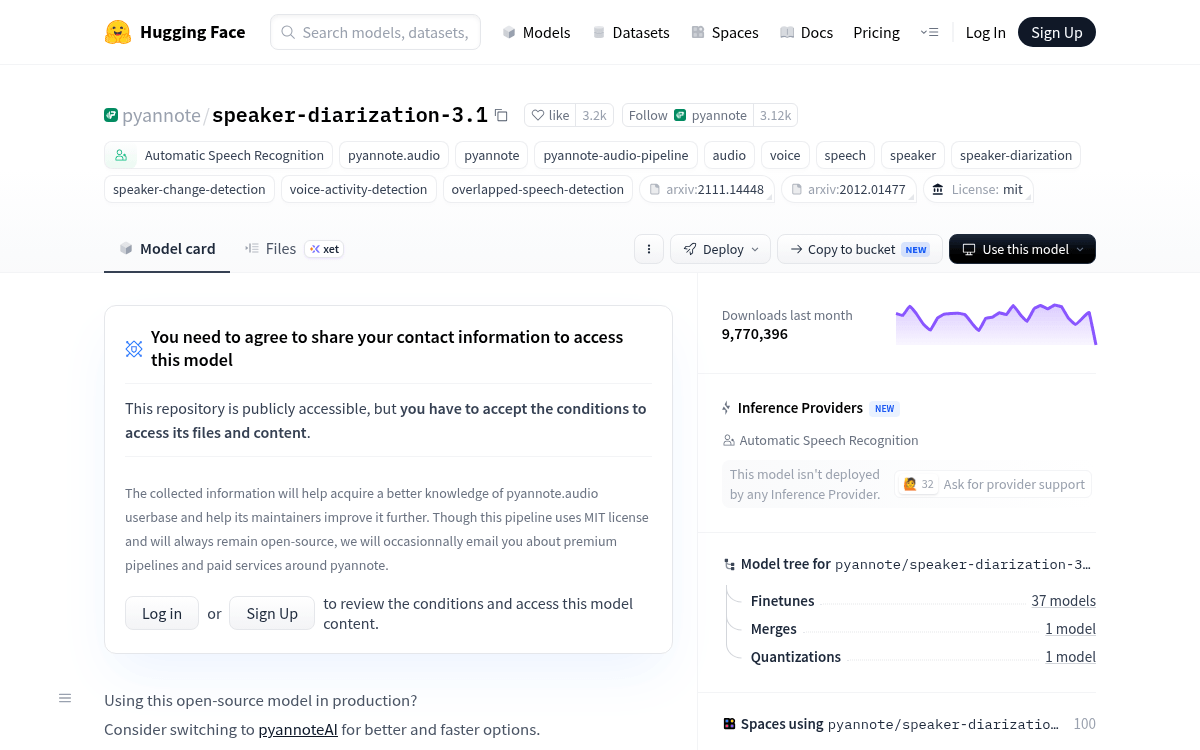
- pyannote/speaker-diarization-3.1 is the leading open-source who-spoke-when pipeline, near 10M downloads.
- Removes onnxruntime dependency: segmentation and embedding now run in pure PyTorch.
- Three-line API on top of pyannote.audio 3.1+, MIT licensed weights.
- Hits 7.8% DER on REPERE broadcast audio, 11.3% on VoxConverse, 18.8% on AMI headset.
- Struggles on far-field and in-the-wild audio: 50% DER on AVA-AVD with heavy overlap.
- Successor community-1 improves speaker counting and assignment for newer deployments.
If you have ever tried to answer the question of who spoke when inside a recording, you have probably ended up at one open-source pipeline. pyannote/speaker-diarization-3.1 has quietly become the default speaker diarization stack across the ecosystem, sitting at roughly 9.7 million downloads on the Hugging Face Hub with thousands of likes and dozens of dependent fine-tunes.
Diarization segments an audio stream into speaker turns and assigns a consistent label to each voice, without knowing in advance who or how many people are talking. It is the layer that turns a raw Whisper transcript into a readable conversation with speaker A, speaker B, and speaker C attached to each line.
The unglamorous fix that makes 3.1 worth adopting
The headline change is deceptively boring and very practical: version 3.1 is identical to 3.0 except that it drops onnxruntime. Both speaker segmentation and embedding now run in pure PyTorch, which should ease deployment and possibly speed up inference.
That single change removes an entire class of dependency headaches. No more juggling ONNX runtime versions against CUDA against PyTorch, no more provider mismatches in Docker images, no more silent CPU fallbacks when the ONNX GPU provider fails to load. The pipeline requires pyannote.audio 3.1 or higher. It ingests mono audio sampled at 16kHz and outputs diarization as an Annotation instance. Stereo and multi-channel files are automatically downmixed by averaging channels, and audio at other sample rates is resampled to 16kHz on load.
Three lines to diarize a file
The API is intentionally minimal. After accepting the model conditions on the Hub and grabbing an access token, the whole thing collapses to this:
from pyannote.audio import Pipeline
import torch
pipeline = Pipeline.from_pretrained(
    "pyannote/speaker-diarization-3.1",
    use_auth_token="HF_TOKEN")
pipeline.to(torch.device("cuda"))
diarization = pipeline("audio.wav")
with open("audio.rttm", "w") as f:
    diarization.write_rttm(f)
A few knobs matter in production. You can pin the speaker count with num_speakers=2 when you already know it, or bound it with min_speakers and max_speakers to stop the clustering step from over- or under-estimating. Pre-loading audio via torchaudio and passing a waveform dict avoids re-decoding, and a ProgressHook lets you stream progress for long files.
Where it wins and where it falls apart
The model card publishes numbers under what the authors call the least forgiving setup: no manual voice activity detection, no manual speaker count, no fine-tuning of the internal models, no tuning of pipeline hyper-parameters per dataset, no forgiveness collar, and overlapped speech is scored. That last point matters, because many published diarization numbers quietly skip overlap.
Here is how the pipeline behaves across common benchmarks, measured in diarization error rate (lower is better):
| Dataset | DER% | Miss% | Confusion% |
|---|---|---|---|
| REPERE (broadcast) | 7.8 | 2.6 | 3.5 |
| VoxConverse v0.3 | 11.3 | 3.4 | 3.8 |
| AISHELL-4 | 12.2 | 4.4 | 4.0 |
| AMI headset mix | 18.8 | 9.5 | 5.7 |
| DIHARD 3 (Full) | 21.7 | 8.1 | 7.3 |
| AliMeeting | 24.4 | 10.0 | 10.0 |
| MSDWild | 25.3 | 8.0 | 11.5 |
| AVA-AVD | 50.0 | 15.7 | 23.4 |
A practitioner walkthrough sums up the pattern well. Clean, single-microphone broadcast audio (REPERE) scores under 8%. General web video (VoxConverse) and meetings recorded close to each mouth (AMI headset) land in the usable 11 to 19% range. Far-field meetings picked up by a single room mic (AliMeeting) and chaotic in-the-wild video with music, crowds, and heavy overlap (AVA-AVD) are much harder, with AVA-AVD reaching a 50% DER, meaning half the time is mislabelled.
The blunt takeaway for anyone shipping this: diarization quality is set more by your microphone and your acoustics than by your model. A close mic per speaker beats any amount of model cleverness on a bad room recording.
How the pipeline is put together
Under the hood, 3.1 is a two-stage neural pipeline followed by clustering. The segmentation model runs a sliding window over the audio and predicts, for each frame, which combinations of speakers are active, using a powerset formulation. A speaker embedding model then produces a fixed-length vector per detected turn, and agglomerative hierarchical clustering merges turns belonging to the same person.
An external analysis describes the runtime behavior clearly: local diarization runs on a 10 s sliding window with a 1 s shift, and window-wise results are aggregated by agglomerative hierarchical clustering of the embeddings. The training loss for the segmentation network comes from the Interspeech 2023 paper on powerset multi-class cross entropy, which replaces the older multi-label formulation and cuts down on overlap handling errors.
Why it matters right now
Diarization is what turns transcription into structured conversation data. If you are building meeting summarizers, podcast tooling, call-center analytics, medical scribes, or any speaker-aware RAG pipeline, 3.1 is very likely already the block sitting in front of Whisper or a similar ASR model. The MIT-licensed weights, the pure-PyTorch runtime, and the well-documented benchmarks make it easy to justify in a production stack.
It is worth knowing the direction of travel too. The pyannote team has since shipped a successor: compared to the 3.1 legacy pipeline, community-1 brings significant improvement in speaker counting and assignment, and the precision-2 premium pipeline further improves accuracy as well as processing speed. For most existing deployments, though, 3.1 is still the workhorse: predictable, well-understood, and cheap to run. If your current setup is fighting ONNX or bottlenecked on clustering long files, it is a very low-risk upgrade target, and if you are starting fresh, it remains the most sensible baseline to measure everything else against.