
PrunaAI's PrunaVAED Makes LTX-2.3 Video Decoding 1.7x Faster With 50% Less VRAM
PrunaAI released a pruned, drop-in decoder for LTX-2.3 that cuts VAE runtime by up to 2x and halves peak VRAM with near-lossless quality.
 Pro
Takeaways
- PrunaAI released PrunaVAED, a pruned drop-in decoder for LTX-2.3.
- Delivers 1.68x to 2.08x faster decoding and roughly 50% lower peak VRAM on H100.
- Quality is near-lossless: PSNR 39-41, SSIM above 0.98, LPIPS under 0.01.
- Latent format unchanged, so existing LTX-2.3 workflows, LoRAs and upscalers still work.
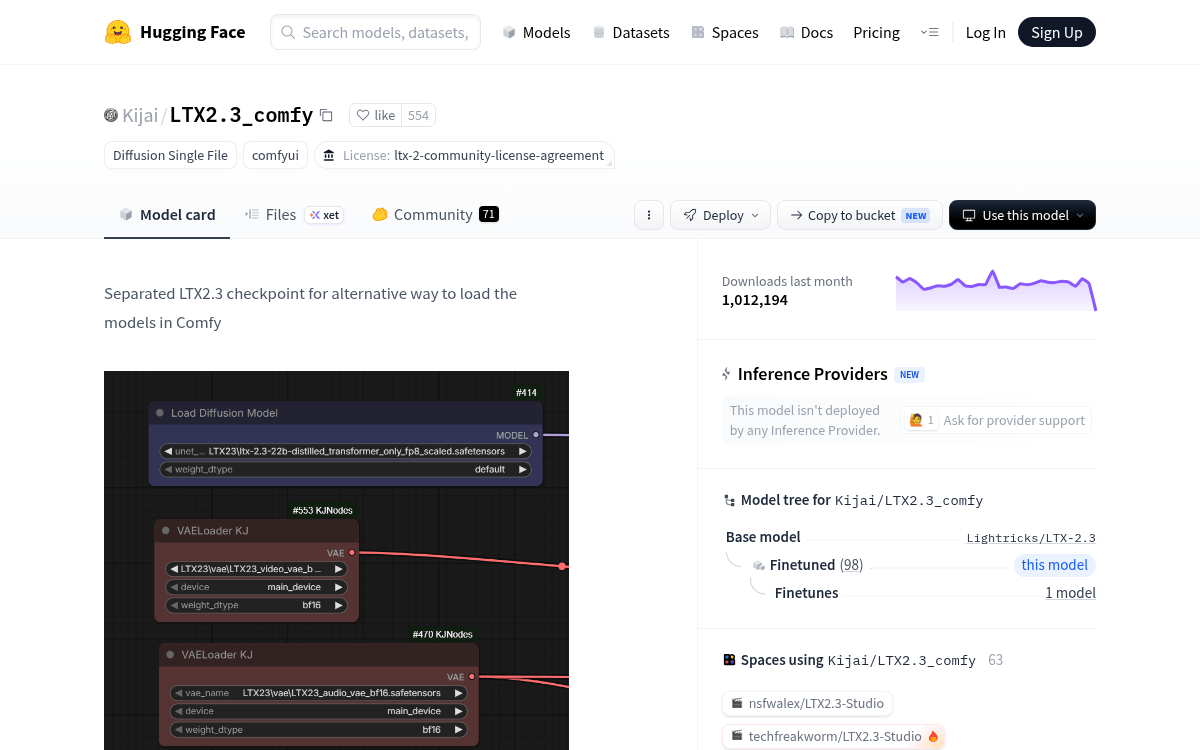
- Supported natively in Kijai's LTX2.3_comfy and via ComfyUI-PrunaVAED node.
- Built by pruning up_blocks.1-3 channels by 25-50%, then distilling against the original.
Video diffusion pipelines spend a surprising amount of their wall clock inside the VAE decoder, turning compressed latents back into RGB frames. PrunaAI just open sourced PrunaVAED, a slimmer decoder that plugs straight into Lightricks' LTX-2.3 video model, and it is already wired into ComfyUI through Kijai's LTX2.3_comfy repo. Same latents, same visual output, faster decode, far less memory.
A decoder swap, not a new model
PrunaVAED is a drop-in replacement VAE decoder for LTX-2.3 that delivers 1.7x faster decoding and roughly 50% lower peak VRAM usage while holding near-original visual quality. It directly replaces the video VAE decoder in diffusers/LTX-2.3-Diffusers. The encoder and latent format are untouched, so any existing LTX-2.3 checkpoint, LoRA, or upscaler keeps working. You are only swapping the last stage that turns latents into pixels.
The numbers
Benchmarks ran on an H100 80GB in bfloat16 at batch size 1, decoding the same latents with both the stock LTX-2.3 VAE and PrunaVAED:
| Clip | LTX-2.3 VAED | PrunaVAED | Speedup |
|---|---|---|---|
| 5s @ 720p | 841 ms | 500 ms | 1.68x |
| 10s @ 720p | 1671 ms | 998 ms | 1.67x |
| 5s @ 1080p | 1959 ms | 1152 ms | 1.7x |
| 10s @ 1080p | 4903 ms (tiled) | 2356 ms | 2.08x |
On 200 distilled two-stage clips at 1080p, PrunaAI reports PSNR of 41.06, LPIPS of 0.0052, and SSIM of 0.9876 against the reference decoder. They also track delta-frame PSNR, which is PSNR on consecutive-frame differences (a proxy for temporal consistency), and it stays above 40 dB, meaning the pruning is not introducing frame-to-frame flicker.
How it was built
PrunaAI kept the early layers intact and pruned progressively deeper in the upsampling stack. PrunaVAED is bitwise identical to LTX 2.3 VAED from conv_in through up_blocks.0. Pruning starts at up_blocks.1: channel counts drop by 25% in the first upsampling block and 50% in the last two, taking the decoder from 407M to 345M parameters, roughly a 15% cut. The compact version was then trained and distilled against the original outputs. PrunaAI describes the process as pruning, training, and distilling video decoders to maximize efficiency of the LTX-2.3 series.

Wiring it into ComfyUI
Two paths are available depending on how you organize your Comfy setup. The community wrapper ComfyUI-PrunaVAED adds a dedicated loader node that pulls PrunaAI/PrunaVAED from ComfyUI's standard models/vae directory and exposes it as a normal ComfyUI VAE, replacing the LTX-2.3 video VAE in a workflow. It does not touch the LTX audio VAE or the LTX transformer. Internally, the loader remaps the upstream Diffusers-style state dictionary to the native ComfyUI LTX VAE layout and instantiates the pruned decoder channel structure.
If you already pull models from Kijai's repo, a pre-converted pruna_ltx2.3_vae_comfy_bf16.safetensors file now sits in the vae/ folder alongside the fp8 transformer weights and text encoder splits. PrunaVAED is supported in ComfyUI as of commit c38171d, labeled Support Pruna LTX VAE. The recommended configuration is main_device with bf16, matching upstream PrunaVAED usage.
Outside ComfyUI, the model plugs into the standard diffusers pipeline or the official LTX-2 repo. Everything is released under the LTX-2 Community License, so commercial users should read the terms before shipping.
Sharp edges
A few caveats worth knowing before you swap it in:
- Not a full text-to-video model, and does not touch the LTX denoiser or generator.
- Not compatible with arbitrary VAE latents, so it will not help WAN, HunyuanVideo, or other pipelines.
- Not bit-exact with the original decoder. If you need pixel-level reproducibility against previous outputs, keep the stock VAE.
- Evaluated on 4-second clips at 24 fps, benchmarked on one H100 80GB with bfloat16 and batch size 1. Speed and VRAM vary with hardware, resolution, batch size, and software.
- Audio VAE is unaffected. Continue loading LTX23_audio_vae_bf16.safetensors with the regular LTX audio VAE loader.
Why it matters
The VAE decode is often the memory spike that forces tiling on longer or higher resolution clips. A 10-second 1080p decode that previously required tiling on an H100 now fits comfortably in a single pass, and users on smaller cards (4090, 3090, 5090) get an equivalent shift in what fits without spilling. For anyone iterating on LTX-2.3 workflows in ComfyUI, this is essentially free throughput, with no retraining, prompt engineering, or re-encoding of latents.
It also demonstrates a pattern likely to keep repeating across open video models: teacher-student distillation applied not to the diffusion transformer, which is hard, but to the surrounding compute-heavy components like decoders and text encoders, where the quality target is far easier to define.
