
Impira's layoutlm-document-qa Turns Scanned Invoices Into 3-Line QA
A compact multi-modal model that reads invoices, contracts, and forms, answering natural-language questions with OCR-plus-layout awareness in a single pipeline call.
 Pro
Takeaways
- Impira's layoutlm-document-qa answers natural-language questions about document images using LayoutLM plus OCR
- Fine-tuned on SQuAD2.0 and DocVQA, giving it both language QA and scanned-form reasoning
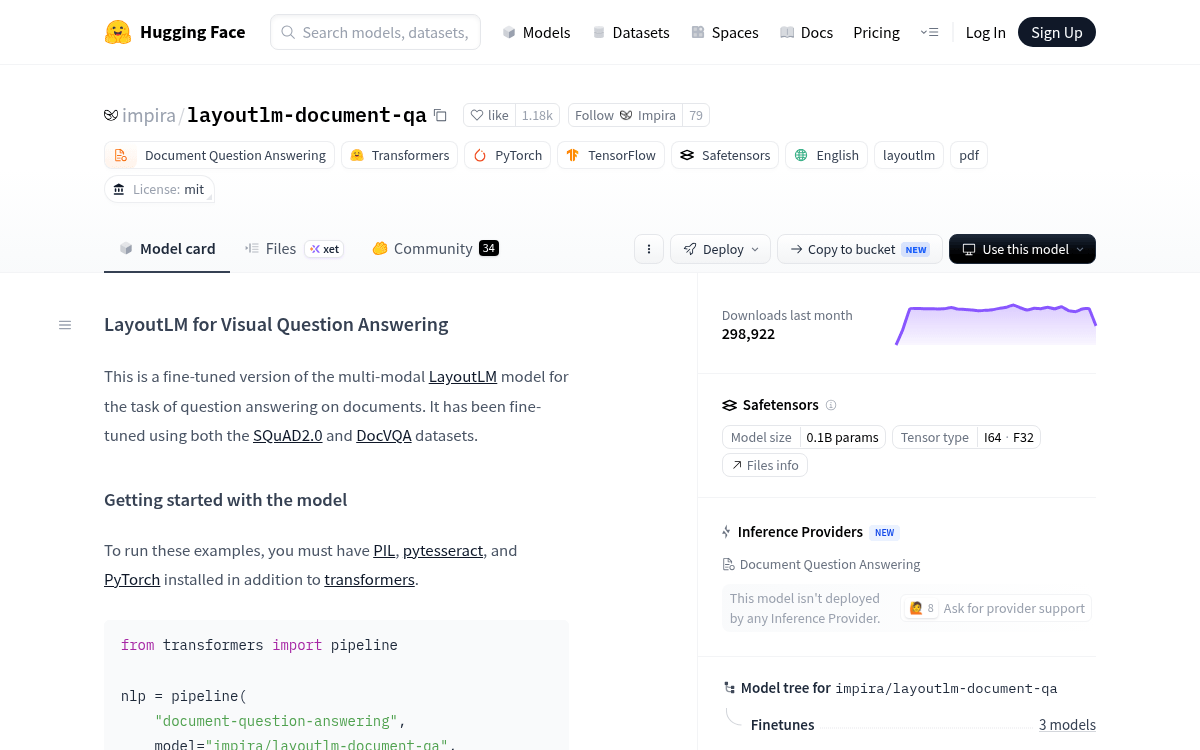
- ~0.1B parameters, 511MB safetensors, MIT licensed, works via Transformers
document-question-answeringpipeline - Hits 0.99+ confidence on invoice fields; drops to ~0.59 on multi-column financial tables
- Powers DocQuery and 100+ Hugging Face Spaces for zero-shot document extraction
- Nearly 300k monthly downloads make it a de facto baseline for document QA prototyping
Extracting a purchase amount or invoice number from a scanned PDF has traditionally required brittle regex pipelines glued to an OCR engine. Impira's layoutlm-document-qa model reframes the problem as question answering, letting you point at a document image and simply ask what you want. It has quietly become one of the most downloaded models in its category on Hugging Face, sitting at nearly 300,000 monthly pulls and 1.18k likes.
A LayoutLM tuned for reading paperwork
The checkpoint is a fine-tune of the multi-modal LayoutLM, trained on a blend of SQuAD2.0 and DocVQA. The mix is deliberate. SQuAD2.0 teaches it to answer natural-language questions over text and to recognize when there is no answer, while DocVQA grounds it in the messier world of scanned forms, tables, and receipts.
LayoutLM itself is what makes this work. Alongside tokens, it encodes each word's 2D bounding-box coordinates on the page, so the model can reason about spatial relationships like "the number to the right of Invoice #" or "the value under the 2020 column." The checkpoint is small by modern standards at roughly 0.1B parameters and around 511MB on disk, which makes it cheap to self-host.
Three lines of code to query a document
The model plugs directly into the Transformers document-question-answering pipeline. You pass an image URL or path and a question string, and it returns the answer span with a confidence score and character offsets.
from transformers import pipeline
nlp = pipeline(
    "document-question-answering",
    model="impira/layoutlm-document-qa",
)
nlp(
    "https://templates.invoicehome.com/invoice-template-us-neat-750px.png",
    "What is the invoice number?"
)
# {'score': 0.9943977, 'answer': 'us-001', 'start': 15, 'end': 15}
Under the hood you will need pytesseract, PIL, and PyTorch installed alongside Transformers, since the pipeline runs OCR on the image before feeding tokens and bounding boxes into the model. Weights ship in safetensors format, so loading is fast and memory-safe.
Where it shines and where it stumbles
On clean, structured layouts the model is remarkably confident. The maintainers' own examples show it pulling an invoice number at 0.994 confidence and a purchase amount from a SAFE contract at 0.991. It handles the kind of documents most back-office pipelines actually see.

Complex tabular content is where confidence drops. On an income-statement image with multiple year columns, the model answered "What are the 2020 net sales?" correctly but only at 0.591 confidence, a reminder that dense financial tables can confuse the layout encoder. Practitioners have noted the trade-off too. One walkthrough recommends layoutlm-document-qa for structured documents while suggesting the sibling layoutlm-invoices checkpoint for more free-form invoice extraction.
Good fits based on the training mix and community feedback:
- Invoices, receipts, and purchase orders with predictable key-value layouts
- Contracts and legal forms where answers are short text spans
- Government forms and applications similar to the FUNSD-style data in DocVQA
Weaker spots:
- Multi-column financial statements and dense spreadsheets
- Answers that span non-contiguous regions of the page
- Handwriting and low-quality scans where the upstream OCR fails
Documents as a QA problem
The real breakthrough is the framing. Because the underlying model was fine-tuned on a combination of SQuAD2.0 and DocVQA, you can point it at a document type it has never seen and still get reasonable answers without labeling a new schema. Template-based extractors cannot do that.
Impira built this capability into its DocQuery open-source library, and the same model powers over 100 community Spaces on Hugging Face. The commercial pitch is candid about the ceiling of the open weights: Impira's hosted QA model is additionally trained on proprietary datasets and claims 95%+ accuracy out of the box for most use cases. The public checkpoint is the demo, and production accuracy typically requires fine-tuning on your own document distribution.
Practical takeaway
If you are prototyping an intake pipeline for invoices, insurance claims, KYC forms, or shipping paperwork, this model is a strong first swing before reaching for something heavier like a vision-language model. It is MIT licensed, small enough to run on a single GPU or even CPU for batch jobs, and the pipeline API means you can wire it into a FastAPI endpoint in an afternoon. Expect to layer post-processing and confidence thresholds on top when your documents drift from the training distribution.