
IBM's Docling Parses Messy PDFs Into LLM-Ready Data 30x Faster
IBM Research's open source Docling toolkit converts PDFs and complex documents into LLM-ready structured data using two specialized vision models.
 Pro
Takeaways
- Docling-models powers IBM Research's open source document conversion toolkit.
- Uses an RT-DETR layout model plus TableFormer to parse pages without heavy OCR.
- TableFormer scores 93.6 TEDS across all tables, beating Camelot and Acrobat Pro.
- Skipping OCR reportedly cuts time-to-solution by 30x versus traditional pipelines.
- The docling library handles PDF, DOCX, PPTX, HTML, audio, and video inputs.
- Newer granite-docling-258M VLM consolidates the pipeline into one compact model.
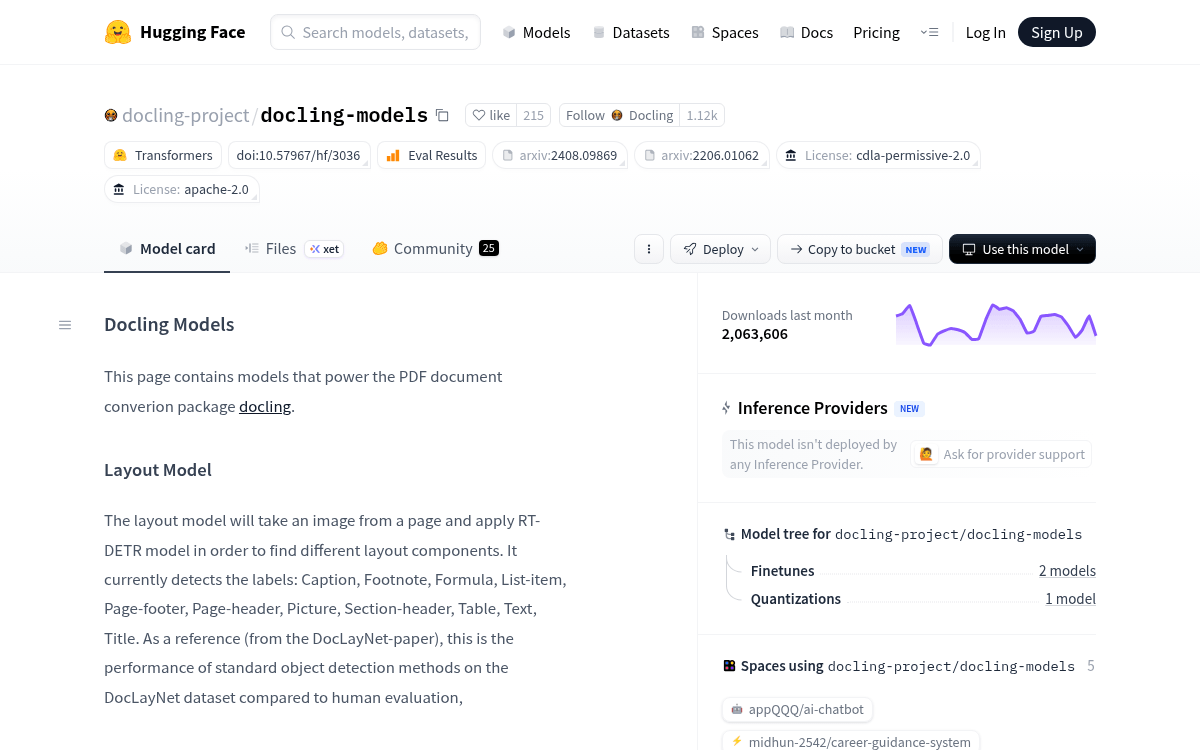
If you have ever tried to feed a stack of messy PDFs into a retrieval pipeline, you know most of the pain lives in the parsing step. Tables come out scrambled, headers get mixed with body text, and OCR mangles equations. Docling, an open source toolkit from IBM Research, was built to address exactly that problem, and the two computer vision models sitting underneath it, docling-project/docling-models on Hugging Face, do the heavy lifting.
Two models, one pipeline
The repository ships two components that work in sequence. The layout model takes an image of a page and applies an RT-DETR detector to find distinct layout components, tagging regions as Caption, Footnote, Formula, List-item, Page-footer, Page-header, Picture, Section-header, Table, Text, or Title. Once regions are identified, the second model takes over.
TableFormer recognizes the internal structure of a table along with the bounding boxes of its cell content, picking up where the layout stage leaves off. On the TEDS benchmark for table structure recognition, TableFormer reports 95.4 on simple tables, 90.1 on complex tables, and 93.6 across all tables, comfortably ahead of Camelot (73.0) and Acrobat Pro (65.3) as listed on the model card.
Why skipping OCR is the real trick
Most document parsers start by running OCR on every page. Docling takes a different route, sidestepping OCR when it can in favor of computer vision models trained to recognize and categorize visual elements directly. According to IBM researcher Peter Staar, avoiding OCR reduces errors and speeds up time-to-solution by roughly 30x. OCR still kicks in for scanned PDFs, but for the majority of programmatic PDFs, layout detection plus direct text extraction produces cleaner output at a fraction of the compute cost.
What the wrapper library gives you
The models on their own are useful, though the docling Python package is what most people actually install. It handles the plumbing of turning arbitrary files into structured objects an LLM can chew on, parsing PDF, DOCX, PPTX, XLSX, HTML, EPUB, Apple Pages, WAV, MP3, WebVTT, email formats, images, LaTeX, and more into a unified DoclingDocument representation. Export options include Markdown, HTML, DocTags, and lossless JSON.
Getting started looks like this:
from docling.document_converter import DocumentConverter
converter = DocumentConverter()
result = converter.convert("paper.pdf")
print(result.document.export_to_markdown())
DocumentConverter is the main entry point, handling various input formats with both single-document and batch conversion. Per the technical report, the package is designed as a self-contained Python library with a permissive license, running entirely locally on commodity hardware.
Where it fits in your stack
The clearest use case is preparing enterprise documents for LLMs. Much of the data valuable to enterprises sits in PDFs, annual reports, and slide decks, and Docling turns those unstructured files into JSON and Markdown that models can ingest for training, customization, or retrieval-augmented generation. Practical fits include:
- RAG pipelines that need reliable chunking of PDFs with tables and figures
- Fine-tuning datasets built from internal reports or scientific papers
- Agent workflows that read invoices, contracts, or financial filings
- Batch conversion of technical documentation to Markdown for search indexes
The evolving model lineup
The docling-models repository is the original bundle, though the project has been splitting the components into separate, upgradable models. Maintainers note that layout has been decoupled as an independent model, with a new higher-precision version called "heron" available at docling-layout-heron and the previous model still accessible at docling-layout-old. There is also a compact vision-language variant worth knowing about: Granite-docling-258M, the successor to SmolDocling, is a multimodal image-to-text model aimed at efficient document conversion.
Granite-Docling is designed to complement the Docling library rather than replace it, integrating as a component that consolidates the functions of multiple single-purpose models into one compact VLM. For the traditional layout-plus-TableFormer pipeline, the original repository remains the reference. For a single VLM that handles the whole page in one pass, the Granite variant is where the project is heading.
Known rough edges
A few things worth flagging before you commit. Community feedback on the repo has been sharp about breaking changes, with one user noting that if you are using semantic versioning, you really should not make changes like this in a minor version. The layout model was briefly removed from the main repo, which broke downstream projects until it was restored under a tagged revision. On benchmarks, the ParseBench leaderboard on the model card lists the docling_parse pipeline at a mean score of 50.6, which suggests there is still headroom versus specialized commercial parsers on the hardest documents.
For most document-to-LLM workflows though, the combination of permissive licensing, local execution, and strong table extraction makes this one of the more pragmatic open source options in the space right now.