
ADetailer's YOLO Trick Fixes Stable Diffusion's Melted Faces at 10M Downloads
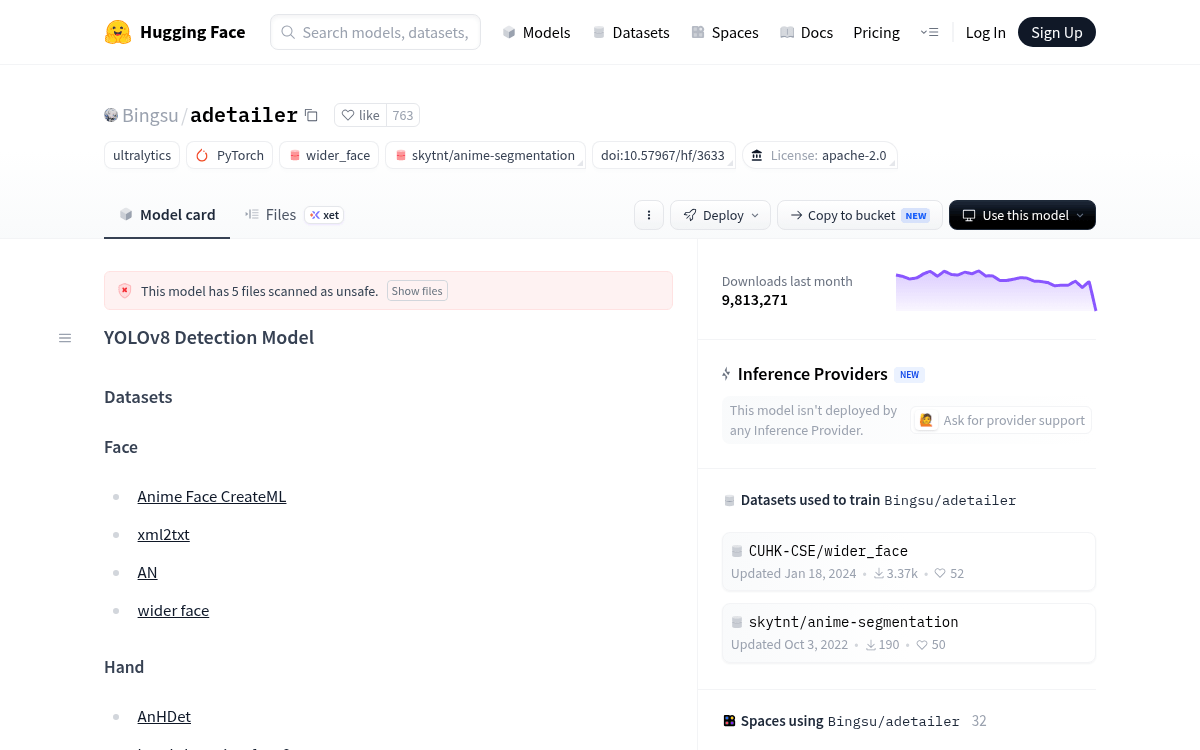
The YOLO detection model behind Stable Diffusion's most-installed face and hand fixer has crossed 9.8 million downloads on Hugging Face.
 Pro
Takeaways
- Bingsu/adetailer hosts the YOLOv8 and YOLOv9 detection weights behind the popular ADetailer Stable Diffusion extension.
- The model has crossed 9.8 million downloads on Hugging Face, making it one of the platform's most-used CV models.
- Pipeline: generate image, detect faces/hands/persons with YOLO, auto-mask, then inpaint only the crop.
- Best face model (yolov9c) reaches 0.748 mAP@50; hand model hits 0.810; person segmenter reaches 0.849.
- Weights are standard Ultralytics checkpoints, loadable in three lines with ultralytics + huggingface_hub.
- Fixes distant or distorted faces well, but cannot upscale and still struggles with fingers.
If you have ever generated a portrait with Stable Diffusion and watched it produce a beautiful body attached to a melted, Picasso-esque face, you have met the problem that Bingsu/adetailer was built to solve. The repository ships the YOLO detection weights that power ADetailer, the automatic face-and-hand fixing extension for Stable Diffusion WebUI, and it has quietly become one of the most-downloaded computer vision models on Hugging Face with nearly 9.9 million pulls.
ADetailer itself is not a diffusion model. It is an extension for the Stable Diffusion webui that does automatic masking and inpainting, similar to the older Detection Detailer, but rebuilt on top of Ultralytics YOLO instead of mmdet. The Hugging Face repo hosts the detection checkpoints that the extension downloads at runtime.
A three-step trick that shouldn't work this well
The pipeline is embarrassingly simple, which is part of why it holds up. ADetailer generates an image, runs a detection model to build a mask around whatever it was told to find, then inpaints that region using the original image and the mask. Stable Diffusion produces a picture, YOLO locates the faces (or hands, or whole person, or clothing), and the diffusion model runs a second pass at high resolution on just those cropped regions.

That second pass is what fixes the classic distant-face problem. In full-body portraits or scenes where the subject is far from the camera, faces often collapse into blurred or distorted smears, and a targeted inpaint at native resolution restores them. Because the operation only touches the masked crop, the rest of the composition stays untouched.
What's actually in the repo
The repo is a zoo of YOLOv8 and YOLOv9 checkpoints trained on different targets. Sizes go from nano to medium, with segmentation variants for person and clothing detection. Reported metrics from the model card:
| Model | Target | mAP 50 | mAP 50-95 |
|---|---|---|---|
| face_yolov8n.pt | Realistic face | 0.660 | 0.366 |
| face_yolov9c.pt | Realistic face | 0.748 | 0.433 |
| hand_yolov9c.pt | Realistic hand | 0.810 | 0.550 |
| person_yolov8m-seg.pt | Person (segmentation) | 0.849 bbox / 0.831 mask | 0.636 bbox / 0.533 mask |
| deepfashion2_yolov8s-seg.pt | Clothing | 0.849 bbox / 0.840 mask | 0.763 bbox / 0.675 mask |
Training data is a mix of public detection datasets: WIDER FACE for realistic faces, several Roboflow anime face sets, COCO 2017 (person class only), DeepFashion2 for clothing, and skytnt/anime-segmentation for anime people. Everything is Apache-2.0.
Using it without the WebUI
You do not need Automatic1111 to use these weights. They are plain Ultralytics YOLO checkpoints, so you can load them in a few lines:
from huggingface_hub import hf_hub_download
from ultralytics import YOLO
path = hf_hub_download("Bingsu/adetailer", "face_yolov8n.pt")
model = YOLO(path)
results = model("portrait.jpg")
boxes = results[0].boxes.xyxy  # feed these into your own inpainter
That makes the repo useful well beyond A1111. If you are building a ComfyUI node, a Diffusers pipeline, or a batch job that pumps out synthetic data, you can grab a face detector, hand detector, or person segmenter without training your own.
Where it shines and where it flops
- Good at: fixing garbled faces in wide shots, cleaning up hands (within reason), isolating people or clothing for regional prompting, and running fast enough that the nano models add only a second or two per image.
- Not good at: upscaling. ADetailer targets distorted faces in already-generated images, and for images that need 2x or 4x upscaling, it does nothing on its own. It also inherits Stable Diffusion's own weakness with hands, so results on fingers stay hit or miss.
- Composition drift: because the mask comes from a detector rather than a human hand, the resulting face will not exactly match what manual inpainting would produce, which matters if you are chasing pixel-level reproducibility.
About that scary pickle warning
Hugging Face flags several of the segmentation checkpoints as unsafe pickles. Since getattr is classified as a dangerous pickle function, any segmentation model that uses it gets flagged, but the files come straight from the official Ultralytics save path, so they are safe if you trust that source.

Why it keeps trending
ADetailer is one of those tools that solves a single, painful problem so well that it becomes invisible infrastructure. Nearly 10 million downloads for what is essentially a bundle of YOLO weights says something about how much of the generative image stack now gets stitched together from small, specialized detectors rather than one giant end-to-end model. If your diffusion pipeline still ships faces that look like abstract art at long focal lengths, this is the two-line fix that gets shipped to production.