



Zed just shipped v1.3, and the headline feature is one that a lot of developers have been quietly hacking together on their own: the ability to run terminal-based AI agents directly inside the editor's Agent Panel. The feature is called Terminal Threads, and it turns any CLI process into a first-class thread in Zed's sidebar, right next to your built-in agent conversations.
If you've been running claude, amp, or codex in a split terminal pane while Zed's built-in agent worked in another panel, this release is for you. The terminal pane was not designed for managing parallel agent sessions, and it showed. Terminal Threads fix that by bringing those sessions into the same sidebar where Zed already tracks agent work.
How Terminal Threads Actually Work
Open the "New Thread" menu from the + icon in the Agent Panel toolbar and choose Terminal. A new terminal opens in the panel body and appears as its own entry in the Threads Sidebar, just like any other thread.
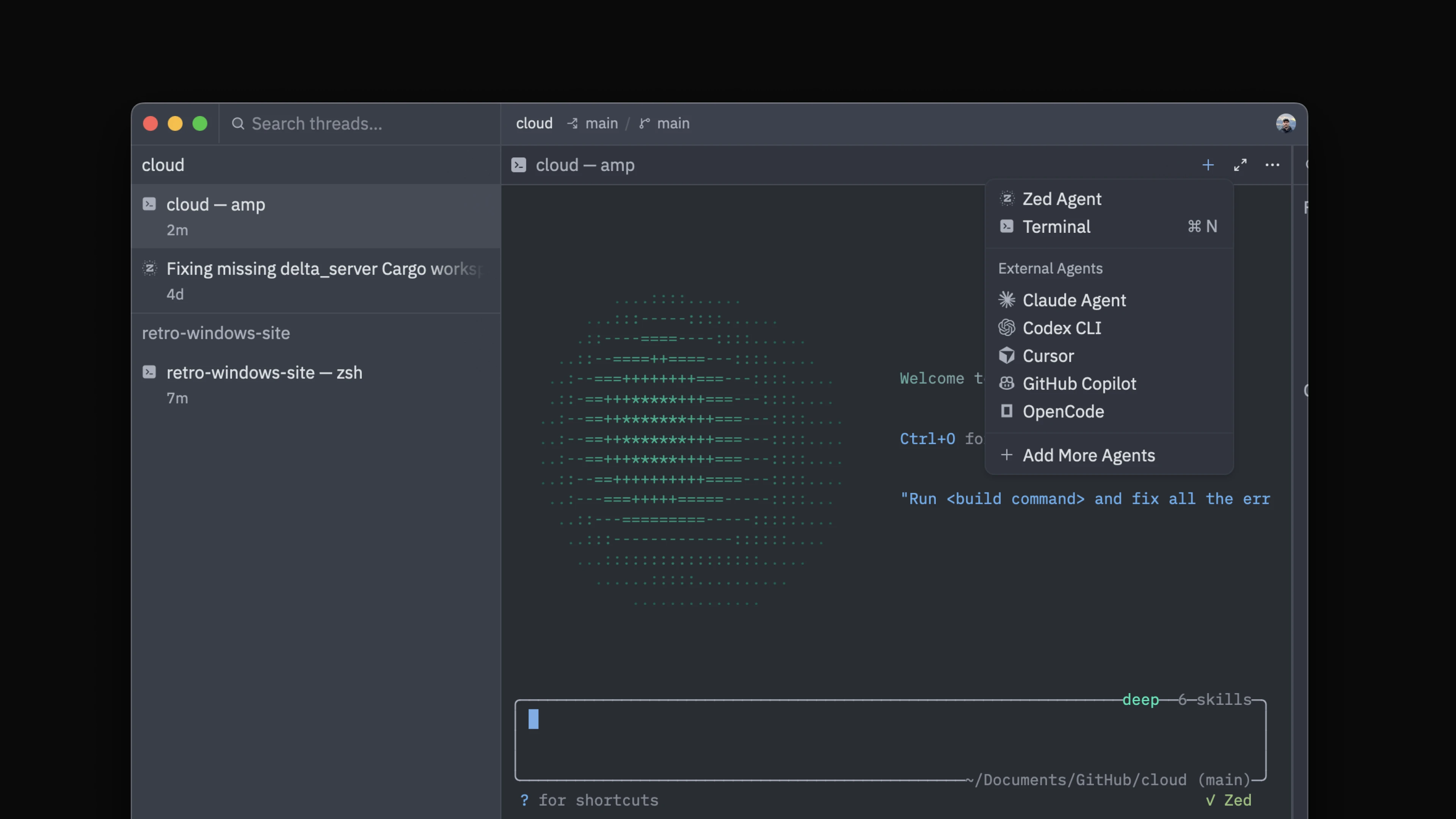
Each terminal is scoped to your project and worktree. The terminal title in the sidebar updates automatically to reflect whatever is running, so you can tell your threads apart at a glance. You get the same keyboard navigation as regular agent threads, and notifications when a process needs your attention.
A few things worth knowing:


Don't miss what's next in AI
Join 300,000+ engineers and researchers who get the signal, not the noise.
- Full access to in-depth AI research breakdowns
- Be the first to know what's trending before it hits mainstream
- Daily curated papers, repos, and industry moves