
OpenAI's Codex Now Runs Overnight While Your Mac Sleeps
OpenAI's 'Codex Thursday' ships four major updates: locked-screen Mac agent, Appshots context capture, Goal Mode GA, and advanced browser annotations
Takeaways
- Locked Use: Codex can now operate macOS apps while your Mac is locked and screen is off, triggered remotely from your phone.
- Appshots: Press both Command keys to instantly inject any Mac app window (screenshot + full text) into a Codex thread.
- Goal Mode GA: Now stable across app, IDE extension, and CLI — set a multi-hour or multi-day objective with
/goal. - Advanced Annotation: Directly tweak font, color, and spacing in the in-app browser and batch-send changes to Codex.
- Plugin Sharing: Business users can now distribute plugin bundles including skills, MCP servers, and integrations across teams.
- Availability: Computer Use features are macOS-only (not EEA/UK/Switzerland); Goal Mode also available on CLI 0.128.0+.
OpenAI has been shipping Codex updates every Thursday, but this week's batch lands differently. The company dropped four features at once that, taken together, push Codex from an interactive coding assistant into something closer to a background process you delegate to and check on later. The headline is Locked Use, but the real story is how all four features combine.
Your Mac can sleep. Codex won't.
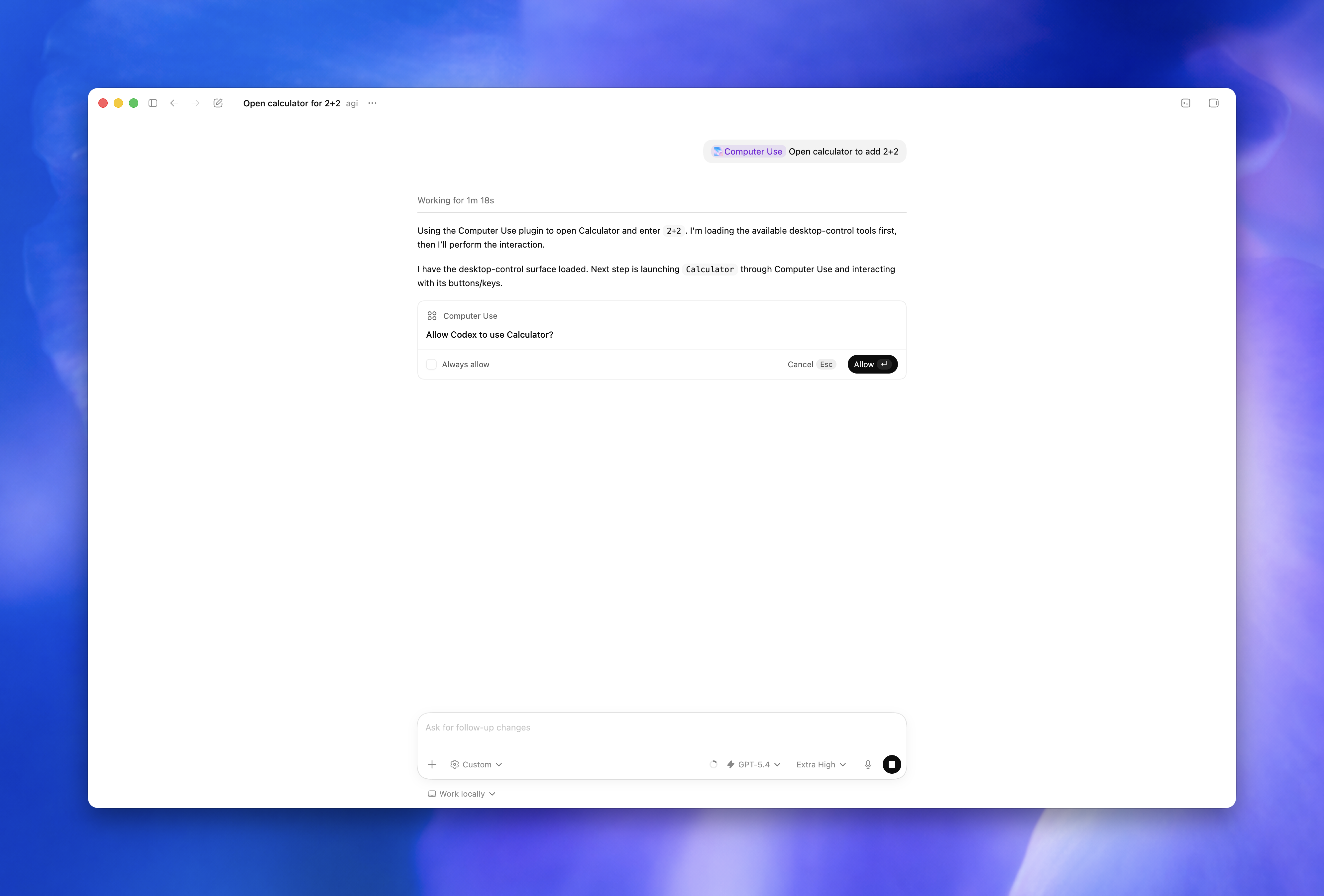
One of the longest-standing frustrations for AI agent users on macOS has been the lock screen. Leave your Mac unattended during a multi-hour coding task, and the screen locks, abruptly halting whatever the agent was doing. OpenAI's answer is a feature called Locked Use.
The feature uses an Apple authorization plug-in that temporarily unlocks the Mac with strict temporal and behavioral safeguards, letting developers trigger and monitor long-running agent tasks remotely from their phone. The security model is worth understanding before you enable it:
- OpenAI uses short-lived authorization tokens, not persistent access. Every display is covered while the Mac is temporarily unlocked for Codex, so nothing is visible to anyone nearby.
- Codex scopes locked use to active, trusted computer use turns and includes safeguards such as short-lived authorization, covered displays, relock on local input, and manual-unlock fallback.
- The feature cannot automate Terminal apps, Codex itself, or system-level admin prompts, preventing it from bypassing its own security policies.
It is unavailable in the European Economic Area, the United Kingdom, and Switzerland at launch. Anthropic brought Computer Use to the Claude Mac desktop apps earlier, but as of this release Claude still does not survive the lock screen, making OpenAI the first major coding agent to clear that barrier on macOS.
Context without copy-paste
The second feature, Appshots, solves a different but equally annoying problem: getting the agent to understand what you're actually looking at. Previously, you'd screenshot something, paste it in, and describe the context. Now you just press both Command keys at once.
Codex gets both a screenshot and text from the window, including content beyond what's visible onscreen. It captures a screenshot plus structured text of the frontmost window, including portions beyond the scroll, thanks to ScreenCaptureKit and the macOS Accessibility APIs. This isn't just an OCR of the screen; Codex also captures which application the window belongs to and its state.
The hotkey is customizable, and like all computer use features, it requires Screen Recording and Accessibility permissions. It is not available on Windows at launch.
Goal Mode goes stable
Goal Mode is the feature that ties everything together. It's the difference between asking Codex to do one thing and asking it to pursue an outcome. Goal mode is no longer an experimental feature and is available in the Codex app, IDE extension, and CLI. With Goal mode, you can have Codex drive toward a specific objective for hours or even days.
You invoke it with the /goal command. The key insight is that Goal Mode works best when there's a verifiable success condition, not just a vague direction:
- Goal mode shines on debugging tasks that require trial-and-error. Flaky or failing tests often depend on unknown root causes. A user can specify
/goal fix failing tests X, Y, Z without altering the public APIand let Codex repeatedly run the suite, inspect failures, and apply patches. - Goals excel when there is closed-loop feedback (tests, benchmarks, checklists) and a well-scoped target.
- Ambiguous goals produce failure modes: the agent might give up early or keep flailing endlessly.
Update the Codex app to 26.519 or later. On CLI, run npm install -g @openai/codex to reach 0.128.0 or later for Goal Mode support.
Users can also set a token budget (e.g., Use a token budget of 80000 tokens) within a Goal to keep costs in check. Speaking of which, Pro users report rapid consumption of weekly usage limits, with some hitting 90% within days of reset. Long-running goals are token-hungry by design.
Annotate like a designer, not a PM
The fourth feature is Advanced Annotation Mode in the Codex in-app browser. Advanced in-app browser annotations let you tweak styling such as font size, colors, and spacing directly using annotations. This gives Codex a clearer signal for changes.
Advanced annotation mode allows you to leave feedback while directly adjusting styles such as font size, color, and margins of page elements. Since you can preview changes instantly, the change signals passed to Codex move from "text requests" to "on-screen specifications." You can also batch comments for Codex, so designers and developers can show exactly what they want changed without waiting for a full turn.
Also bundled in this release: teams can now distribute custom plugins, reuse internal tools, and manage what's available across their workspace. Available now to Business users. Enterprise support is coming soon.
The bigger picture
Individually these are useful updates. Together they point in one direction: Codex as a background process, not a foreground tool. Appshots reduces the overhead of handing off context. Goal Mode gives the agent a persistent task to work toward. Locked access means the screen does not need to be on for work to happen.
Cursor, Claude Code, and others are converging on this same model. By March 2026, Codex had grown to more than 2 million weekly active users, and OpenAI was positioning it as a broader enterprise agent platform that could eventually be used for tasks beyond software development. These four features are a clear step in that direction. The question, as always, is whether the output quality justifies the autonomy, and that answer lives in your diff viewer.
All features are available now on Codex app 26.519 for macOS. Computer Use features require ChatGPT Plus, Pro, Business, Edu, or Enterprise plans. Goal Mode is also available via the Codex CLI at version 0.128.0 or later.