

Nous Research's Hermes Agent Now Pulls Secrets From Multiple Vaults Safely
Hermes Agent adds 1Password support and a plugin API so any secret vault can feed credentials into the agent at startup

- Hermes Agent now supports 1Password alongside Bitwarden as a built-in secret vault, and both can run simultaneously.
- A new Secret Source Plugin API lets anyone add any vault backend (HashiCorp, AWS Secrets Manager, etc.) without touching core code.
- Plugins only implement one method (
fetch()); the framework handles precedence, conflict resolution, timeouts, and provenance labeling. - Credentials are never stored in plaintext; only one bootstrap token lives in
.env, and all other keys are fetched at startup from the vault. - A conformance test kit is included so plugin authors can verify their backend meets the contract before publishing.
- The bundled vault set is intentionally closed to Bitwarden and 1Password; all other backends should be published as standalone plugin repos.
Hermes Agent, the self-improving AI agent from Nous Research, just shipped a meaningful quality-of-life update for anyone running it in a real environment: you can now pull secrets from multiple vaults simultaneously, and a new plugin API lets you wire in any secret manager you already use.
The plaintext .env problem
Hermes can pull API keys from external secret managers at process startup instead of storing them in ~/.hermes/.env. That matters because a flat .env file is a single point of failure. If a subprocess leaks it, or the file ends up in a repo, every credential you have is exposed at once. The vault integration moves the sensitive material out of the filesystem and into a manager that handles rotation, access control, and auditing for you.
The bootstrap token for the secret manager lives in .env; every other provider key (OpenAI, Anthropic, OpenRouter, etc.) can stay in the manager and rotate centrally. So you end up with exactly one secret on disk, and everything else is fetched fresh on each startup.
Two vaults in, one more on the way
Bitwarden Secrets Manager was already supported. This update adds 1Password as a second built-in source. Bitwarden uses the bws CLI (lazy-installed, free tier works), while 1Password uses op:// references via the official op CLI with service-account or desktop session auth.
You can enable more than one secret source at the same time, for example a team Bitwarden project alongside a personal vault plugin. When two sources disagree on the same variable, Hermes doesn't just silently pick one:
- Sources compose per env var with a deterministic precedence ladder: your
.env/ shell wins by default. - A source only replaces a pre-existing value when its own
override_existing: trueis set (Bitwarden defaults to true so central rotation works). - Mapped sources beat bulk sources. A "mapped" source is one where you explicitly name which env var maps to which vault reference; a "bulk" source dumps an entire project folder of secrets.
Every credential injected by a source is labelled with its origin, so setup flows and hermes model show (from Bitwarden) next to detected keys. You always know where a value came from.
The plugin API: bring your own vault
The more interesting addition for teams is the new Secret Source Plugin API. The bundled set is deliberately closed: Bitwarden and 1Password ship in-tree. Everything else, including Infisical, Proton Pass, HashiCorp Vault, AWS Secrets Manager, and OS keystores, belongs in plugin repos.
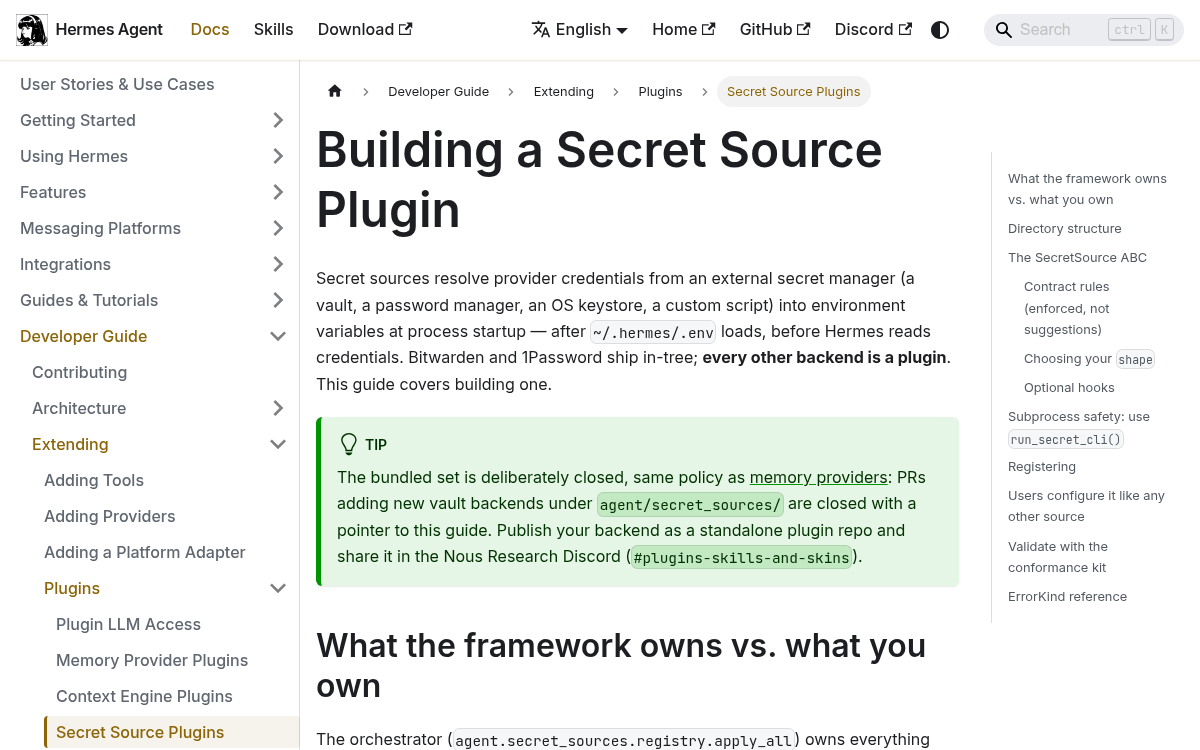
The design is intentionally minimal. A backend subclasses agent.secret_sources.base.SecretSource with one required method: fetch(cfg, home_path) -> FetchResult, and registers via ctx.register_secret_source(MySource()) in the plugin's register(ctx). The framework handles the hard parts so your plugin only needs to handle the fetch itself.
Here is what a minimal plugin looks like:
from agent.secret_sources.base import (
    ErrorKind, FetchResult, SecretSource, run_secret_cli
)
class MyVaultSource(SecretSource):
    name = "myvault"      # config key: secrets.myvault
    label = "My Vault"    # shown in startup logs + provenance labels
    shape = "mapped"      # "mapped" (explicit VAR->ref) or "bulk" (project dump)
    def fetch(self, cfg: dict, home_path) -> FetchResult:
        result = FetchResult()
        proc = run_secret_cli(["myvault-cli", "export", "--json"],
                              allow_env=["MYVAULT_TOKEN"], timeout=30)
        result.secrets = parse_your_output(proc.stdout)  # {ENV_VAR: value}
        return result
def register(ctx):
    ctx.register_secret_source(MyVaultSource())
Drop the plugin into ~/.hermes/plugins/my-vault/ and enable it. Users configure it like any other source:
secrets:
  sources: [myvault, bitwarden]
  myvault:
    enabled: true
The framework does the dangerous work
The split between what the framework owns and what your plugin owns is deliberate. The orchestrator owns precedence, conflict handling, timeouts, and provenance. Your source only fetches. This means a buggy or malicious plugin can't silently overwrite a credential it shouldn't touch.
A few hard contract rules enforced by the framework:
- Never raise from
fetch(). Errors go intoresult.errorandresult.error_kind. A raising fetch is caught and reported asINTERNAL. - Never prompt. Startup runs in non-TTY contexts like gateways, cron jobs, and Docker. The
run_secret_cli()helper closes stdin so an interactive helper fails fast instead of hanging. - Never write
os.environyourself. Return the mapping you would contribute and let the orchestrator apply it. Writing the environment directly bypasses conflict detection and provenance tracking. - Subprocess safety via
run_secret_cli(). If your backend shells out to a CLI, use this helper. It enforces a minimal allowlisted child environment, noshell=True, ANSI-scrubbed stderr, and a clean timeout.
There is also a conformance test kit you can subclass in your plugin's test suite. Green conformance is the bar for calling a backend contract-compliant, and it checks the rules that tend to break other people when violated: never-raises on malformed config, machine-readable error kinds, disabled-by-default, and a full apply_all() round trip.
Who this is for
If you are running Hermes as a personal assistant on a single machine, the existing .env file is probably fine. This update is aimed at a few specific situations:
- Teams sharing an agent deployment where credentials need to rotate centrally without touching every machine.
- Self-hosted or server deployments where a plaintext secrets file is an unacceptable risk posture.
- Organizations already using a specific vault (HashiCorp, AWS Secrets Manager, a corporate SSO-backed keystore) that is not Bitwarden or 1Password.
- Cron and gateway setups where the agent runs unattended and needs credentials refreshed automatically on each startup.
Hermes is the only agent with a built-in learning loop: it creates skills from experience, improves them during use, nudges itself to persist knowledge, and builds a deepening model of who you are across sessions. Pluggable secret management is a step toward making that kind of persistent, server-side deployment actually safe to run.
Comments
