



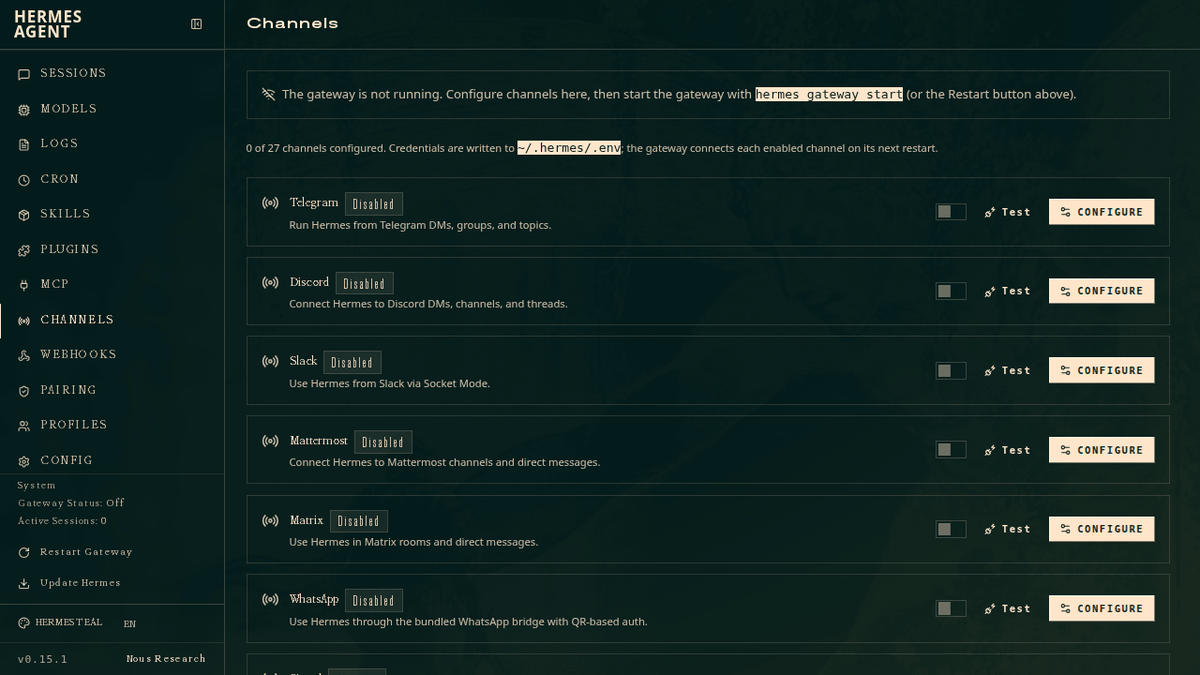
Hermes Agent, the open-source autonomous AI agent from Nous Research, just shipped a major overhaul of its web dashboard. What was once a lightweight status page is now a full-blown browser-based admin panel that lets you manage nearly every aspect of your agent installation without touching a config file or terminal command.
The web dashboard is a browser-based UI for managing your Hermes Agent installation. Instead of editing YAML files or running CLI commands, you can configure settings, manage API keys, and monitor sessions from a clean web interface. It's the kind of quality-of-life upgrade that makes self-hosted AI agents accessible to a much wider audience.
From CLI-only to browser-first
Hermes Agent is an open-source autonomous AI agent built by Nous Research, released in February 2026. Hermes lives on your server, remembers what it learns, and gets more capable the longer it runs. It supports Linux, macOS, and WSL2 with no prerequisites, installing everything automatically via a single curl command. Until now, managing it meant wrangling YAML and CLI flags. The new dashboard changes that entirely.
Getting started is a single command:
pip install 'hermes-agent[web,pty]'
hermes dashboard
This starts a local web server and opens http://127.0.0.1:9119 in your browser. The dashboard runs entirely on your machine , no data leaves localhost.
What's actually inside the panel
The dashboard isn't just a pretty config editor. It covers the full operational surface of a running agent. Here's what each section does:
- Status , live overview of agent version, gateway state, active session count, and the 20 most recent sessions. Auto-refreshes every 5 seconds.


Don't miss what's next in AI
Join 300,000+ engineers and researchers who get the signal, not the noise.
- Full access to in-depth AI research breakdowns
- Be the first to know what's trending before it hits mainstream
- Daily curated papers, repos, and industry moves