

MiniMax Code Gains Browser Control and Autonomous Goal Mode in v3.0.54
MiniMax Code v3.0.54 adds browser automation, long-horizon Goal Mode, and keyboard shortcuts to its desktop AI coding agent

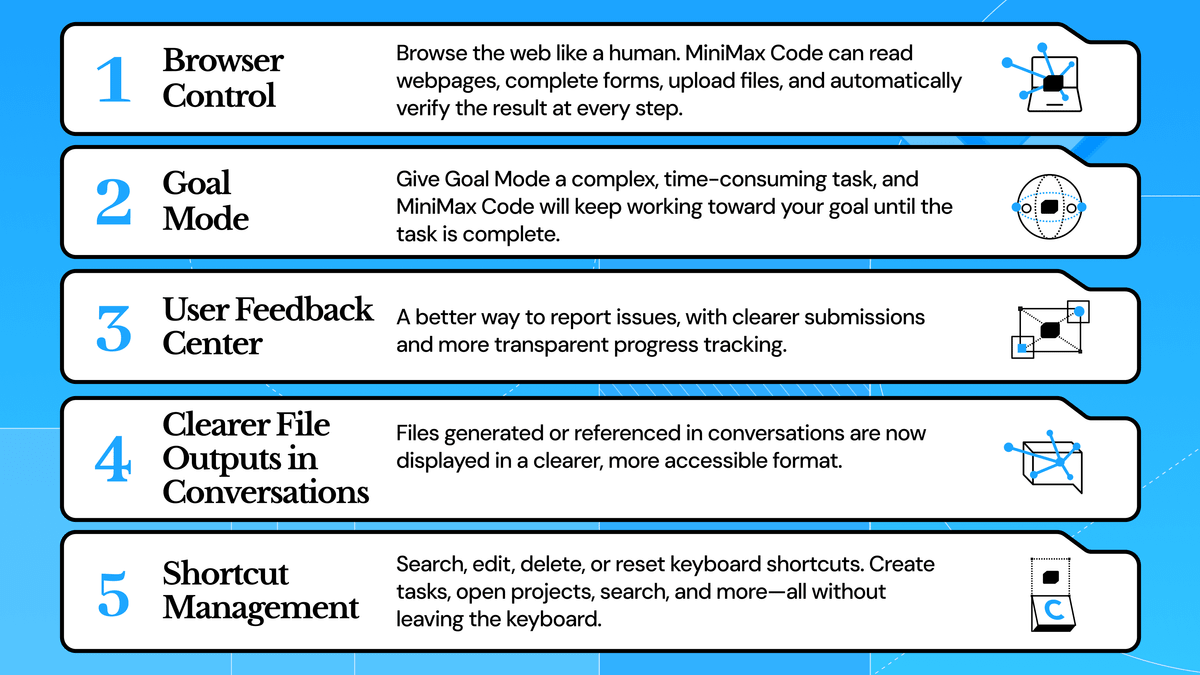
- MiniMax Code v3.0.54 ships Browser Control, letting the agent read pages, fill forms, and upload files inside the built-in browser autonomously.
- New Goal Mode lets you assign complex, long-running tasks and check back on status and elapsed time without babysitting the agent.
- A Feedback Center now auto-attaches task context, workspace info, and app version when you report issues.
- File outputs in conversations are now clickable, navigating directly to the exact file, folder, or line of code.
- Full keyboard shortcut support added, with a dedicated settings page to search, customize, and reset bindings.
- Available now on macOS and Windows; download here. Token Plans start at $10/month.
MiniMax Code just shipped v3.0.54, and it's one of the more substantive feature drops the desktop agent has seen. The update brings browser automation, a new mode for managing long-running tasks, a revamped feedback system, smarter file navigation, and full keyboard shortcut support. All of these were high on the community's request list.
The browser finally does real work
The headline feature is Browser Control. Before this update, the built-in browser was mostly a preview pane. Now it's an active workspace. MiniMax Code can operate continuously inside the built-in browser: reading pages, filling forms, uploading files from the current task or workspace, and checking the result after each action.
The safety model here is worth noting. For outward-facing actions such as publishing, sending, or submitting, it asks for confirmation before proceeding. And for convenience, on first use, you can confirm importing cookies from Chrome to reuse existing sign-in sessions; the import does not include browsing history, cache, or saved passwords. That means the agent can operate inside authenticated web apps without you having to log in again through its browser.