

Kaggle Gives AI Agents Access to Millions of Expert ML Discussions
Kaggle CLI v2.2.0 gives coding agents direct access to Kaggle forums, competition writeups, and benchmarks via new CLI commands and OAuth support
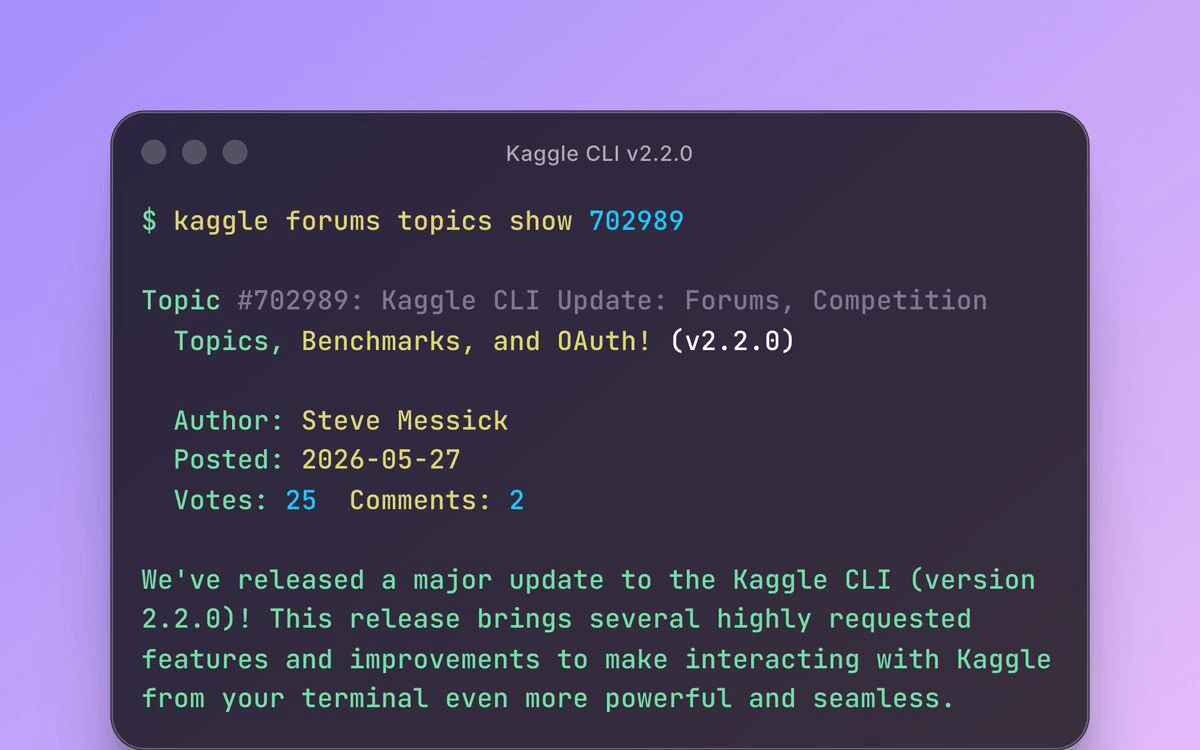
- Forums CLI added: Kaggle CLI v2.2.0 lets coding agents browse and read Kaggle discussions, solution writeups, and debugging threads programmatically.
- OAuth authentication:
kaggle auth loginreplaces manualkaggle.jsonfile management with a browser-based OAuth flow. - JSON output flag:
--format jsonadded to key commands, enabling clean structured output for agent pipelines and scripting. - Benchmarks CLI: Define
@task-decorated Python evaluation tasks, run them against multiple LLMs (e.g. Gemini, Claude), and download results. - Rate-limit handling: Automatic retry logic now respects HTTP 429
Retry-Afterheaders, making long-running agent workflows more robust. - Free and open source: Available now via
pip install --upgrade kaggleunder the Apache 2.0 license.
Kaggle just shipped version 2.2.0 of its official CLI, and the headline feature is not a download speed improvement or a new flag. It is the ability for your coding agents to read Kaggle's collective brain: millions of discussion threads, solution writeups, and debugging posts from the world's largest ML competition community.
What actually shipped
The 2.2.0 release adds a new kaggle forums command group that lets any process, including an AI coding agent, browse and read Kaggle discussion forums programmatically. That means an agent working on a tabular classification problem can now pull competition-winning solution writeups, read through debugging threads, and surface community tips, all without leaving the terminal or requiring a browser session.
The full list of new capabilities in this release:
- Forums CLI (
kaggle forums): browse and read Kaggle discussions, solution writeups, and community threads - Competition Topics CLI (
kaggle competitions topics): read discussion threads scoped to a specific competition - OAuth authentication (
kaggle auth login): browser-based login flow instead of manually managing akaggle.jsonAPI key file - JSON output flag (
--format json): machine-readable output for scripting and agent pipelines - Rate-limit handling: automatic retry logic that respects the
Retry-Afterheader on HTTP 429 responses - Benchmarks CLI (
kaggle benchmarks): define evaluation tasks, run them against LLMs, and download results
The agent angle is the real story
Kaggle has been quietly building toward agentic workflows for a while. More users and agents are interacting with Kaggle outside of the web UI, using APIs, an MCP server, and applications built on top of these interfaces. The forums CLI is the missing piece that makes this actually useful: before, an agent could download datasets and submit predictions, but it had no way to access the community knowledge that makes Kaggle genuinely valuable.
What stands out about this direction is how it moves Kaggle from being primarily a competition and notebook platform into the broader AI agent ecosystem. Think of it this way: a Kaggle grandmaster does not just run models. They read dozens of discussion threads before writing a single line of code. Now your agent can do the same.
The JSON output flag (--format json) is a small but critical addition for agent pipelines. Structured output means an agent can parse forum results, competition standings, or dataset metadata without fragile text scraping.
The Benchmarks CLI is quietly powerful
Less discussed but arguably more interesting for ML teams is the Benchmarks CLI.
It lets you define evaluation tasks, run them against LLM models, and download results.
You write a Python file with functions decorated with @task, push it to Kaggle, and then run it against any available model.
The benchmark runner supports running against multiple models in a single command:
kaggle benchmarks tasks run my-task \
  -m gemini-2.5-pro \
  -m claude-sonnet-4 \
  --wait
Status display uses canonical hyphenated slugs for readability, and run outputs are extracted into clean folders organized by task, version, and model name. This is a scriptable, reproducible LLM evaluation pipeline baked directly into the Kaggle ecosystem.
OAuth fixes a long-standing friction point
The old authentication story required manually downloading a kaggle.json file, placing it in the right directory, and managing its permissions.
The new OAuth authentication flow is now enabled and documented.
Running kaggle auth login opens a browser-based flow, which is both more secure and far easier to set up in automated environments. Note that a bug in 2.1.0 broke kaggle auth login entirely, so upgrading directly to 2.2.0 or later is the right move.
Getting started
The update is available now on PyPI under the Apache 2.0 license. Upgrade with a single command:
pip install --upgrade kaggleThen authenticate and start pulling forum data:
# OAuth login (opens browser)
kaggle auth login
# List top-level forums
kaggle forums list
# Read competition-specific discussions
kaggle competitions topics titanic
# Get JSON output for agent pipelines
kaggle forums list --format json
There are still some rough edges: for example, it is not currently possible to attach a dataset to a notebook being generated through the MCP server. The forums commands are also read-only for now, so agents can consume community knowledge but cannot post or reply. Still, the direction is clear: integrating CLI access with Kaggle notebooks, datasets, and benchmarks could accelerate collaborative experimentation, and users may eventually be able to orchestrate entire experimentation pipelines directly through AI assistants.
Comments
