




GLM 5.2 has been getting a lot of attention lately, especially from developers looking for another strong coding model to use in their existing workflow. The problem is that not everyone wants to switch tools just to try a new model.
If you already use Codex CLI every day, you probably want to keep your current setup, your project context, and your AGENTS.md files intact.
The good news is that you can run GLM 5.2 inside Codex CLI through OpenRouter. You do not need to replace your default Codex model or rebuild your workflow around a different coding harness.
In this guide, I’ll show you how to set up GLM 5.2 as a separate Codex profile.
The main config keeps your stable Codex defaults. The GLM 5.2 profile gives you a separate lane for testing or using the model without touching your usual day-to-day setup.
Let’s get started.
What you need:Before starting, make sure you already have the basic pieces ready.
- Codex CLI installed (Installation explained below)
- An OpenRouter account (API key retrieval explained below)
- Access to GLM 5.2 on OpenRouter
- A terminal where you can edit files
- A project folder where you want to run Codex
Once these are ready, the rest of the setup is mostly just adding one provider config and one model profile.
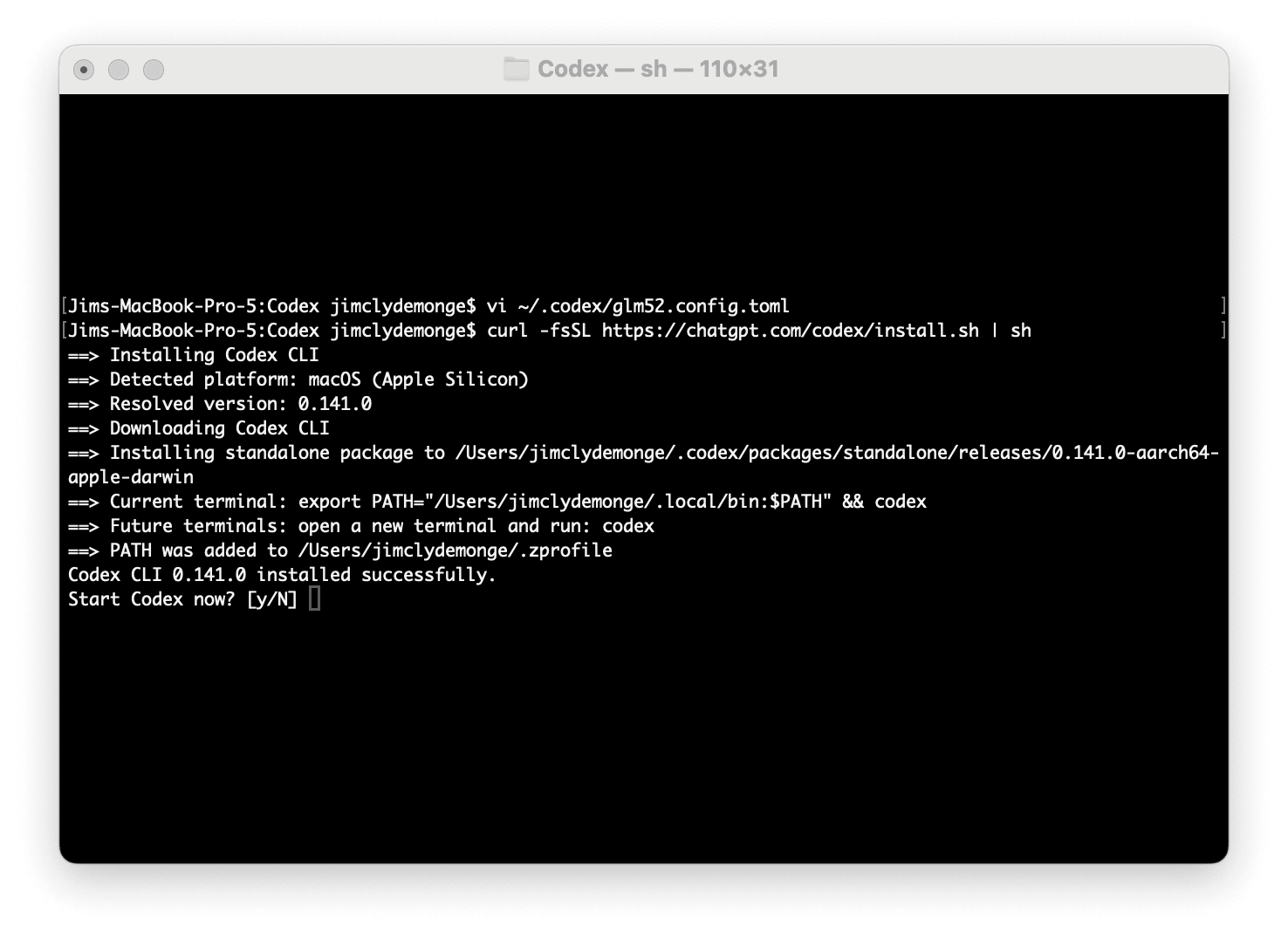
Install Codex CLITo install Codex CLI, use the official installer. Open a terminal and run the bash command below.
curl -fsSL https://chatgpt.com/codex/install.sh | sh
|
To confirm that the CLI has been installed successfully, you should see the message “Codex CLI 0.141.0 installed successfully message” in your terminal.
Do not start Codex yet since we will be creating a custom profile to run.
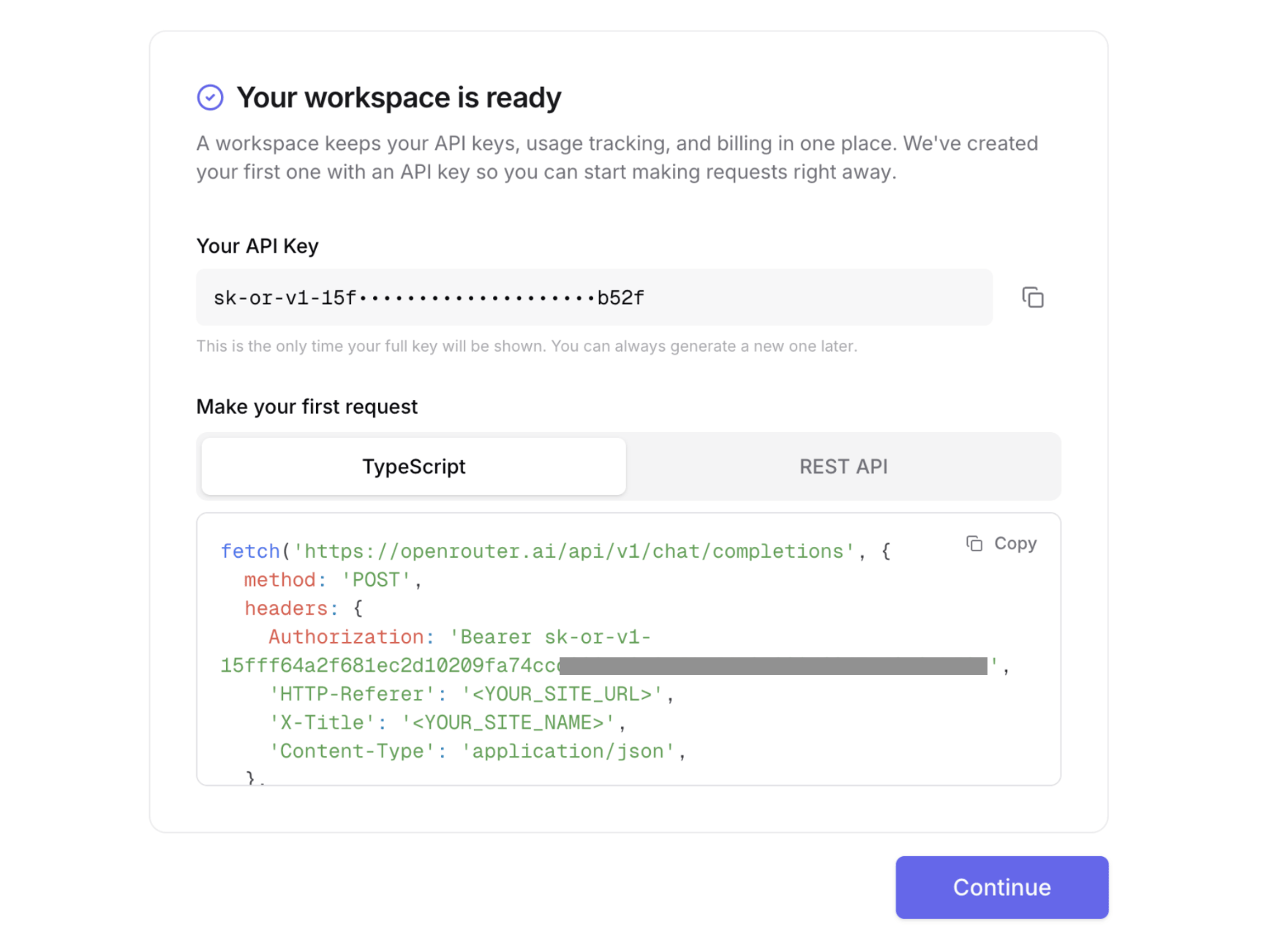
Get an OpenRouter API keyIf it’s your first time creating an OpenRouter account, you’ll need to setup a workspace either for personal or your organization. You will also get an API key in the format sk-or-XXX copy that to somewhere safe because it is only displayed once.
|
If this is not your first time setting up an account, just open the API keys tab in your OpenRouter account dashboard and create a new API key.


Don't miss what's next in AI
Join 300,000+ engineers and researchers who get the signal, not the noise.
- Full access to in-depth AI research breakdowns
- Be the first to know what's trending before it hits mainstream
- Daily curated papers, repos, and industry moves