Google AI Studio Ships Design Variations to Fix Vibe Coding's Biggest Flaw
Google AI Studio's new Design Variations button generates multiple UI layouts instantly, solving the hardest part of vibe coding: describing visual aesthetics
- New feature: Google AI Studio launched Design Variations, a one-click button to generate and apply multiple UI layouts instantly.
- Core problem solved: Describing visual aesthetics in text prompts is unreliable; Design Variations lets the model generate options for you to choose from.
- Powered by Antigravity Agent: The same agent that manages multi-file, full-stack context in Build mode applies the chosen layout across your codebase.
- Complements annotation mode: Works alongside the existing draw-on-preview annotation tool for fine-grained UI edits after a layout is chosen.
- Free to use: Available now in AI Studio's Build mode on the free tier, with Firebase and Cloud Run free tiers covering deployment.
- Limitations remain: Output doesn't use your team's component library and pixel-perfect control is still limited compared to dedicated design tools.
Describing a visual aesthetic in plain text is genuinely hard. Telling an AI you want something that feels "warm but minimal" or "brutalist but approachable" rarely produces what you had in mind. Google just shipped a direct answer to that problem inside Google AI Studio: a dedicated Design Variations button that generates, explores, and applies new UI layouts with a single click.
The problem it actually solves
Anyone who has used AI Studio's Build mode for UI work knows the friction. Vibe coding lets you describe the "vibe" or goal of your project and have Gemini handle the heavy lifting, but the gap between "I want it to look beautiful" and a prompt that actually produces a beautiful layout is wide. Aesthetic intent is notoriously hard to encode in words. Design Variations sidesteps that problem entirely by letting the model generate the options and letting you pick.
This matters because the Build mode workflow is already deeply capable. AI Studio supports building web apps with full-stack runtimes and native Android apps with Kotlin and Jetpack Compose, all through natural language prompting. The missing piece was fast visual exploration at the layout level, without having to re-prompt from scratch every time you wanted a different look.
How Build mode works under the hood
The Antigravity Agent powers the Build mode experience in Google AI Studio. It goes beyond simple code generation by maintaining context of your entire project, managing multiple files, and understanding complex instructions to build robust, full-stack applications. Key capabilities include:
- Context awareness -- maintains state across previous prompts and file edits
- Multi-file management -- propagates changes correctly across the full stack
- Verified execution -- verifies code updates to reduce hallucinations
- Full-stack runtime -- React frontend by default, with a Node.js server-side runtime for secure API calls, database connections, and npm packages
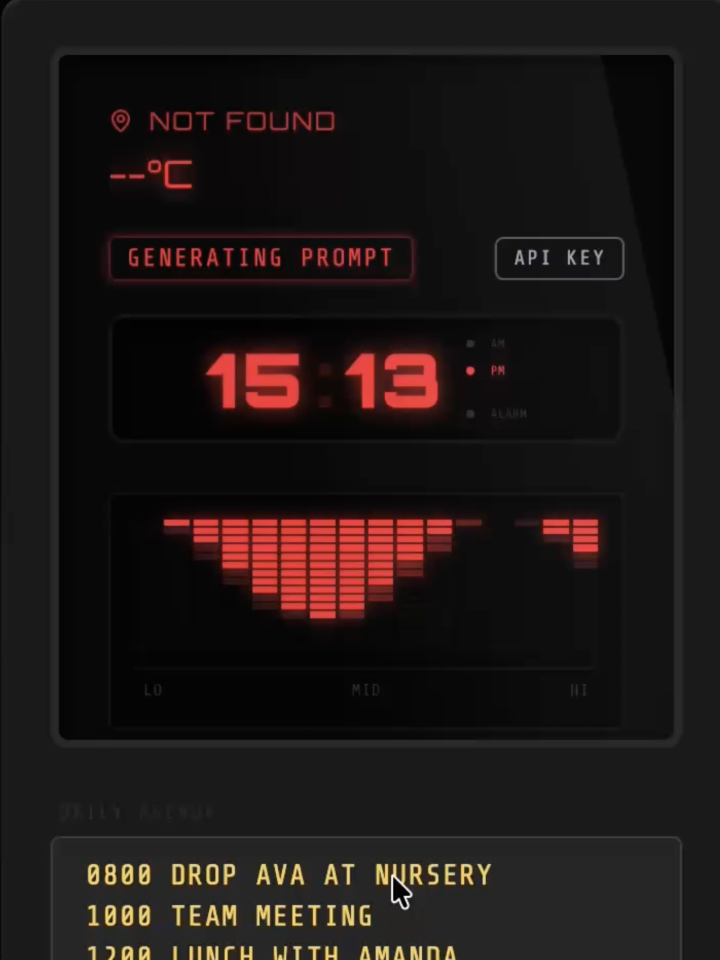
Design Variations plugs into this same agent loop. Rather than you writing a prompt to describe a new aesthetic, the model generates layout candidates on its own, you select one, and the agent applies it across the existing codebase.
Where this fits in the broader workflow
Design Variations is a natural complement to the annotation workflow already in AI Studio. Refining your app is as easy as pointing to what you want to change. Annotation Mode lets you highlight a part of your app and tell Gemini what to modify -- "Make this button blue" or "change the style of these cards" -- keeping you in your creative flow. Design Variations handles the earlier, more open-ended question: what should the overall layout even look like?
For teams already using Google Stitch for visual ideation, this closes a gap that previously required jumping between tools. You can design screens in Stitch and export them to Google AI Studio, where the Build tab generates code from those designs, creating a design-to-code workflow that's more controlled than generating UI purely from text descriptions. Design Variations brings some of that exploration capability directly into AI Studio itself.
What it's good at -- and where it falls short
The feature shines for rapid layout exploration during early prototyping, when you know the content but haven't committed to a visual direction. It's also useful for breaking out of a generic-looking first draft without having to craft a detailed aesthetic prompt from scratch.
The known limitations of the broader Build mode still apply:
- Output is generated from the model's own patterns, not from your team's specific component library
- Generated code -- not a structured spec -- is the source of truth, which creates friction for long-term projects
- Professional layout controls and pixel-perfect adjustments remain minimal
- Ecosystem gravity: deployment paths favor Firebase and Cloud Run, so teams on other stacks may hit friction
Availability and cost
Google AI Studio has a free tier that includes access to the Build tab with usage limits. The free tier uses Gemini models with rate limits applied. Firebase has its own free tier (the Spark plan) that covers a meaningful amount of usage before billing starts. Cloud Run has a free tier as well. Design Variations is available now directly inside AI Studio Build mode -- no waitlist, no separate sign-up.
For teams doing serious UI prototyping, this is a meaningful quality-of-life addition. The hardest part of vibe coding has always been the first step: getting the model to understand what you actually want something to look like. A button that generates the options and lets you choose is a much more honest interface for that problem than a blank text box. The official Build mode docs cover the full workflow if you want to go deeper on the stack.
Comments